dayn.johnson
VIP ⭐️⭐️⭐️⭐️⭐️
December 4, 2024
Released

CC's Gainsight AI needs the same feature-level toggles as Gainsight CS's AI

Related products:CC AI
  • December 4, 2024
  • 6 replies
  • 108 views

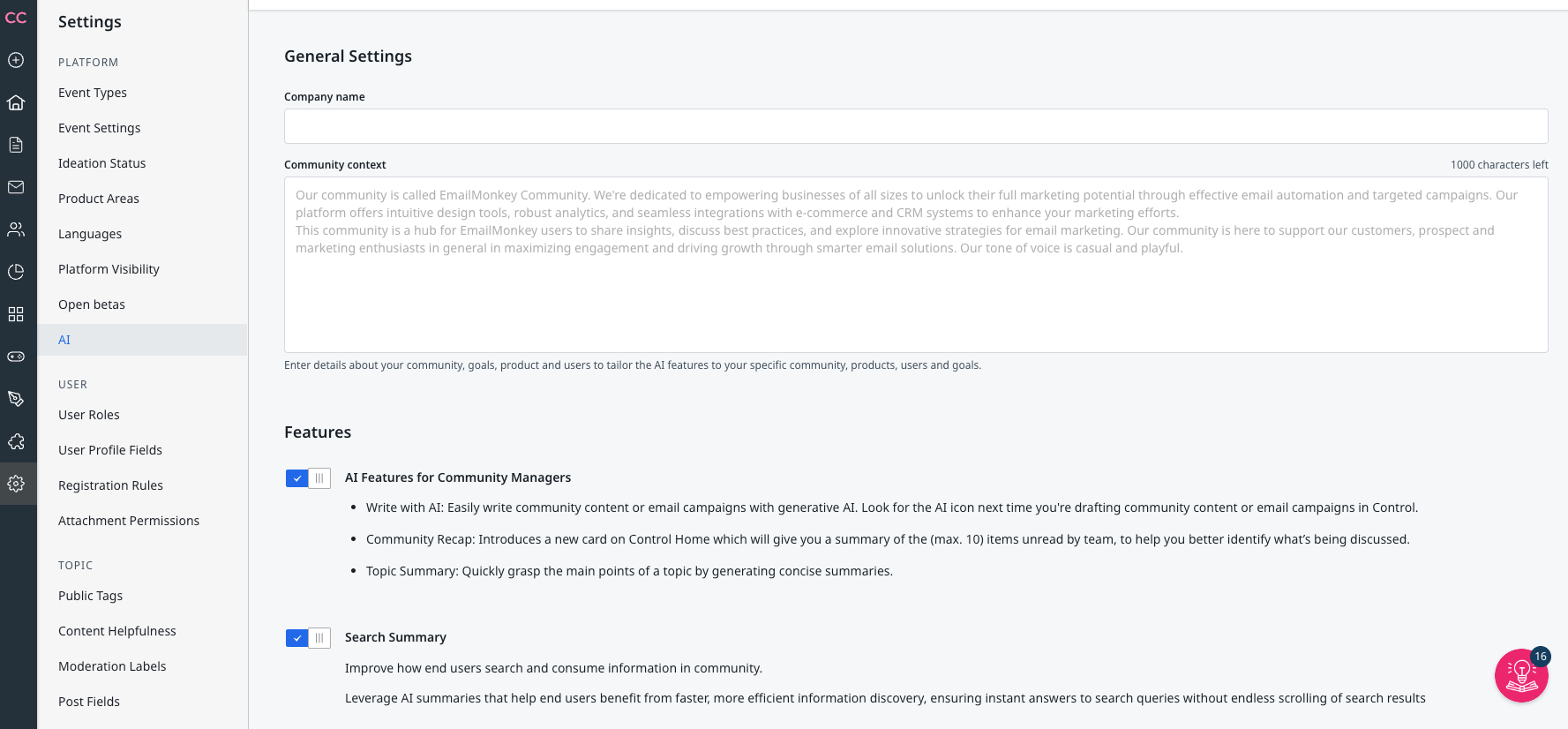
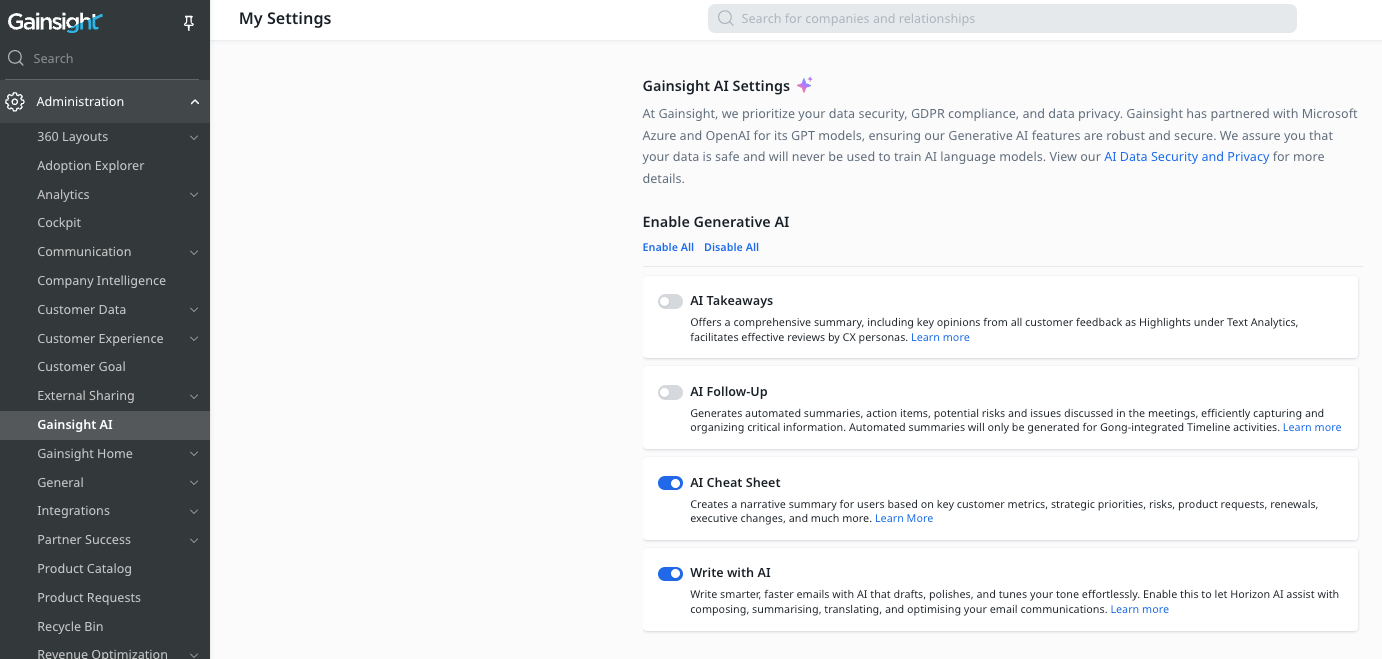
What the subject line says -- CC admins need the ability to control which Gainsight AI features we want to roll out, not an all or nothing toggle. It looks like there are now a couple different toggles in the sandbox (vs. our production environment), but nothing near as granular as what’s available in CS.

Our use case: Our security team has to review all new AI features before we enable them. While they’ve approved everything available now in production, they have not yet approved the new “Search Summary” feature that shows up in our sandbox environment.

As a CS user starting a CC migration, this is yet another case I’ve found of a lack of #productparity between these different Gainsight platforms.

@Kenneth R, ​@revathimenon, I’d love to get some eyes on this!

Gainsight CS settings
Gainsight CC settings (production)
Gainsight CC settings (sandbox)


6 replies

Yoeri
Gainsight Employee ⭐️⭐️⭐️
December 16, 2024

Thank you for sharing your feedback, you have a great point.

Currently, we’ve introduced feature toggles for various AI use cases, bundling some features under the broader category of “Community Manager Efficiency.” If we were to split these “AI features for Community Managers” into individual toggles, would there be any you’d consider disabling? If so, which ones and why?

Looking forward to hearing your thoughts!

Group Product Manager, Customer Communities
Yoeri
Gainsight Employee ⭐️⭐️⭐️
December 16, 2024
New IdeaOpen
Group Product Manager, Customer Communities
dayn.johnson
VIP ⭐️⭐️⭐️⭐️⭐️
December 16, 2024

Thank you for your consideration ​@Yoeri!

Based on the features currently available in our production environment, there aren’t any we’d consider disabling. For us (and guessing it’d be similar for a large number of other admins), our concern is that new features are auto-enabled without us having the ability to shut them off.

It was concerning when I was screensharing the settings page while on a call with our security team to approve the two existing features, and I hopped into our sandbox and saw a new feature (screenshot below) we hadn’t even mentioned (and that isn’t currently available in our production environment). Not because of what it does, but because we hadn’t been able to evaluate whether it was something we wanted to enable.

Overall, this is our guiding principle when it comes to toggling on/off new AI features:

As long as there is no change in scope of the data being used or the connectivity of the application to our systems, no concerns.


Staff CS Content & Comms Manager, 2x Gainsight CS Ops Product Council Member
Yoeri
Gainsight Employee ⭐️⭐️⭐️
December 17, 2024

Thanks for the additional insights!

Group Product Manager, Customer Communities
Yoeri
Gainsight Employee ⭐️⭐️⭐️
September 15, 2026
Updated idea statusOpenReleased
Group Product Manager, Customer Communities
Yoeri
Gainsight Employee ⭐️⭐️⭐️
September 15, 2026

Hey Dayn, I’m a bit late in updating this idea. But you’ve probably noticed by now that we’ve revamped the AI settings page in Control and have separate AI opt-in toggles for the different AI features that we provide 👍 

Group Product Manager, Customer Communities