marissa_barcza
Contributor ⭐️⭐️
June 10, 2016
Solved

CoPilot Preview for Mobile

  • June 10, 2016
  • 3 replies
  • 60 views
Is it possible to preview what an email from CoPilot will look like on Mobile? I've added a table with photos and want to ensure it'll look good on a phone before executing the outreach. Even if I could send a test email to myself as a way to check, that would help. 

Best answer by karl_rumelhart
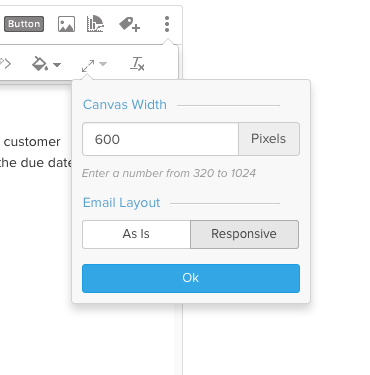
You can view your email template in whatever width you want.  Select the three dots on the right to get the appropriate option.

 
Typically the email template is Responsive so you can always open a test email on a mobile device and it should adjust. 

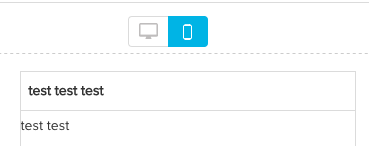
One other thing you can do during the Preview phase of an Outreach is click on the mobile layout to get a quick look at a narrower screen. 

3 replies

karl_rumelhart
Expert ⭐️
June 12, 2016
You can view your email template in whatever width you want.  Select the three dots on the right to get the appropriate option.

 
Typically the email template is Responsive so you can always open a test email on a mobile device and it should adjust. 

One other thing you can do during the Preview phase of an Outreach is click on the mobile layout to get a quick look at a narrower screen. 

sundar
Expert ⭐️
June 13, 2016
You can also send a test email to yourself from the preview screen.

marissa_barcza
Contributor ⭐️⭐️
June 15, 2016
That helps, thank you!