shireesha_reddy
Helper ⭐️
January 29, 2020
Solved

Ability to filter the Users based on Desktop browser v/s Mobile Browser

  • January 29, 2020
  • 6 replies
  • 349 views

If a user logs into the application where Web app-tag (Tag-key-2) is configured, we would be able to track that user information even though the application is being used from the Mobile Browser. 

But we won’t be able to distinguish whether it is from mobile browser or from the Desktop browser. Because both browser information is displayed as same in the Recent activity of the User.

So it would be helpful if we have the ability to separate the both browsers or can be able to filter out the users who are using mobile browser and who are using the Desktop browser. If we can achieve this condition we can also send separate engagements for users in different browsers, that would be helpful.


 

    Best answer by link_black

    Gainsight PX does track record the “User Agent” value sent by the web browser and it does have this identification information available.  So, I think some/all of the above is already possible.


    See below from my PX User Profile screen:


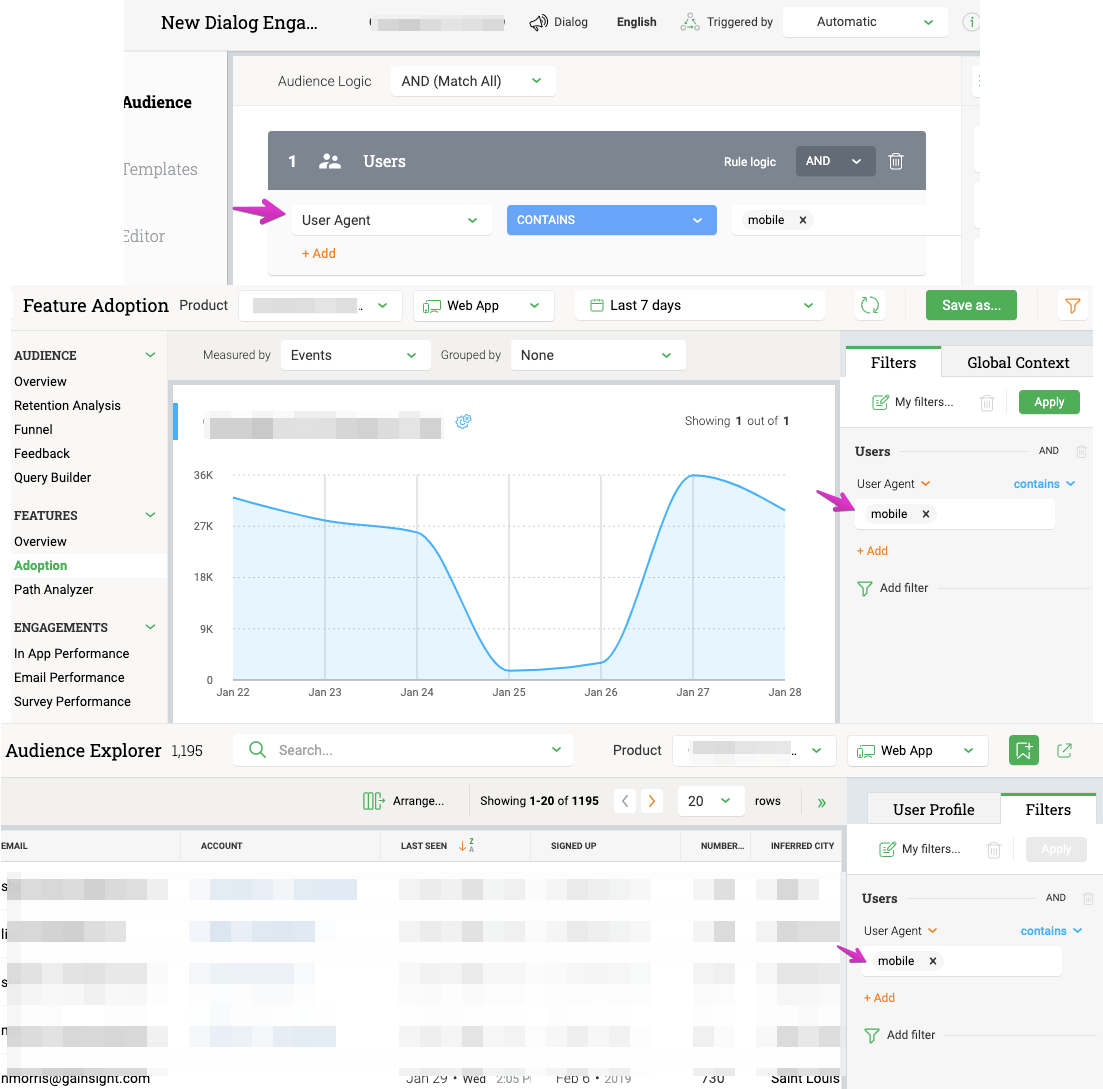
    Here is that same field being used in Audience Explorer, Analytics, and Engagement Audience Logic:


    6 replies

    shireesha_reddy
    Helper ⭐️
    January 29, 2020

    @harshibanka FYI

    --Shireesha
    Julie-Pinto
    Contributor ⭐️⭐️⭐️⭐️
    January 29, 2020

    cc: @mickey + @angelo 

    link_black
    Gainsight Employee ⭐️⭐️
    January 29, 2020

    Gainsight PX does track record the “User Agent” value sent by the web browser and it does have this identification information available.  So, I think some/all of the above is already possible.


    See below from my PX User Profile screen:


    Here is that same field being used in Audience Explorer, Analytics, and Engagement Audience Logic:


    -- Link
    sai_ram
    Expert ⭐️⭐️
    January 30, 2020

    @link_black thanks for sharing it here.

    link_black
    Gainsight Employee ⭐️⭐️
    January 30, 2020

    I also wanted to add that you can easily retrieve this “User Agent” value from your internet browser using some simple JavaScript provided here.  I think this opens up many possibilities to include more rich user data (from the current internet browser) in the PX Identify call code,  PX Custom Events API, or even PX Global Context API.  


    -- Link
    harshibanka
    Gainsight Employee ⭐️⭐️
    January 30, 2020

    @link_black this is very cool, thanks for sharing.

    fyi ​​​​@Julie-Pinto 

    Harshi (pronounced like the Hershey's chocolate); PLG and Digital CS Evangelist