Contributor ⭐️⭐️
August 24, 2021
Solved

Images grow with knowledge center on expand (responsive sizing)

  • August 24, 2021
  • 2 replies
  • 61 views

Hi Gainsight Community!


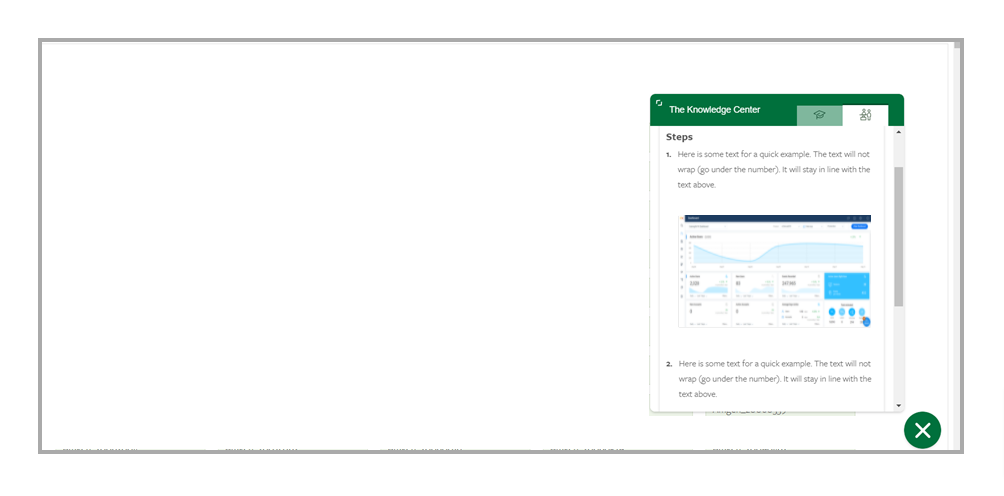
Is it possible to have images enlarge proportionally when the knowledge center is expanded? As it is now, images in the default view remain the same size when the view is expanded (pictured below). 


Default
Expanded
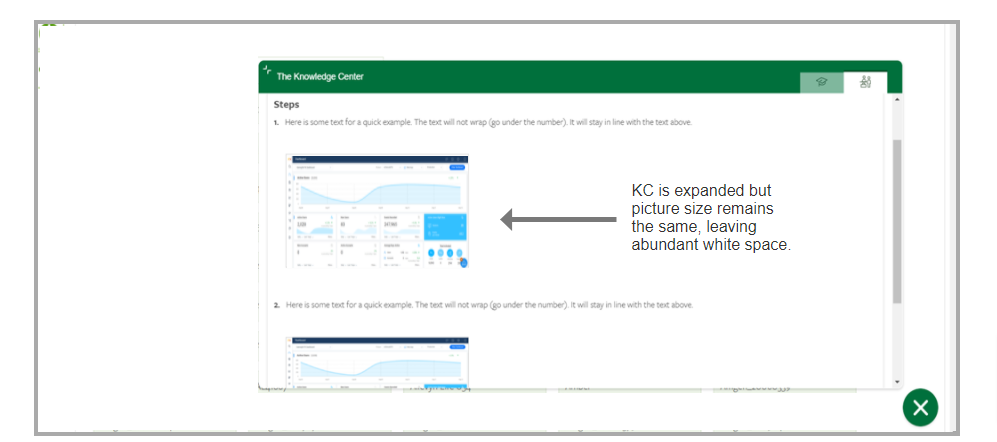
 

If anyone has successfully resized images on expand and can pass on the knowledge, it would be much appreciated! Thanks.

    Best answer by link_black

    Thanks for posting to PX Community @dgibbons !


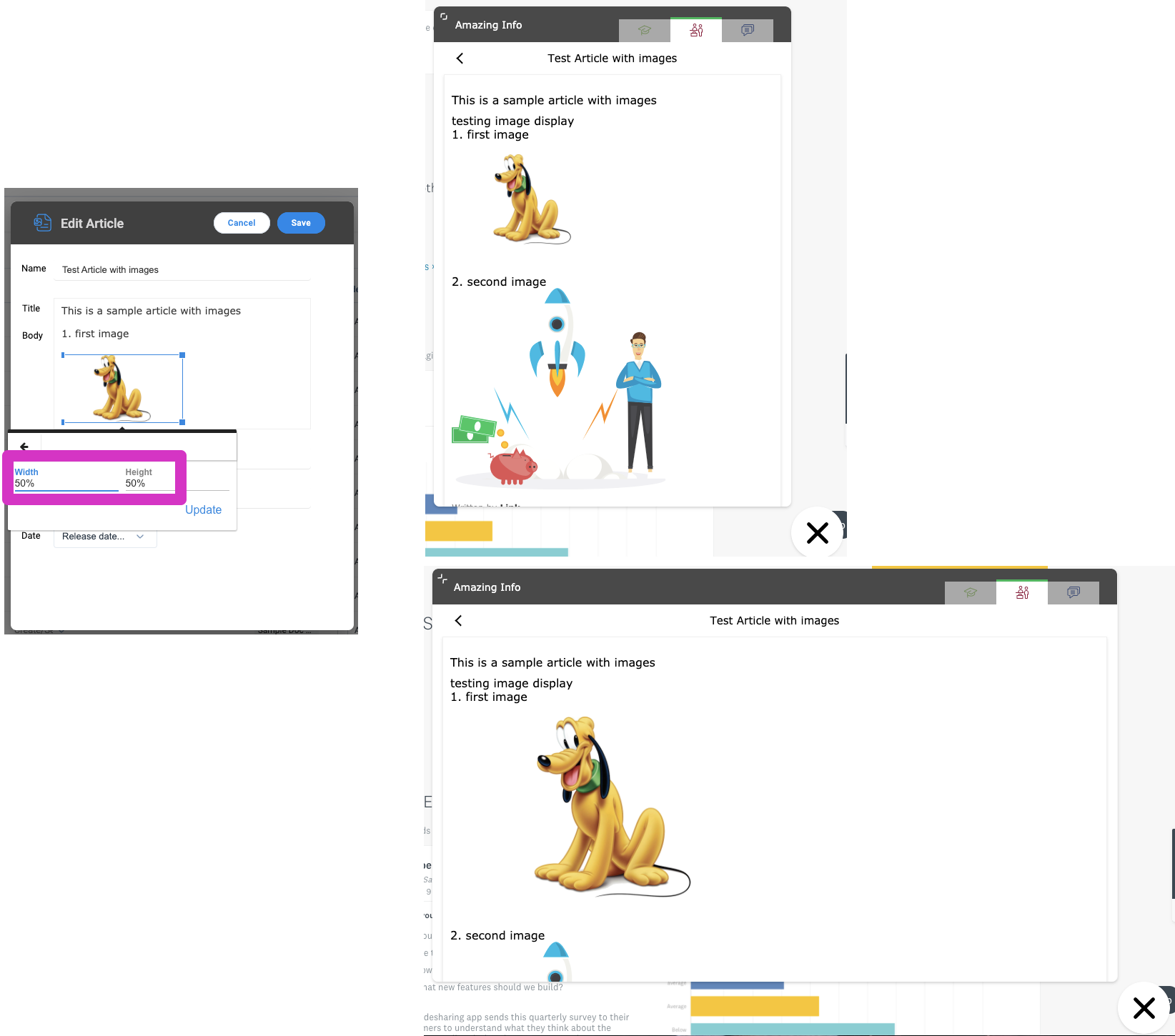
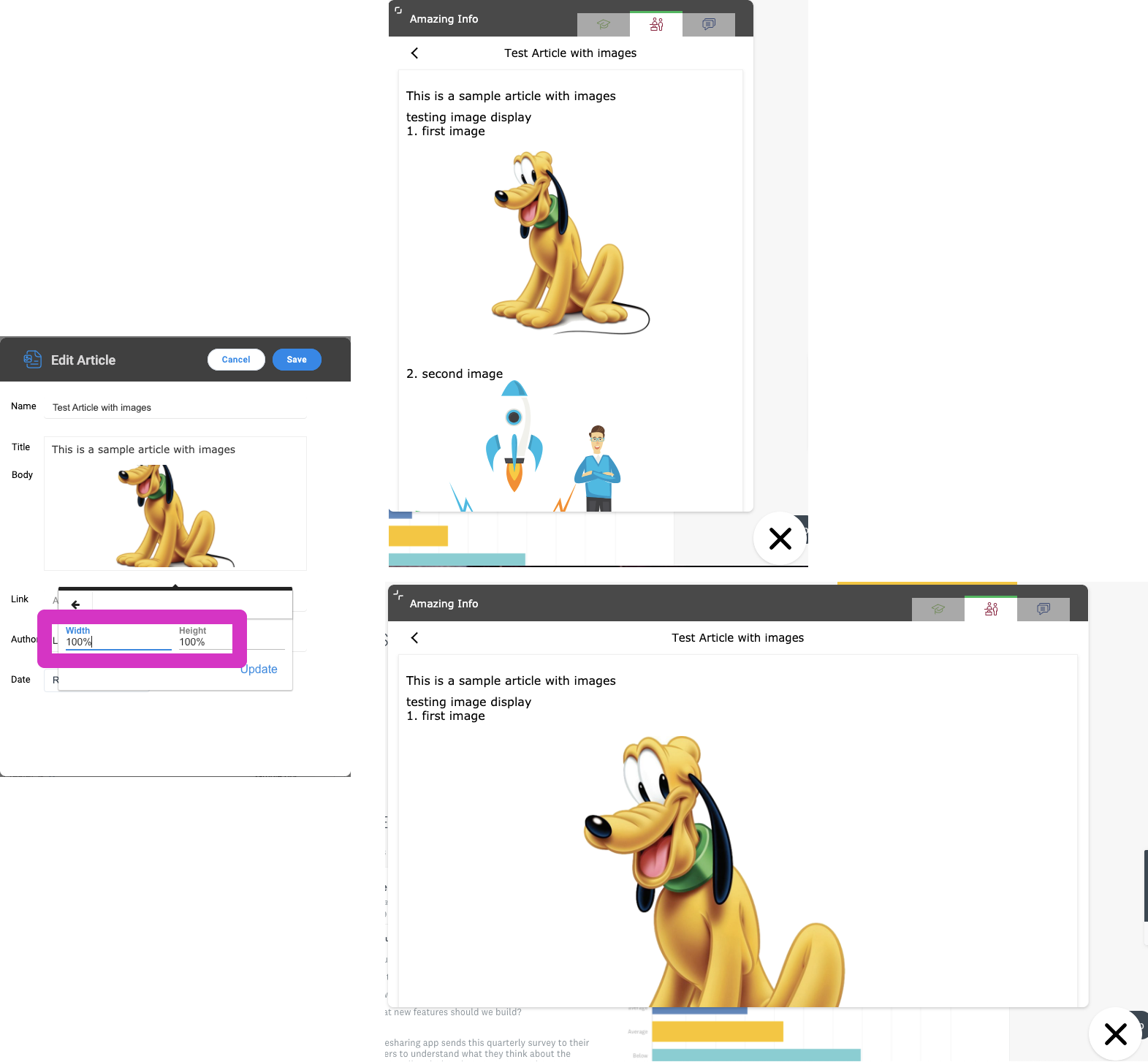
    You should be able to use %’s instead of px’s when setting the image size to allow them to resize automatically.  See the below examples: 


    Happy PX-ing!


    2 replies

    link_black
    Gainsight Employee ⭐️⭐️
    August 25, 2021

    Thanks for posting to PX Community @dgibbons !


    You should be able to use %’s instead of px’s when setting the image size to allow them to resize automatically.  See the below examples: 


    Happy PX-ing!


    -- Link
    dgibbonsAuthor
    Contributor ⭐️⭐️
    August 25, 2021

    @link_black Awesome, thanks so much! The solution works perfectly.