Contributor ⭐️⭐️⭐️⭐️
Nov 22, 2024 8:55 PM UTC
Solved

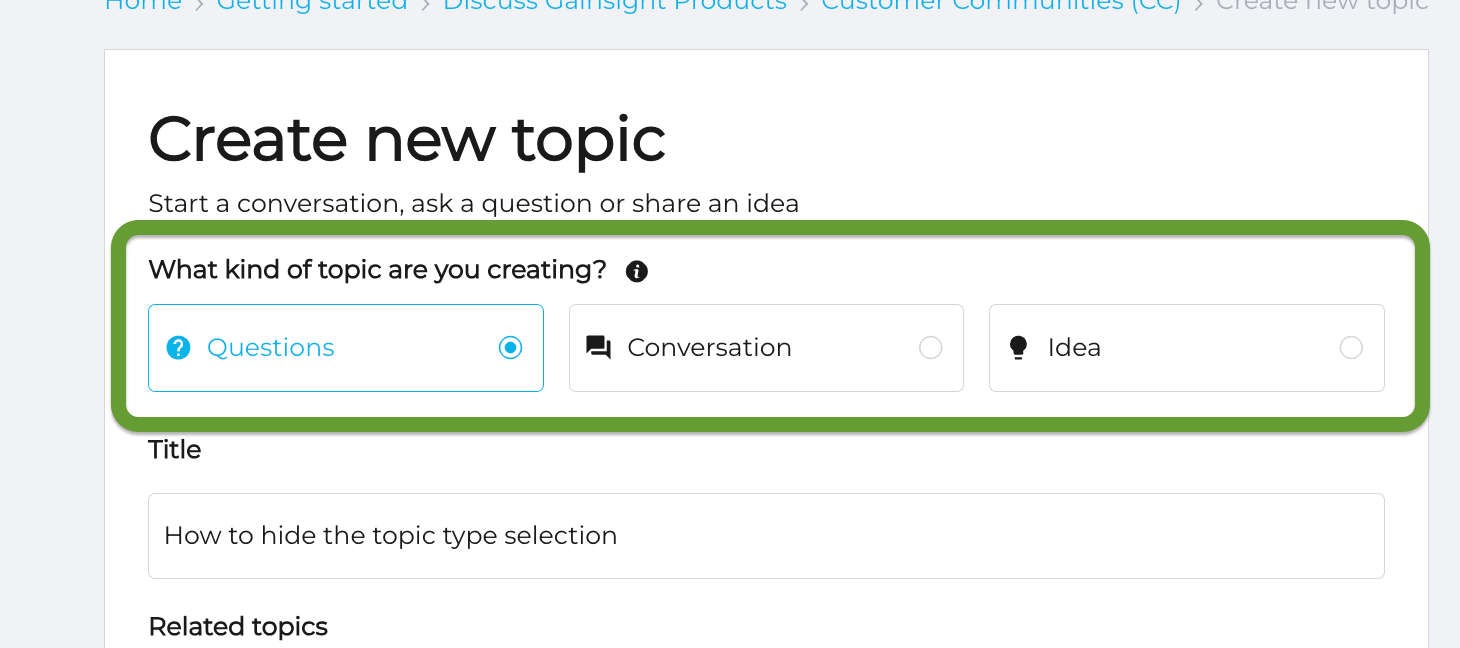
How to hide the topic type selection

Hi everyone,

Is it possible to hide the topic type selection for when someone is creating a post? We’d like to simplify the topic creation process and were curious if this step could be skipped/hidden.


olimarrio
olimarrioAnswer
Gainsight Employee ⭐️
Nov 28, 2024 11:56 AM UTC

​@jwren ok that make things simpler 👌

You can add the following custom CSS to hide that element:

.qa-topic-type {
display: none;
}

As always, it’s best to test this first on your sandbox environment to check there are no side effects to this styling.

3 replies

olimarrio
Gainsight Employee ⭐️
Nov 25, 2024 2:45 PM UTC

Hi ​@jwren 👋,

Yes this is indeed possible! Which content type would you be looking to hide?

You can hide this using custom CSS and then depending on what you want to hide (e.g. Question) you may need to add some JavaScript to preselect one of the other radio buttons.

Translate
jwrenAuthor
Contributor ⭐️⭐️⭐️⭐️
Nov 25, 2024 3:52 PM UTC

Hey ​@olimarrio 😎

In a perfect world, we’d hide the entire “What kind of topic are you creating” question and selection – and have everything default as a “Question”.

Translate
olimarrio
Gainsight Employee ⭐️
olimarrioAnswer
Gainsight Employee ⭐️
Nov 28, 2024 11:56 AM UTC

​@jwren ok that make things simpler 👌

You can add the following custom CSS to hide that element:

.qa-topic-type {
display: none;
}

As always, it’s best to test this first on your sandbox environment to check there are no side effects to this styling.

Translate