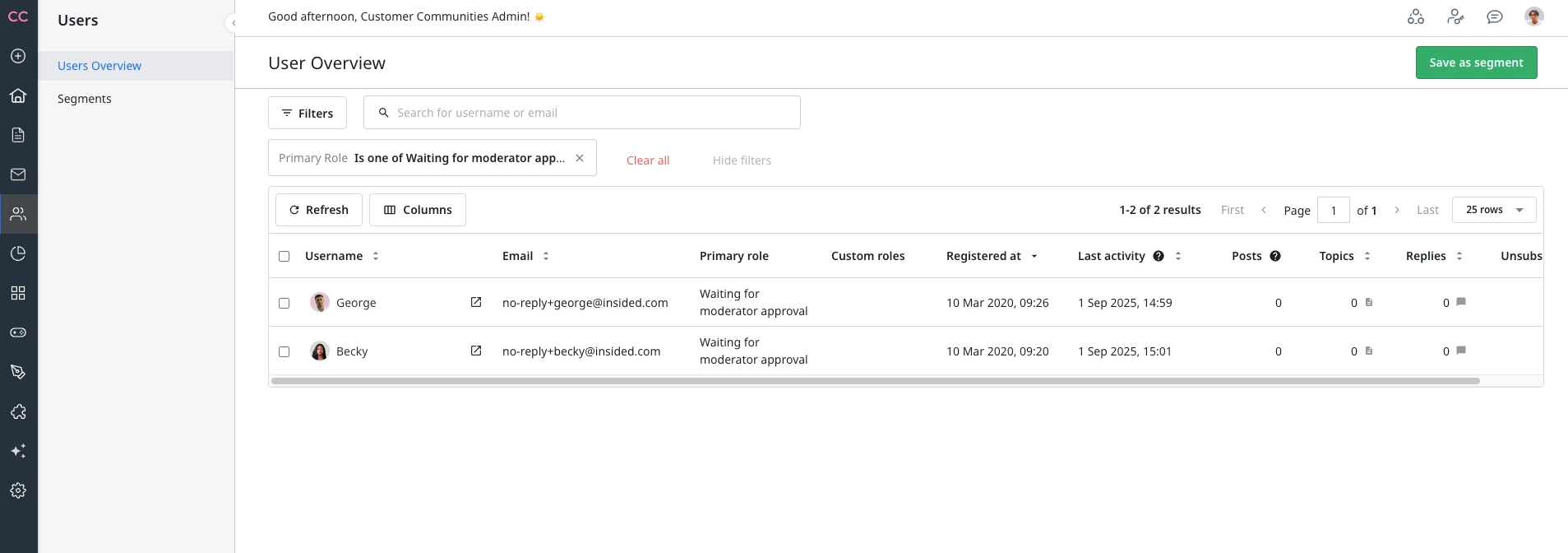
Configure User Profile Moderation
This article helps admins enable and understand AI-powered user profile moderation to automatically screen new users or accounts.
Overview
User profile moderation uses AI to automatically screen user accounts for spam or NSFW signals in the community. Accounts that are flagged are automatically banned, which stops bot and spam accounts before they can participate in the community.
User profile moderation evaluates account data using the same moderation approach that is applied to community posts. The following user profile fields are analyzed during screening:
| Profile Field | Description |
| Username | The display name selected by the user during registration. |
| Email address | The email address provided during account creation. |
| Signature | Any text the user adds to their profile signature field. |
| Profile fields | Additional profile fields are populated during or after registration. |
| Avatar image | The profile image uploaded by the user. |
Accounts identified with high confidence as spam or NSFW are automatically set to Banned and moved to the Banned Users group. Accounts flagged with lower confidence are placed in Waiting for moderator approval status for manual review.
Limitations
User profile moderation has the following limitations:
- Admin notifications: There is no notification sent to Admins when an account is automatically banned.
- Sensitivity configuration: The moderation threshold is fixed across all communities and cannot be modified.
How User Profile Moderation Works
User profile moderation runs automatically when a user registers or edits the profiles in the community. The screening process follows these steps:
- A user edits the profile, or a new user completes the community registration process.
- User profile moderation evaluates the user’s profile fields (username, email address, signature, profile fields, and avatar image).
- If the account is flagged as spam or NSFW, the system automatically bans the account and moves it to the Banned Users group.
- If the account is not flagged, the user proceeds with normal community access.
Role Exclusions
Users who hold the following roles are excluded from user profile moderation screening, regardless of whether the feature is turned on or off:
- Admins
- Community Managers
- Moderators
- Superusers
These role exclusions ensure that trusted community members are never inadvertently flagged or banned by the automated screening process.
Enable User Profile Moderation
You can enable user profile moderation from the Moderation Agent page in the AI category. Once enabled, all new registrations are automatically screened before users can participate in the community.
To enable the User profile moderation:
- Navigate to AI > Moderation Agent. The Moderation Agent page appears.
- Turn on the User profile moderation toggle.
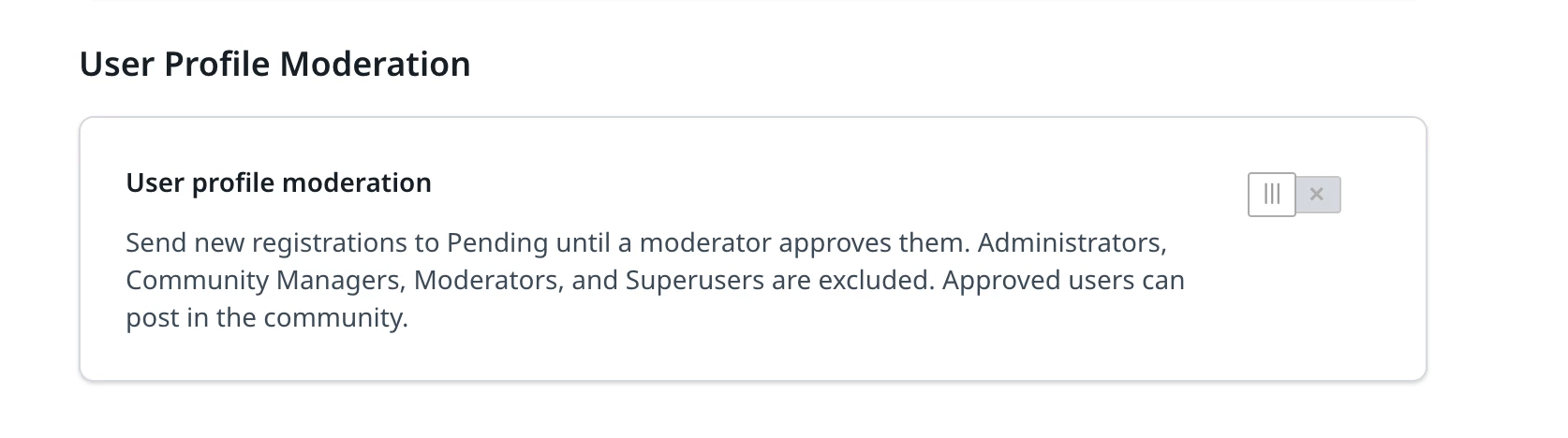
When enabled, the AI screens each new registration and either approves the account automatically or places it in Waiting for moderator approval status for manual review, depending on the confidence level of the evaluation.