
Moderate Messages with AI Moderation
This article helps community managers to turn on AI moderation for messages and review the messages it flags in Gainsight CC.
Overview
AI moderation reviews messages in your community before delivery and automatically acts on harmful content. Your moderators focus on borderline cases instead of reviewing every message. Messages that the AI flags appear on the Reported messages page in Control, alongside messages that members report.
For more information about member reports, refer to the How to Moderate Messages article.
Note: AI moderation for messages is turned off by default.
How AI Moderation Works for Messages
The AI checks each message against the categories listed later in this article and decides how confident it is that the message breaks the rules. That confidence level determines what happens next.
- Low confidence: The message is approved and visible to everyone.
- Medium confidence: The message is reported to your moderators and stays visible until a moderator acts.
- High confidence: The message is reported and automatically retracted, so only moderators can see it.
Retracted messages are never deleted. Moderators can review each retracted message and restore it if the AI got it wrong.
What the AI Checks For
AI moderation checks messages against the following categories:
- Child sexual exploitation
- Sextortion or extortion
- Violent threats
- Scam or phishing attempts
- Malware
- Explicit sexual content
- Self-harm
- Harassment
- Hate
- Unwanted advances
- Exposure of someone's private information
- Grooming indicators
- Violent extremism
- Spam or deceptive promotion
- Code of conduct violations
For example, a member sends a promotional message with a discount code, a suspicious link, and guaranteed-results claims. The AI classifies it as spam or deceptive promotion with high confidence, retracts the message, and reports it to your moderators.
Key Considerations
Review the following before you turn on AI moderation for messages:
- AI moderation for messages requires two settings. The Moderation AI Agent must be enabled, and the Message Moderation toggle must be turned on separately.
- AI moderation uses Gemini or OpenAI, depending on your configuration. The AI receives the full, unredacted message, which might contain personal information. Moderators see personal information redacted using rule-based detection.
- The AI reports self-harm messages to your moderators but does not retract them.
- The AI evaluates messages against the Code of Conduct on the Moderation AI Agent settings page.
Turn On AI Moderation for Messages
Turn on the Message Moderation toggle so the AI reviews messages before delivery. To turn on AI moderation for messages:
- Log in to Control.
- Navigate to AI > Moderation AI Agent.
- Turn on Message Moderation toggle
- Click Save Changes.
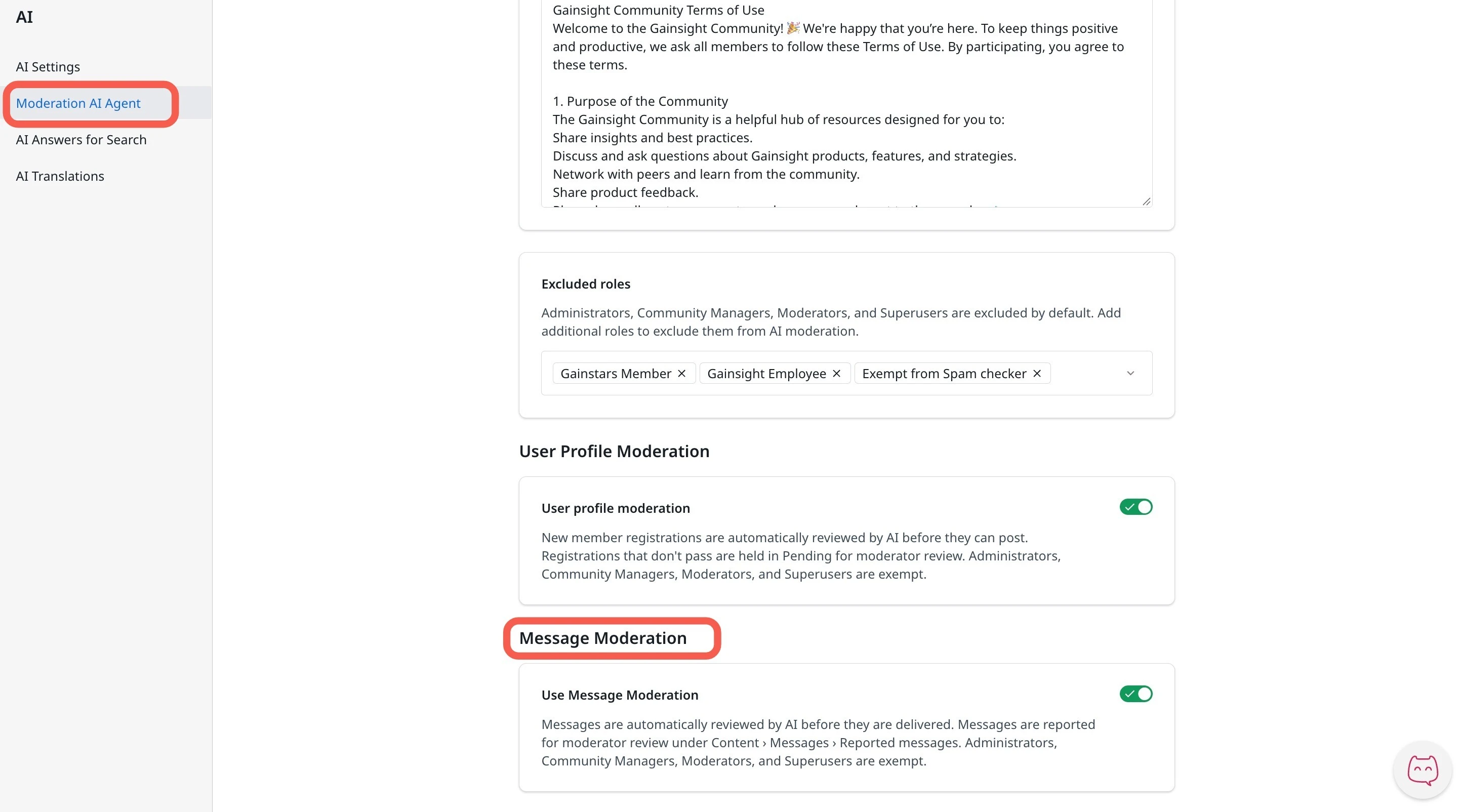
The AI reviews each message before delivery and reports flagged messages for moderator review under Messages > Reported messages.
Review Messages Flagged by AI
Flagged messages appear on the Reported messages page with the AI's reason, so you can decide whether to keep or delete each one. To review a flagged message:
- Log in to Control.
- Navigate to Content > Messages > Reported messages.
- Select a message flagged by AI.
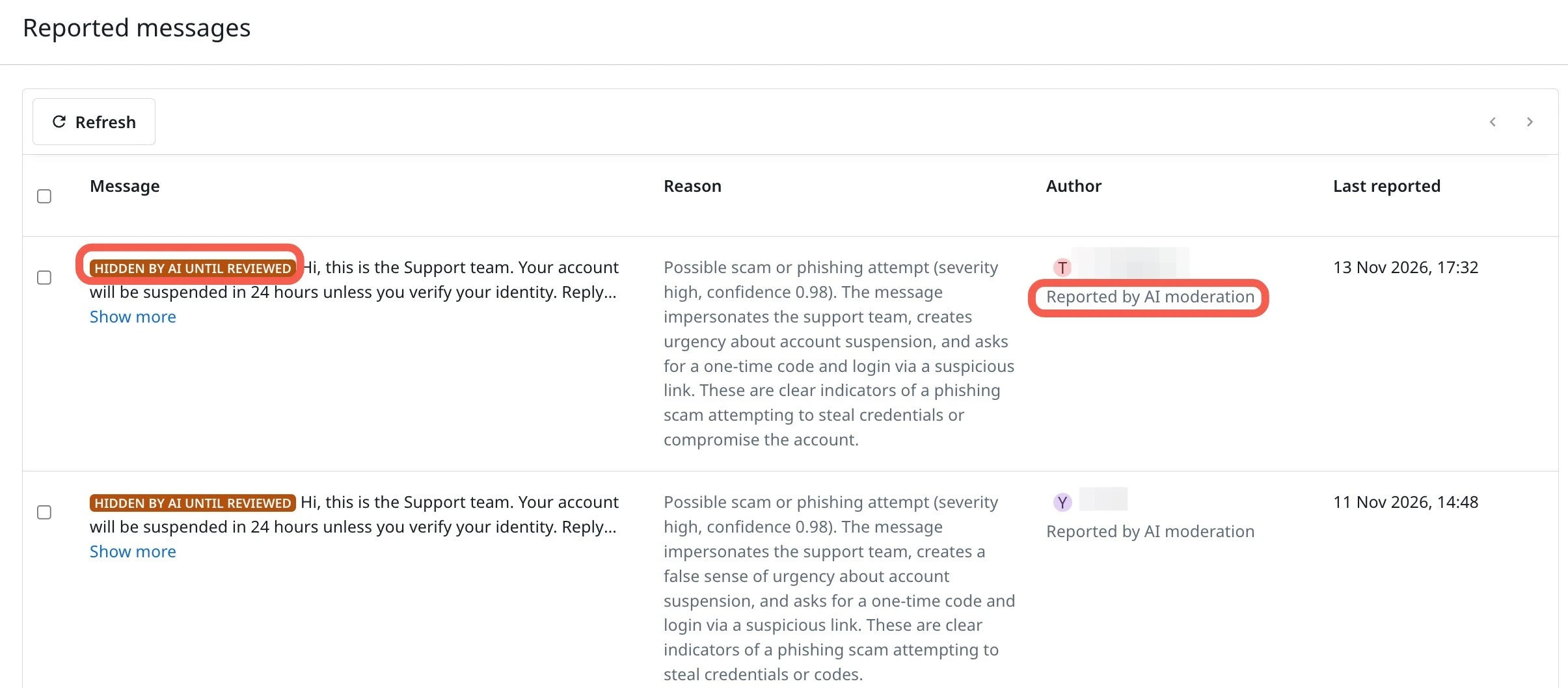
Then do one of the following:
- Click Resolve to keep the message.
- Click Delete to permanently remove the message from the conversation.