
Frank
Product Guru
January 3, 2018

What are Badges?

  • January 3, 2018
  • 12 replies
  • 1208 views

Badges


What is a badge?
A badge is an award that publically highlights something positive that a community member has achieved in the community. Badges can also be used to highlight external achievements, like long-time customers or beta testers.

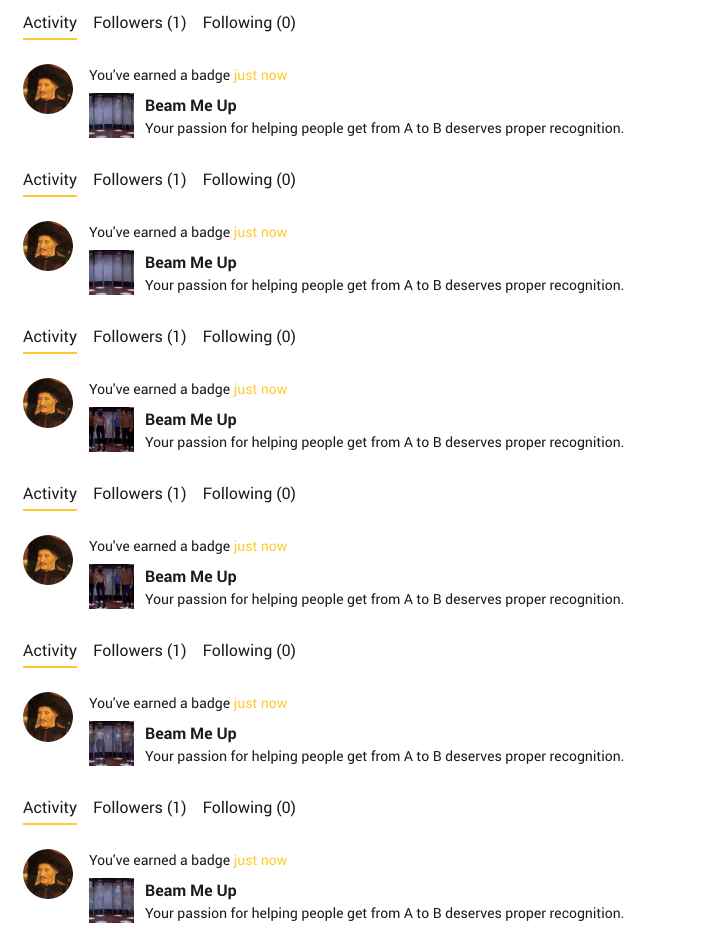
Here’s an example of a badge on a member’s profile page:
 

d621277e-c578-49f0-a14f-a6f516513b93.gif


How are badges awarded?
Badges are automatically awarded to community members when they pass a certain set of conditions, or they can be manually awarded by an admin or via the API.

For example, you could set up badges to be awarded to users who:

  • Create 5 topics.
  • Answer 300 questions.
  • Received 1000 likes.


⚠️ If your community’s full of high achievers, and some members already qualify for the badge before you create it, then they'll only receive the badge as soon as they make a new comment, topic, etc.


How Tos


    12 replies

    Contributor ⭐️⭐️⭐️
    February 8, 2019
    What's the size of the image for the badge?
    Shane1
    Helper ⭐️⭐️⭐️
    February 11, 2019
    Hey Vanessa, its covered here 🤓 the minimum size required is 90x90 px and a max of 5MB
    Marlies
    Contributor ⭐️
    May 13, 2019
    Are the conditions (minimum amount of comments/topics/answers) for "How to get this badge" only applicable to the listed subforum(s) or the whole community?
    Shane1
    Helper ⭐️⭐️⭐️
    May 13, 2019
    @Marlies the badge will be for the whole community if you don't select any categories.

    But if you select a certain category, then the badge can only be earned by performing actions in that category. Having badges which are only for specific categories can be a great way of showing expertise in a certain area, so we would advise having category specific badges
    Contributor ⭐️⭐️⭐️
    September 16, 2020

    Is there a better way we can show badges on a user’s profile page? Because there’s no context for users when they look at the profile...only when you look at the profile hover popup (and even that doesn’t really tell much, like I don’t know what a Sprinter is).

    Gabolino
    Helper ⭐️
    October 28, 2020

    Hey Vanessa, its covered here 🤓 the minimum size required is 90x90 px and a max of 5MB

    Hey Shane, I think that page no longer exists. cc @Julian 

    Marina Perminova
    Helper ⭐️
    February 2, 2021

    Hi there,

    Our designers would love to clarify - it is said retina-ready, does it mean the icons should be 45x45 (+ x2) or 90x90 (+ x2)?


    xiaoyu-shen
    Helper ⭐️⭐️
    February 2, 2021

    Hi @Marina Perminova, the display size of badges is usually 45*45px, so 90*90px will make it retina ready. I can recommend checking out inSided Design Template, where all the visuals are documented. :)

    Marina Perminova
    Helper ⭐️
    February 2, 2021

    Great! Thank you, @xiaoyu-shen :thumbsup_tone2:

    Contributor ⭐️
    April 15, 2021

    Hi, is there any possibility to have additional rules to assign “automatic badges”? Actually the control environment has only 3 rules: number of topic, number of replies, number of answers. 

    Thanks!

    "That is not dead which can eternal lie, And with strange aeons even death may die"