Creating a Gated Virtual Event on CC
Hi Community, looking for some guidance please.
I’m trying to create a gated registration page only for members that have a Community profile/account. This is for a Capture the Flag virtual event we’re hosting. I would like to link the ATTEND button with the registration form link for our event, but it seems like that’s not possible. Adding the reg form link in the Link URL (optional) makes it visible to everyone, public and community accounts.

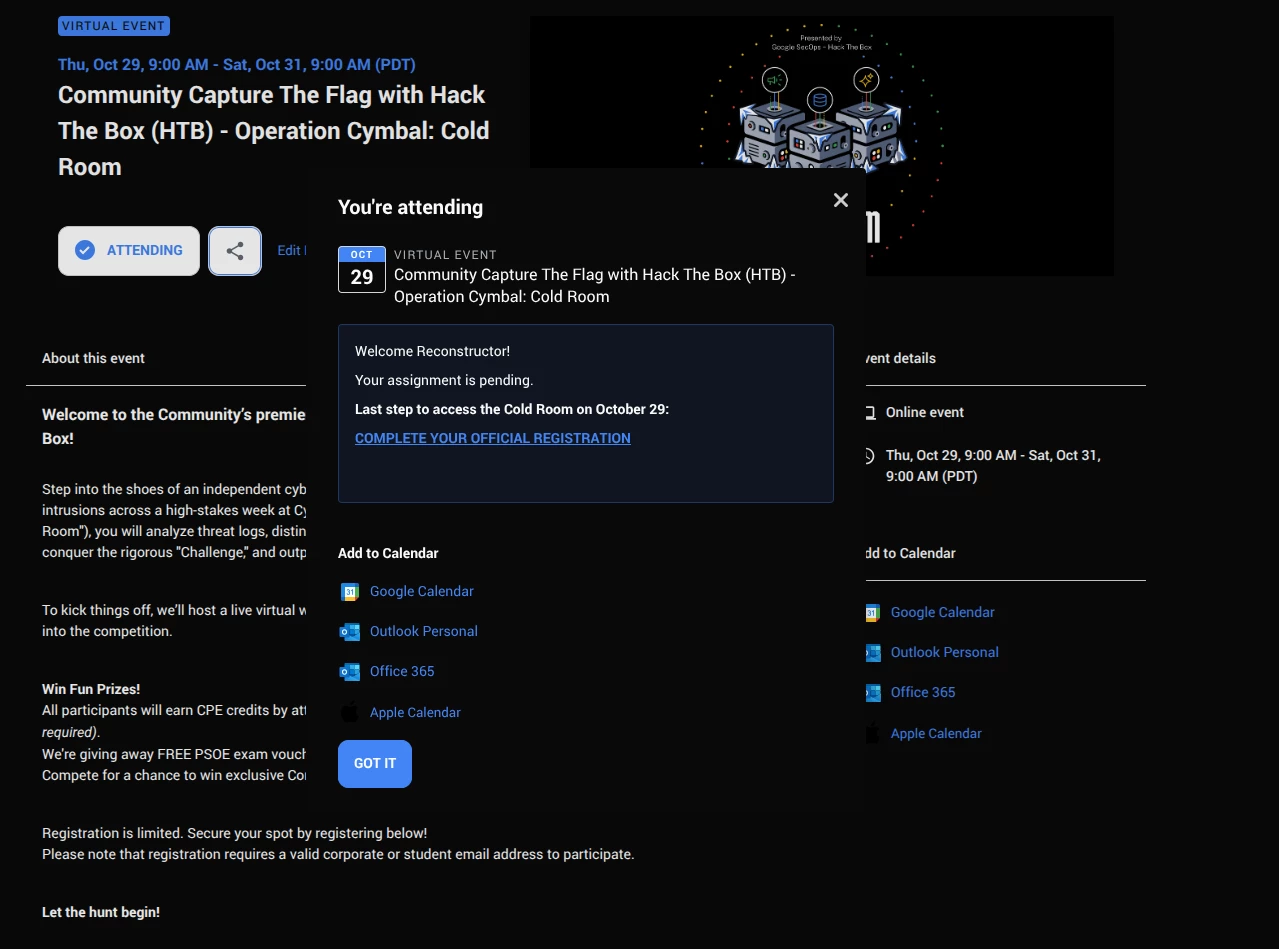
I want to hide the registration form link from anyone without a Community account. The only solution I found so far is to add a link and comment that appears on the screen after a user selects ATTEND. See screenshot below. My concern is what if the user just glances over this and doesn't click the final reg form to complete? Is there a way to automatically direct the user to a reg form or link when select ATTEND? Or is the best practice to provide strict instructions in the event details? Would love to see what others have done for something like this scenario. Thank you!!!