emiller
Helper ⭐️
August 7, 2026
Solved

CSS Help requested: Text color of content type label

  • August 7, 2026
  • 2 replies
  • 97 views

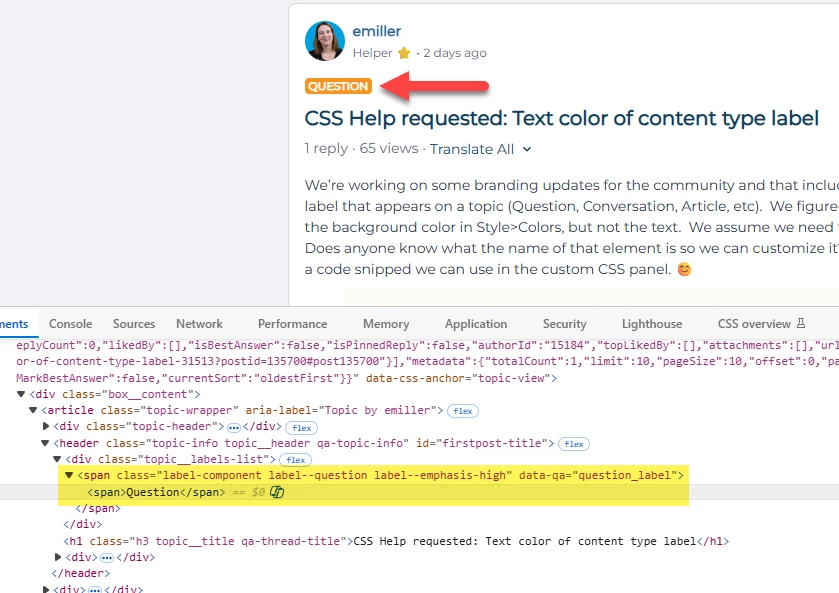
We’re working on some branding updates for the community and that includes the content type label that appears on a topic (Question, Conversation, Article, etc).  We figured out how to change the background color in Style>Colors, but not the text.  We assume we need to use custom CSS.  Does anyone know what the name of that element is so we can customize it?  Or better yet, provide a code snippet we can use in the custom CSS panel. 😊
 

Best answer by AndrewK

Hi ​@emiller 

I don’t see the .pill but maybe that is from a different page?


If you want to style the text color for all labels the same this should do it.

#customcss #root .label-component span {
color: blue;
}

If you want to specifically target question you can use .label--question instead of .label-component


2 replies

Gaby
Helper ⭐️
August 8, 2026

I was recently told this by the support team, but I haven’t tried it yet!

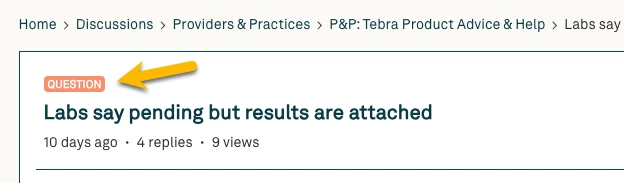
If you'd like to, you can also independantly change this color with CSS. The selector for this is .pill, with additional selection by content type if needed as .pill--article.

Gaby (Client Engagement & Community Manager @ Benevity)
AndrewK
AndrewKAnswer
Helper ⭐️
August 10, 2026

Hi ​@emiller 

I don’t see the .pill but maybe that is from a different page?


If you want to style the text color for all labels the same this should do it.

#customcss #root .label-component span {
color: blue;
}

If you want to specifically target question you can use .label--question instead of .label-component


Andrew