When I tag an article to the home page using “Featured_Home” The tag is showing for client view. Is there a way to keep the tag so it appears on the home page but does not read “Featured Home” from the customer perspective?
Hi @jmelton, thanks for stoping by at our community, welcome! :)
Great question, and I think more community admins and moderators get easily confused by it. Let me explain how you can use tags, and the two different types of it.
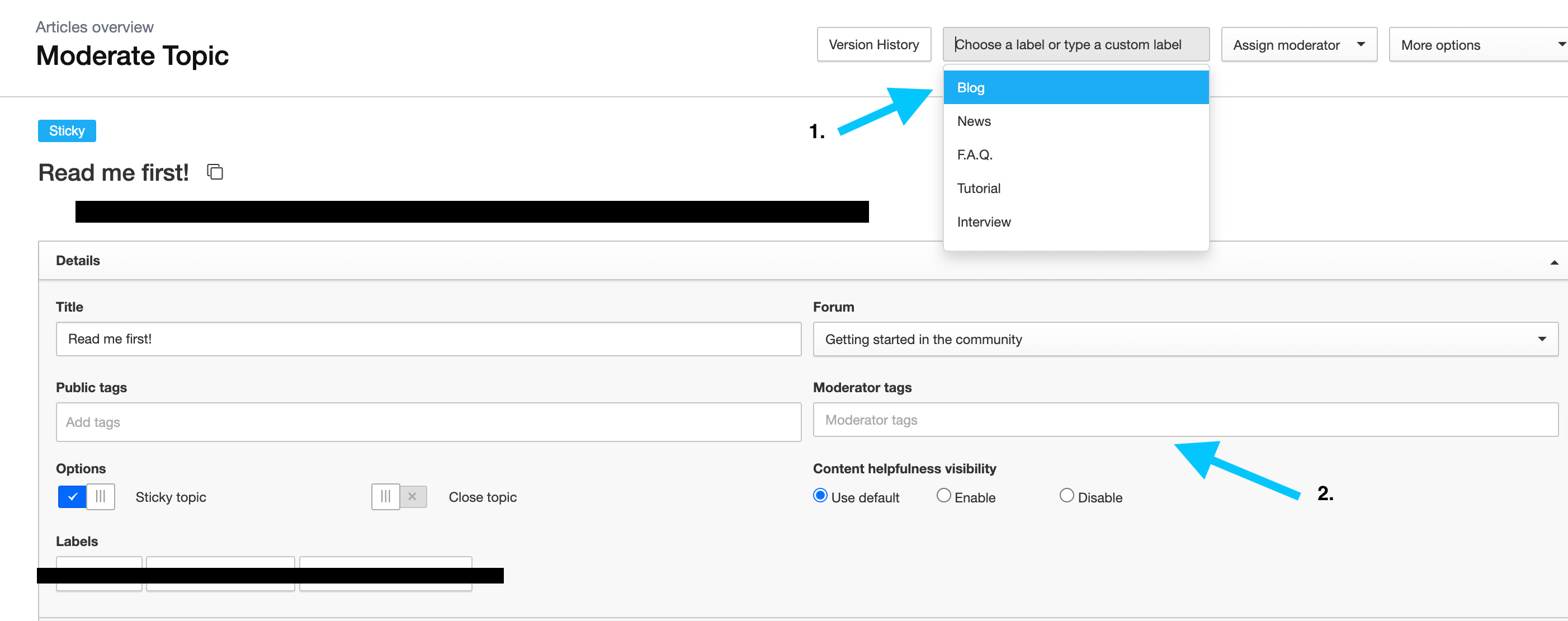
In the back end of your platform you see that there are two different type of Tags:
1. Public tags Public tags let you group topics to organize content in a way that's transparent to all members of your community. A useful tool to highlight what the article is about. Unlike moderator tags that are not visible to all members of your community. Learn more: Public Tags
2. Moderation tags You can use moderator tags to categorise and group topics together to easily find them again later. More information: Moderation tags
Hi @jmelton, thanks for stoping by at our community, welcome! :)
Great question, and I think more community admins and moderators get easily confused by it. Let me explain how you can use tags, and the two different types of it.
In the back end of your platform you see that there are two different type of Tags:
1. Public tags Public tags let you group topics to organize content in a way that's transparent to all members of your community. A useful tool to highlight what the article is about. Unlike moderator tags that are not visible to all members of your community. Learn more: Public Tags
2. Moderation tags You can use moderator tags to categorise and group topics together to easily find them again later. More information: Moderation tags
If you already have a profile on Gainsight Community, there's no need to create another one. If your email address has changed or you can't remember your login, email community@gainsight.com.
Otherwise, continue with the registration below.