
Question

How can I change the logo/badge on my profile image?

  • December 10, 2025
  • 4 replies
  • 30 views

shreenith.naik

Hi everyone, 

I wanted to change the logo that appears on my profile picture (image for reference attached below). It is the one that shows all users that anyone with this logo is an internal team member/from the company. We have a dedicated custom role attached to this, which is manually assigned by us when the new user registers, and when assigned as ‘Team’ for example, this logo then appears on their profiles. 
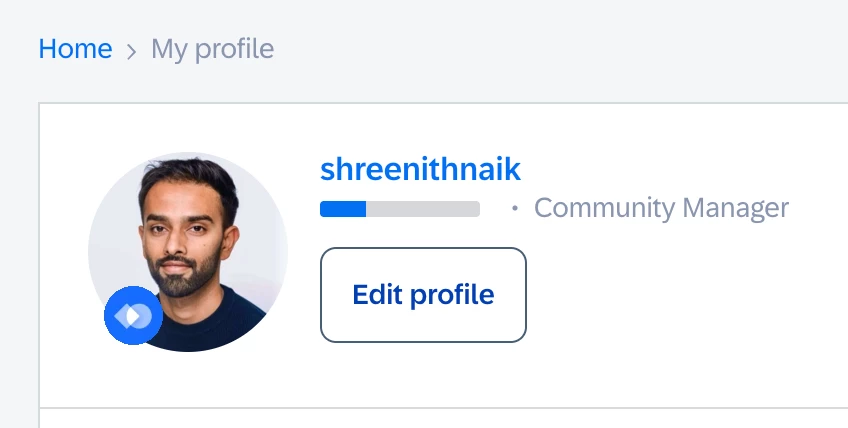


I’ve already changed the specific team badge to our new logo but this one doesn’t change and I cannot find the right settings for it. I believe it’s not added via the standard approach in Control. Could you please guide me if any of you have also enabled something like this for your communities?

4 replies

shreenith.naik
  • Author
  • Contributor ⭐️⭐️
  • December 10, 2025

@Julian tagging you here if you remember how this was implemented for us. 


Julian
Forum|alt.badge.img+8
  • Gainsight Employee ⭐️⭐️⭐️
  • December 10, 2025

Hey!
I quickly checked your rank settings, as this logo usually is loaded in there. I also saw that you already updated it with your logo - so I was also a bit confused.

Happy to see however that the image has been updated in the frontend now as well. I assume this was simply some caching that caused a delay for it to show to you. Please let us know if you performed any other magic trick so that it showed, but I hope that you don't need any further help here?


shreenith.naik
  • Author
  • Contributor ⭐️⭐️
  • December 10, 2025

Hi ​@Julian,

No helped required, thanks, I actually just managed to get to the solution just some time ago.

My mistake - I only focused on the images on the Badges and totally missed updating the new image in the Rank settings (as I wasn’t aware how it was connected to each other earlier) for our Community Manager & Team ranks. Once I added the image there, it was all alright.

After that, it was just finding the right sizing (which was 128px for the rest of our image so I just copied that resolution) & adding the white background etc for the image to make sure it looks visually correct and the company logo is not stretched out. And as you correctly mentioned, it does take some time for the new image to be reflected in the system. 

Thanks for checking! 

However, I noticed something new - the images appears to be now in oval/eye shape in the sidebar (where we display ‘Most helpful members in this week’). Do you know how can I make it similar to how it shows on my profile image so it doesn’t crop out the company logo?
 

Best,
Shreenith


Julian
Forum|alt.badge.img+8
  • Gainsight Employee ⭐️⭐️⭐️
  • December 10, 2025

Great to hear you found the right setting after all - I initially had a suspicion that you might confused the settings, but I was not sure. Happy that this is resolved.

The weird change of the logo is something I cannot explain. This looks like a support ticket for me, I will file one for you and add you in CC!