Solved

How to edit a table in a spoiler?

  • January 9, 2026
  • 4 replies
  • 41 views

  • Contributor ⭐️⭐️⭐️⭐️

Hi Community!

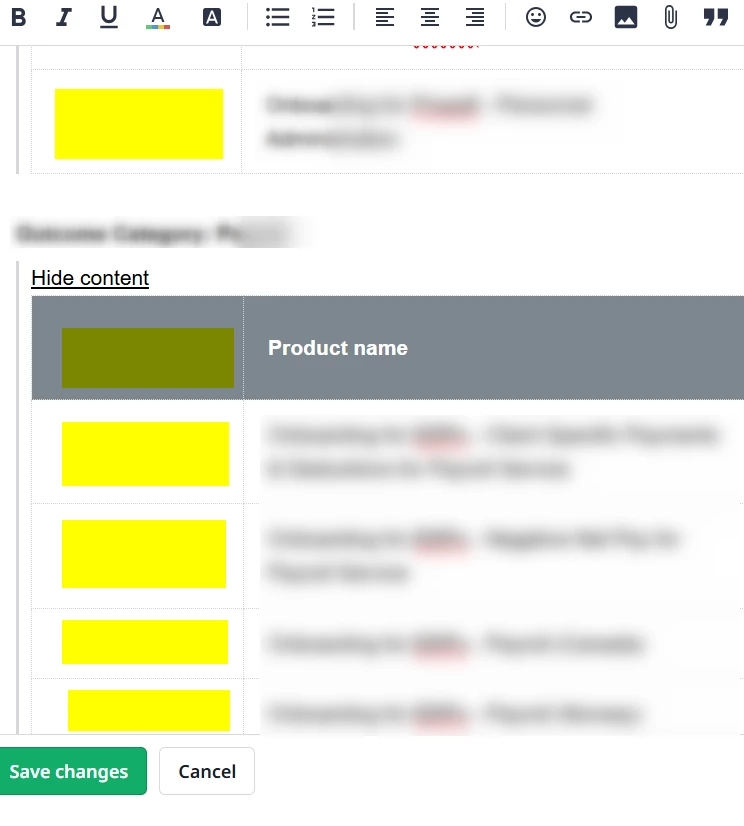
I’m trying to edit a table that I pasted into a spoiler thing but it’s very hard to do so. I only managed to erase the content but the column is still there. Below is a screenshot of the current state of my table - I’d like to get rid of the column with yellow rectangles. Any ideas/tips on how I could edit this? It’s worth mentioning that erasing the whole table is not an option, I’ve tried it as well but either I’m not doing it right or this is not possible. 
 

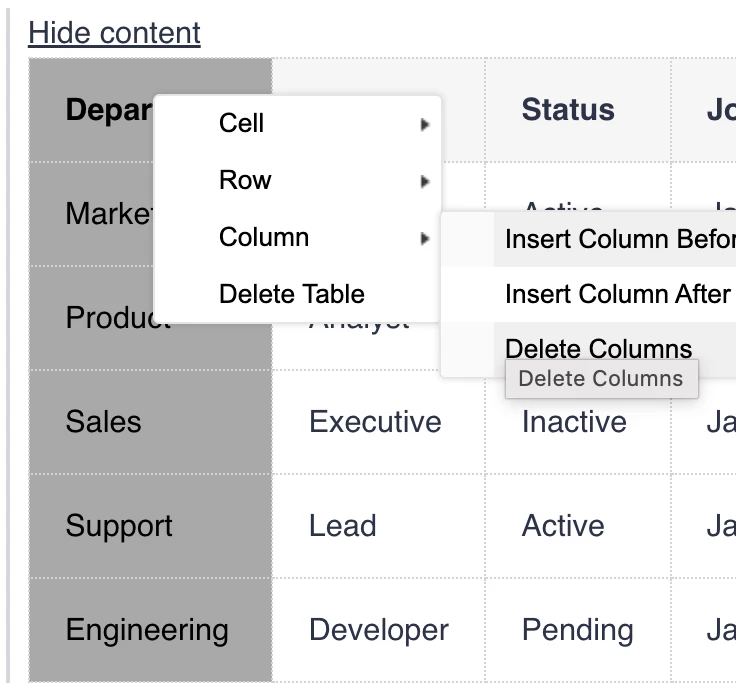
Best answer by akhilv

Hi ​@juliaw , you can try selecting the entire column first, then right-click and choose Delete column.


4 replies

akhilv
  • Gainsight Employee ⭐️
  • Answer
  • January 9, 2026

Hi ​@juliaw , you can try selecting the entire column first, then right-click and choose Delete column.


  • Author
  • Contributor ⭐️⭐️⭐️⭐️
  • January 9, 2026

Hi ​@akhilv,

it worked! Thank you so much, I have no idea why I haven’t thought of right-clicking. Thanks!!


  • Author
  • Contributor ⭐️⭐️⭐️⭐️
  • January 15, 2026

Hi ​@akhilv,

I’m working on the spoiler thing again and was wondering if deleting the whole spoiler is possible? There is no option when I right click on it :/

Kind regards,

Julia


akhilv
  • Gainsight Employee ⭐️
  • January 15, 2026

Hi ​@juliaw, you can click on the “Hide content” text and it should select the entire spoiler, just press Delete on your keyboard instead of right-clicking, and it should remove the whole spoiler.