

One feature preview live, two feature previews extended
Hi all, we shipped a quality of life improvement to your community and we have extended the feature preview for two accessibility features for 7 more days. Read on to learn more.
Now live: See your topic while it’s under review
When the Moderation AI Agent holds a new topic for review, the author now lands on their own topic page. They no longer get a generic “not found” page. Authors can see their own topic until a moderator approves it. It doesn’t appear in lists, search, or feeds. Once approved, the topic goes live at the same link.
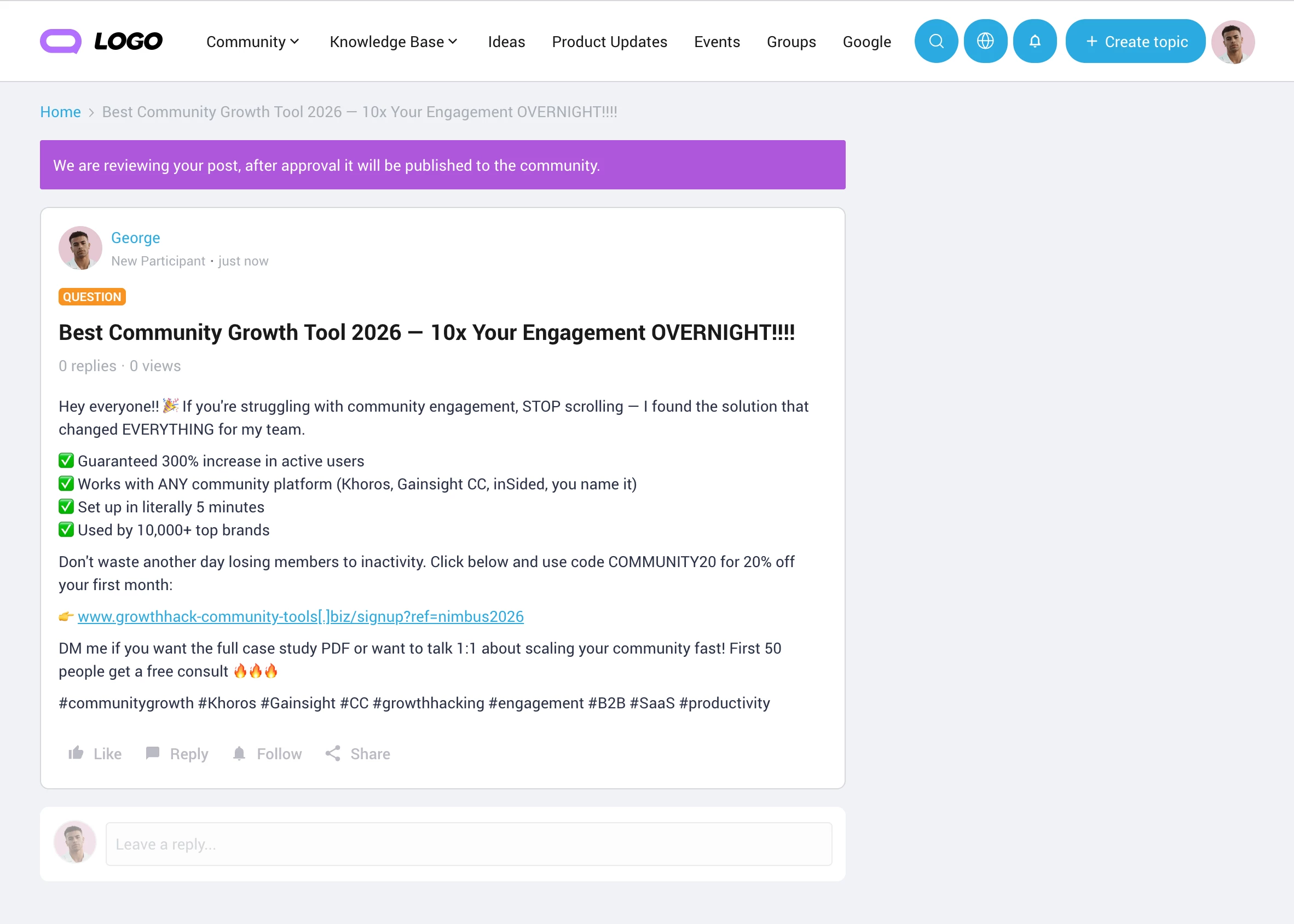
This works automatically when the Moderation AI Agent is enabled (Control → AI → AI Settings → Moderation AI Agent). The banner message can be changed with the following phrase:
- Module:
Forum - Key:
spam_moderation.reviewbymoderator.message
Preview Extended by 7 days: Accessible Mega Menu & Accessible Section Categories (Knowledge Base)
We’re extending the preview period for two accessibility improvements by one week. Use the extra week to test them and review any custom CSS or JavaScript you have on these elements
Accessible Mega Menu
Improves keyboard navigation and screen reader support in the category mega menu (community, knowledge base, and custom dropdowns). Members can browse and select categories without a mouse.
What changes:
- Members can open, move through, and close category menus with the keyboard.
- Parent categories with submenus are no longer a single combined control. The category stays a normal link, and a separate toggle expands the submenu.
- The menu may look slightly different around parent items and their flyouts.
If you have custom CSS or JavaScript targeting the mega menu, check the parent and submenu items and how the dropdown opens and closes.
Accessible Section Categories (Knowledge Base)
Improves headings, lists, and keyboard and screen reader support in the Section Categories widget on knowledge base category pages.
What changes:
- Category cards and topic rows use a more correct heading hierarchy.
- Topics are rendered as a proper list.
- Each topic’s title and author are separate links instead of the author being nested inside the topic link. The row stays clickable.
- The appearance stays largely the same, but the underlying structure changes.
If you have custom CSS or JavaScript on this widget, re-check category headers, topic rows, and author links.
What you need to do
- Turn on “Accessible mega menu” and “Accessible Section Categories (Knowledge Base)” in Control → Settings → Betas and Previews.
- Review any custom CSS or JavaScript before October 22.
- You don’t need to do anything else. Both features turn on for all communities on October 22.
If you have any questions or feedback let us know.