Cornelia
Contributor ⭐️⭐️⭐️⭐️⭐️
April 12, 2022

Chrome plugin: Logging email to timeline (Existing workflow) vs

  • April 12, 2022
  • 31 replies
  • 549 views

Hello Community, 


We’d like to hear what you have to say regarding a new workflow that is being worked on for Logging email to timeline.


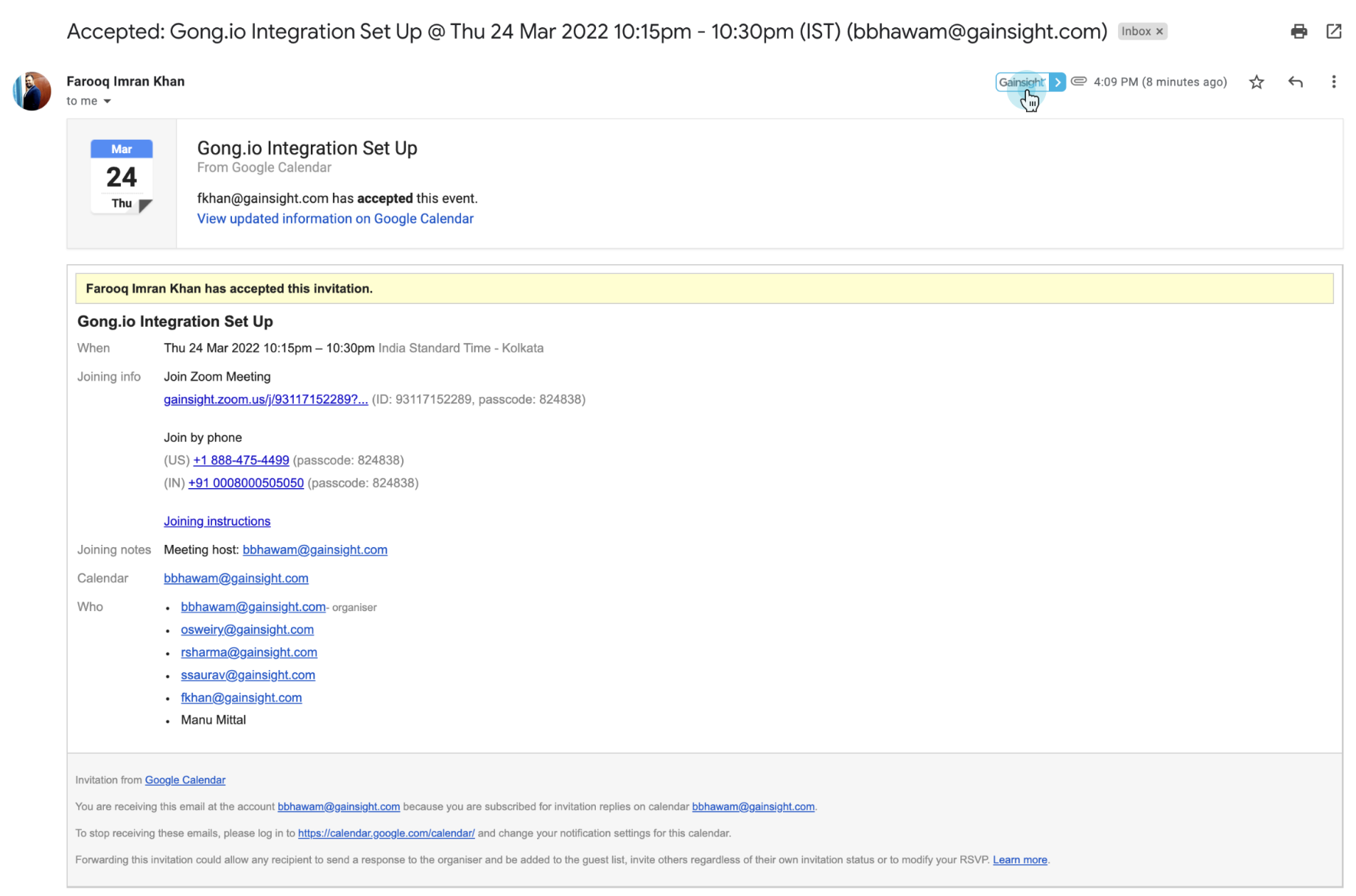
Chrome plugin: Logging email to timeline (Existing workflow)

  • 1-click logging into timeline

  • All email activities are always logged in as timeline activity type “email”


Limitations

  • Activity type cannot be changed
  • Additional fields on the activity need to be updated by going to Gainsight timeline and editing the activity


Chrome plugin: Logging email to timeline (New workflow)

  • Clicking on log to timeline button opens complete timeline activity creation experience
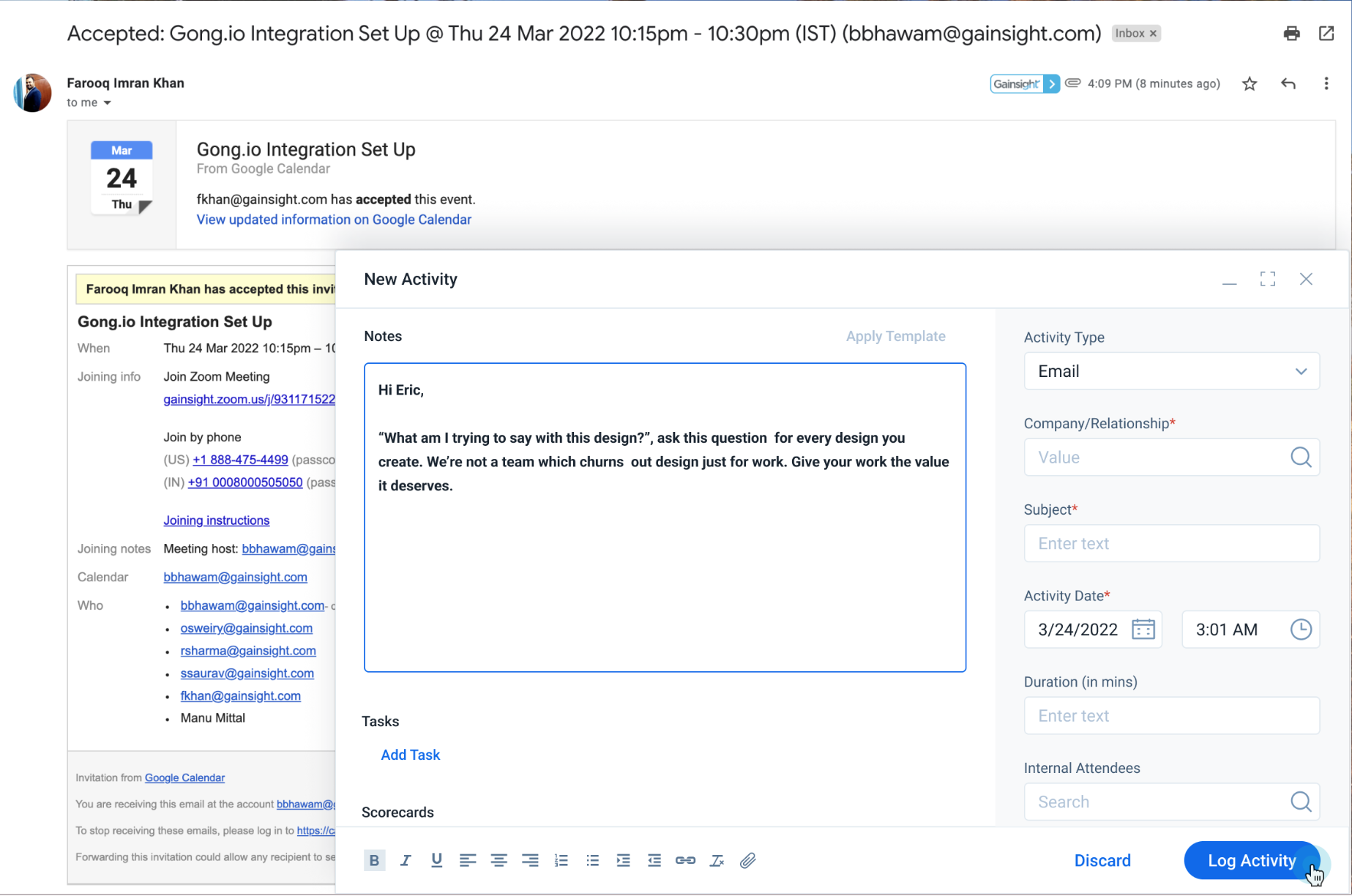


Note: Every email logging will require 2 clicks.

31 replies

darkknight
Expert ⭐️
April 12, 2022

This would be great - one of the issues we have found is that Chrome and BCC to Timeline will assign to our “internal” account bc the CSM is on the email and you cannot change the company after the timeline is logged.

By doing the pop-up, this would allow CSMs to validate the information before logging and address this issue we have had.


Agree with @TMaier on that CSMs use the checkbox not the ribbon at the top

Agree. No one I know of uses the ribbon.

Jeff Kirkpatrick
bradley
Expert ⭐️
April 12, 2022


I personally don’t care for this idea, because I don’t want to encourage users to edit the content of their emails or the recipients prior to syncing it to Gainsight - one of the core value-add’s of the plugin is that it logs an exact copy of the email directly to Timeline with minimal user interaction.

Sometimes email threads are so long they won’t get logged because they exceed the character count.  This would give users the ability to edit out the “fluff” and just log the vital content.

Maybe we have the best of both worlds and instead of editing, or failing if the email is too long, it simply truncates the entry at the character limit?

carolyndibuono
Contributor ⭐️⭐️⭐️⭐️
April 12, 2022

I’m with @andreammelde that this sounds like it would help us resolve the email to the correct company on the first try, which is an ongoing issue for Propeller. That being said, this does create extra clicks for the emails that currently sync to Timeline in one step.

I like @anthonysabato ‘s idea of having both options. And maybe the full entry pops up automatically when Gainsight can’t resolve the email to any Company immediately? This would relieve the CSM of having to then log the email to drafts and then login to Gainsight to resolve to the correct company.

andreammelde
Helper ⭐️⭐️
April 12, 2022

@carolyndibuono the issue we have had with company is that it thinks it resolved it bc we have our CSM on the email and they are associated with the internal account, so the only pop-up if not resolved wouldn’t fix the wrong auto-resolved issue.


If it’s not resolved, the timeline goes to drafts where the CSM can fix the account at a later time currently.


I think the one more click in email would save the copy/paste and the other headaches and would be worth one more click. I can survey our CSMs as well and get their feedback

Andrea Carroll
andreammelde
Helper ⭐️⭐️
April 12, 2022

Feedback from our CSMs is that they would want the Account assumption populated upfront and they can edit it or if nothing needs to be changed they just hit save as it is

Andrea Carroll
Contributor ⭐️⭐️⭐️⭐️⭐️
April 15, 2022

Hello,


This is a great ‘optional’ idea, I personally think by CSM’s would be mad at me if I told them they now had to go through a two click process, instead of making it quick lol. 

anirbandutta
Expert ⭐️
April 18, 2022

Great to see awesome engagement on this proposed feature.

Moved this to under ‘Timeline’ section of the community

It's an opportunity for engagement
andreammelde
Helper ⭐️⭐️
January 3, 2023

@Cornelia @anirbandutta any idea on if this will be taken on? We continue to run into issues where Chrome PlugIn assumes the wrong account, especially if the CSM is attempting to use to log a customer response where they are the recipient not the sender

Andrea Carroll
andreammelde
Helper ⭐️⭐️
January 3, 2023

@Cornelia @anirbandutta is there way to make this something people could vote on? would love to get better traction on it

Andrea Carroll
anirbandutta
Expert ⭐️
January 5, 2023

@Bhawya, @PavanCh please share an update on this track. 

It's an opportunity for engagement