jnoble100
Contributor ⭐️⭐️⭐️⭐️
June 7, 2020
Solved

Error - ""Could not find relationship type for the corresponding relationship identifier. Make sure that the right relationship type is added to the show fields." - creating actions for rule

  • June 7, 2020
  • 2 replies
  • 420 views

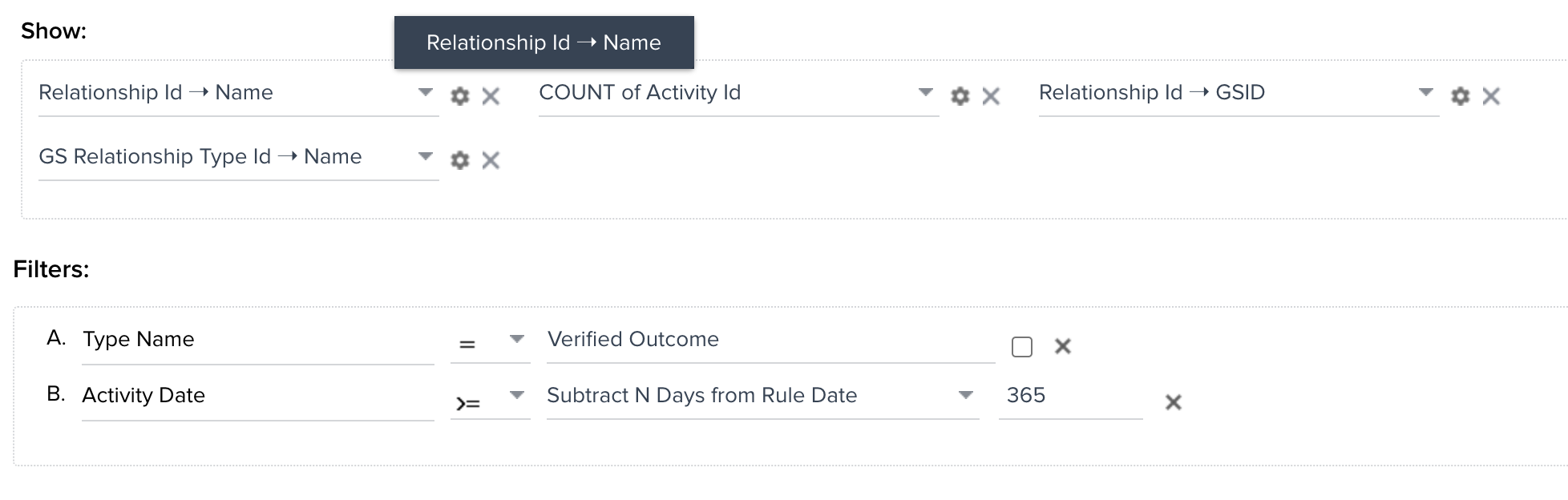
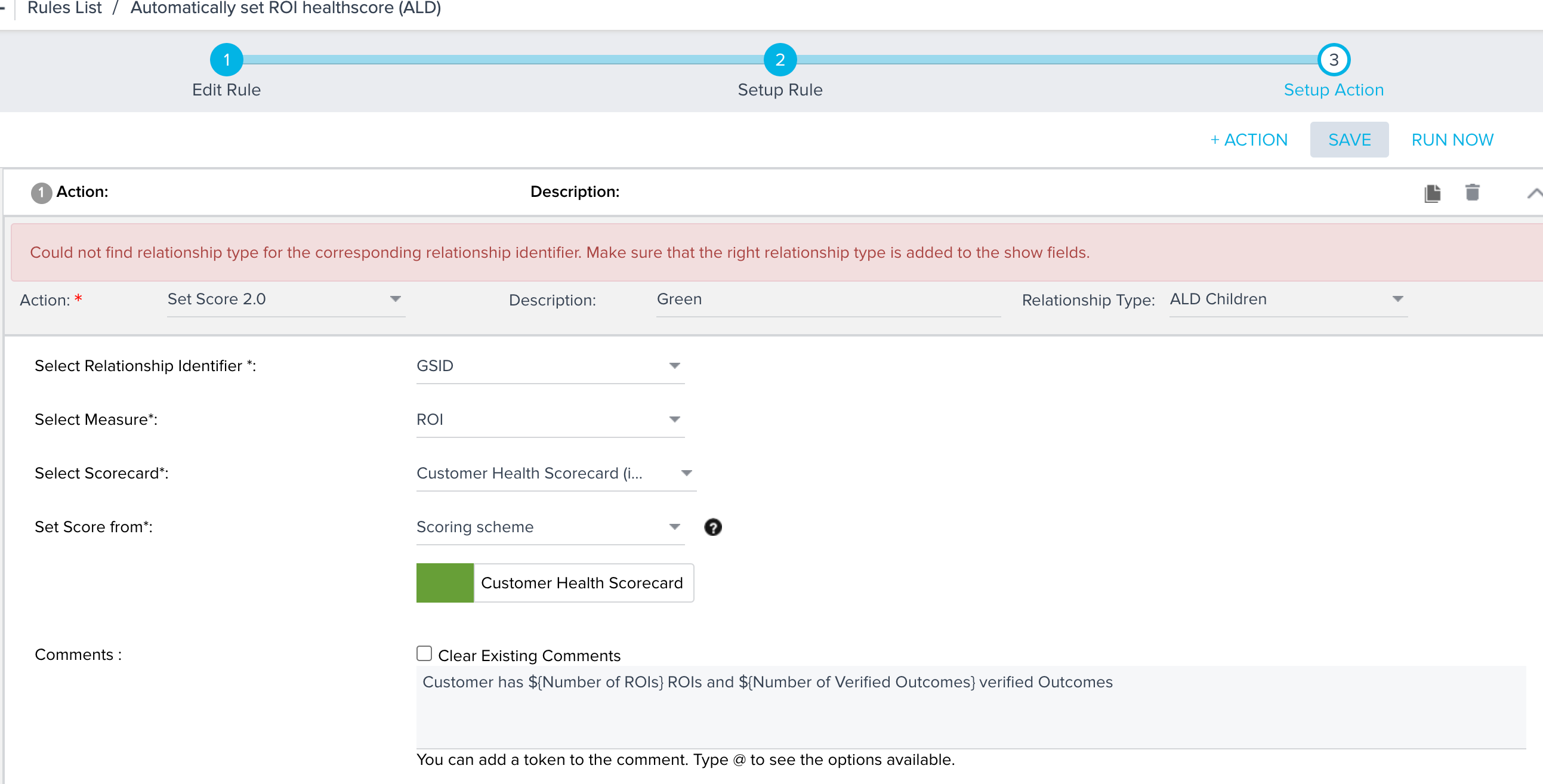
Hi gang. I've created a company level rule to change the ROI health score depending on a success plan and verified outcomes. I'm trying to create the same rule at the relationship level but getting an error when adding actions:

"Could not find relationship type for the corresponding relationship identifier. Make sure that the right relationship type is added to the show fields."

Not sure what I'm missing. Any ideas?

A newbie when it comes to rules so I’m sure it’s something basic.

A couple of screenshots attached.
 

Best answer by phani_kumar

Hi @jnoble100 

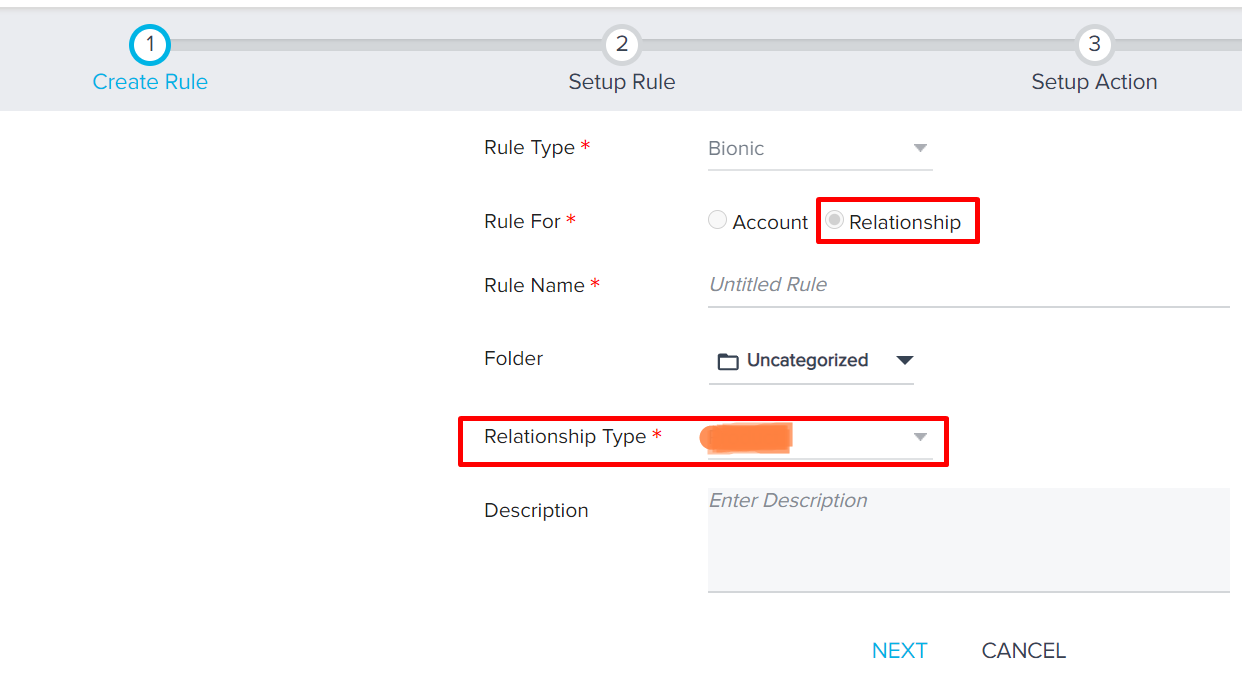
Is the rule created at Relationship Level? You can see that in Step 1 while creating the rule.

Screenshot:

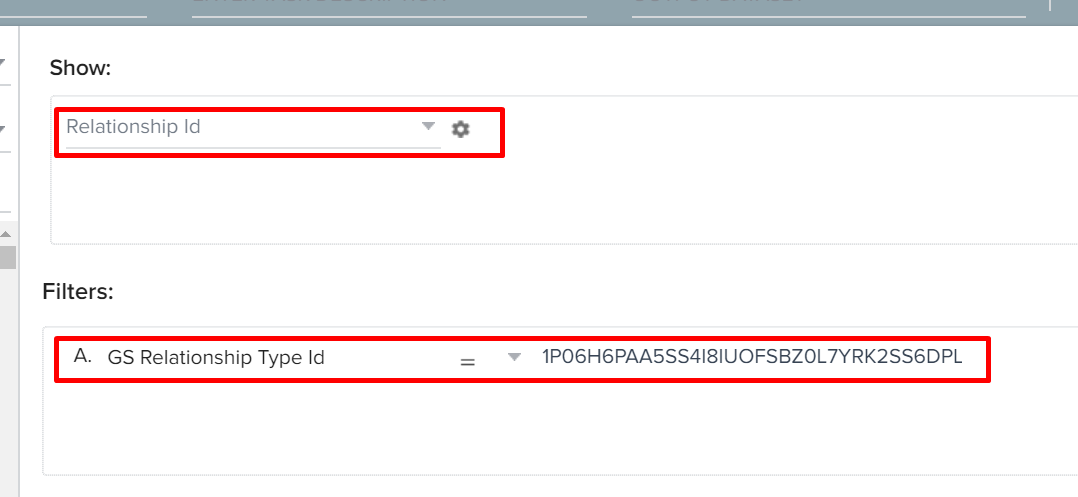
If we are creating the rule at relationship level, the Reltionship Id and the Relationship Type Id fileds automatically gets populated in the Rule Fetch Task(Show and Filters sections).

Screenshot:


Thanks.

2 replies

phani_kumar
Gainsight Employee ⭐️⭐️
June 8, 2020

Hi @jnoble100 

Is the rule created at Relationship Level? You can see that in Step 1 while creating the rule.

Screenshot:

If we are creating the rule at relationship level, the Reltionship Id and the Relationship Type Id fileds automatically gets populated in the Rule Fetch Task(Show and Filters sections).

Screenshot:


Thanks.

jnoble100
jnoble100Author
Contributor ⭐️⭐️⭐️⭐️
June 8, 2020

Thanks @phani_kumar, the rule was created at the relationship level. I was actually missing relationship Type Id & Name. All sorted now.