



You can easily find the average response time in the Success Dashboard of your community:
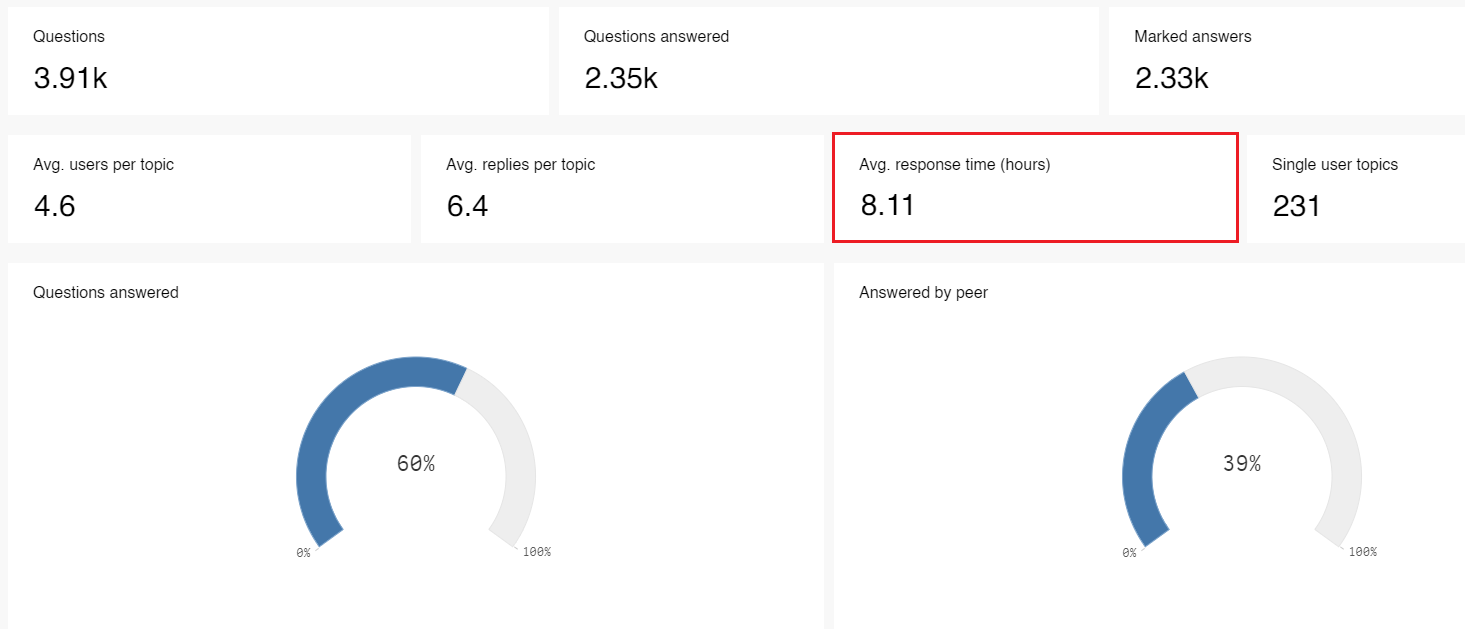
Now if you want to filter out topics created by your community team, to only show this KPI for content created by registered users, then you need to use an advanced filter for this.
To activate this filter, you need to go to the advanced filter menu by clicking on this button in the top right corner:

Then the filter overview will load. As we have a ton of different filters which you can apply, you need to search the filter first: Click on the "show fields" box to activate all fields, then search for the field which you are interested in:

You will then hopefully find a list of all the different roles. Select "Registered users" (and maybe more, if applicable) to only show the KPI for the group you are interested in:
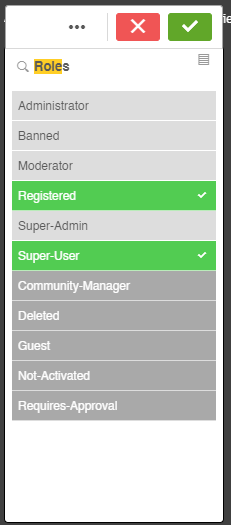
Then the only thing you need to do is to confirm by clicking on the green checkmark, and the list will be displayed in the top list.
Once more click on the button in the top right, so that you switch back to the Dashboard view. The KPIs shown will now be calculated only for registered users (and others which you selected, e.g. Super users).
