

MayurGhiya
Helper ⭐️
July 20, 2017

What notification e-mails are sent to members?

  • July 20, 2017
  • 18 replies
  • 1471 views

You might ask yourself which notification emails are being sent from the platform. This topic provides an overview of all emails.


Account


Activation Email (not for SSO-Login)

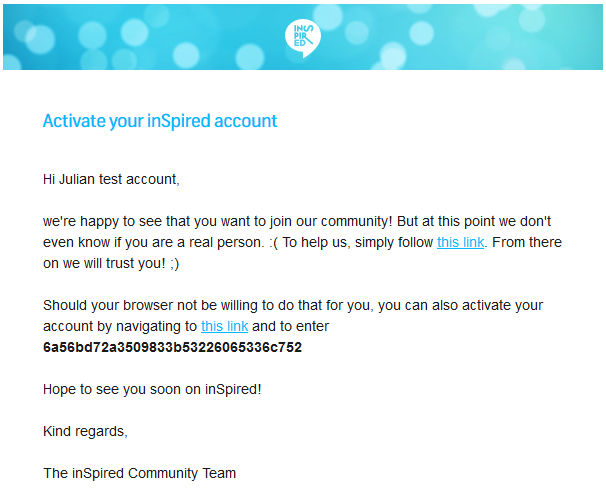
A user will receive this email after a visitor registers on your community. The user has to manually activate his/her account in order to become active on the community (until then, the user will have the primary role "User awaiting email confirmation" and will not be able to be active on the community).

Example
 

9bd17b8f-2f52-450b-81b7-b3764b7115d0.png


Confirmation Email (also for SSO-Login)

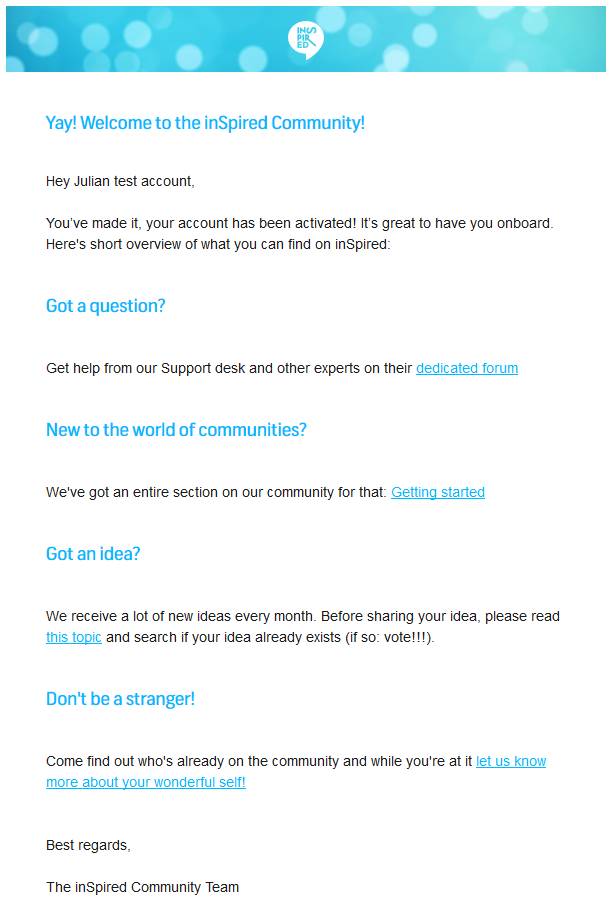
This email is triggered once a user has confirmed his/her account via email, or, for SSO-login, after a user has chosen a username and agreed to the terms & conditions.

Tip: Check our inSpired notification for a good example of activating content!

Example
 

f1da17f4-ee2b-409b-97b6-0e8bd21c12f0.png


Community Activity


New topic

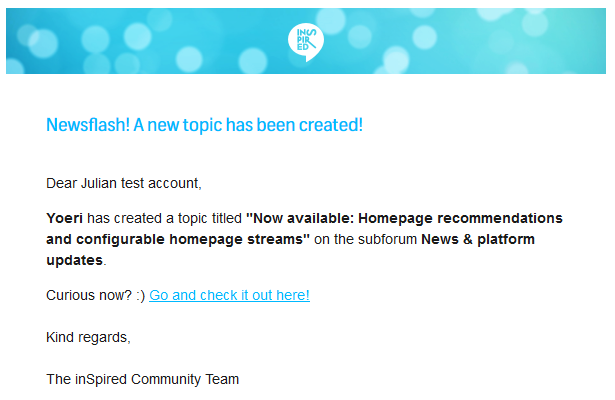
This email informs a user that a new topic (article, discussion, question, idea) has been started in a subforum. This email only goes to these users who have subscribed to a subforum (button at the top right of a subforum).
Note: This mail will also be sent for topics which are being moved to a subforum, the community counts this as a new topic.

Example
f8befec0-ba07-44b0-870c-1e4a4ad19a3e.png


New reply

This email is sent to users who:

  • Have been active in a topic (as a topic starter or commenter)
  • Have subscribed to a topic (button located at the top right)

Users can choose one of the following reply email notifications:

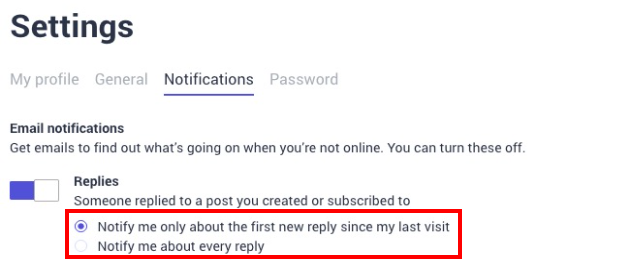
  • Notify me only about the first new reply since my last visit: Users receive a notification for the first reply, and after that, they will only receive notifications again once they visit the topic. When they visit the topic (while logged in), the system resets, and a notification is sent again for the first new activity. This option is the default notification setting.
  • Notify me about every reply: Users receive notifications for every reply, regardless of whether they visit the topic again.

To enable these email notifications:

  1. Log in to Destination.
  2. From the user profile drop-down list, select Settings. The Settings page appears
  3. Click the Notifications tab.
  4. Under Replies, select the Notify me about every reply option.
  5. Click SAVE CHANGES.

Note: The Notify me only about the first new reply since my last visit option is the default notification configuration.

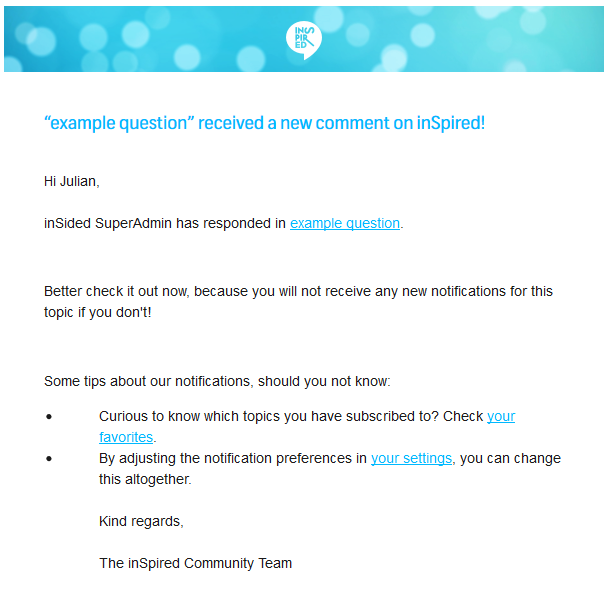
Example
 

d74bbc49-62e3-4402-863a-c91e307574e9.png


Topic answered
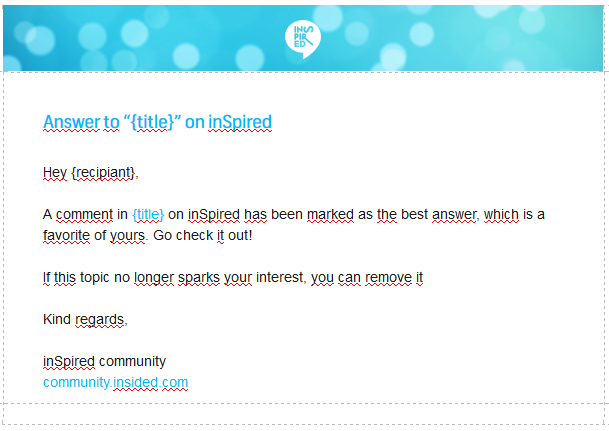
Here the same rules apply as for the "new reply"-notification, with the small difference that it only will be delivered once a reply has been marked as the valid answer.

Example
89025fcd-67ad-4e1b-af36-b3ca7510b14a.png


User-specific


@-mention

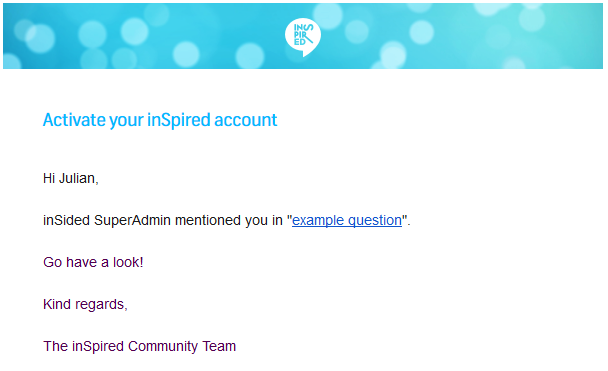
This notification will be triggered by @-mentions within a topic and will be sent to that user. Note that this specific notification will be send regardless of any other notifications, so it could happen that a "new reply"-notification and an "@-mention"-notification will be sent at the same time. In order to not annoy users, I would recommend you to only mention users when they are not active in a topic (or not have been active for a while).

Example
 

c180071a-002f-4251-8ec3-a8170ccf0ae7.png


Private message

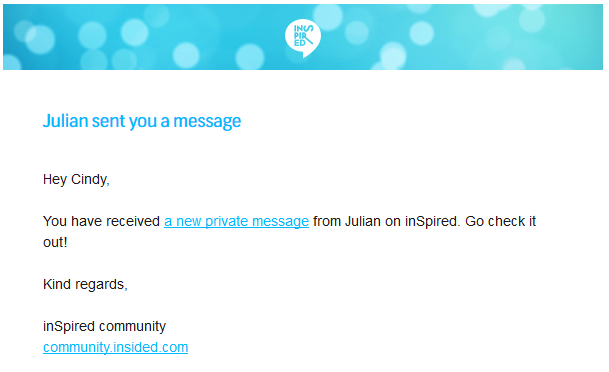
This notification is there to notify users of a new private message. Users will receive a new notification for every new private message.

Example
d6420aa2-1f4c-4be8-ba77-5684c740f7f2.png


Groups & Events:


New event

When a new event is created within a group, the platform will notify all members about it.


Additional topics you might want to read now:


How to improve an email notification
Activate your community with inSpiring notification emails


    18 replies

    revote
    VIP ⭐️⭐️⭐️⭐️⭐️
    August 5, 2022

    Is there a setting that would show the message body of a private message received by email?

    And can the sender´s rank to be added to the email?

    Mattie K
    Contributor ⭐️⭐️
    January 6, 2023

    Question about the Confirmation Email (also for SSO-Login) what happens if users are auto-registered? The explanation here is that it sends for SSO-Login “after a user has chosen a username and agreed to the terms & conditions” but the flow for auto-registration in here states that if a username, email, and ID are sent over the user is auto-registered and then auto-logged in, skipping have to choose a username, certainly. Are these users not ever being met with a T&S and do they receive this same confirmation email? 

    ryanne.perry
    Helper ⭐️
    June 22, 2023

    @-mention

    This notification will be triggered by @-mentions within a topic and will be sent to that user. Note that this specific notification will be send regardless of any other notifications, so it could happen that a "new reply"-notification and an "@-mention"-notification will be sent at the same time. In order to not annoy users, I would recommend you to only mention users when they are not active in a topic (or not have been active for a while).


    I wanted to follow up and clarify this part of the article. My question is that if we tag an individual in post or comment will they be alerted every time there is a new reply or comment on that topic, even if they aren’t re-tagged in the comment or the new comment doesn’t apply to them (they tagged individual is not the author of the post either)?

    🌻 Ryanne
    revote
    VIP ⭐️⭐️⭐️⭐️⭐️
    June 22, 2023

    They get notification every time they are tagged, no matter will they go to the topic to read it or not.

    New comment notification comes only once, if they dont read the comment in the community.

    revote
    VIP ⭐️⭐️⭐️⭐️⭐️
    December 20, 2023

    New reply

    This email will be received by users who:

    • have been active in a topic (topic starter or commenter)
    • have subscribed to a topic (button top right)

    When you receive this notification, you will not receive any other notification emails about this topic until you visit that topic again. After you have visited the topic again (while being logged in) the system will reset and send a notification again for the first new activity.

    Have you done changes for this notification?
    I am asking this because I have not received notifications about new reply. I receive notification for example when someone have mentioned me or I got new PM.

    Support said that reason for this is that I have not clicked the link from email, to read the reply in the community?

    This is weird because I have not ever clicked link from email but still I have received notifications, if I have visited in the topic while logged in. But I dont receive them any more.

    So how this actually should go?

    Contributor ⭐️⭐️⭐️⭐️
    June 27, 2025

    @Mattie K Did you ever get an answer to this?

    We are trying to import users but are running into the same issue with accepting T&C’s. A work around we are doing is through the email they receive once we import them but I haven’t figured out what email gets sent to them when they are imported.

    Obviously my next step will be to simply test an import internally and see what email gets sent. 

    Contributor ⭐️
    November 12, 2025

    Hi everyone, I have a question regarding group activity. Is it possible to receive notifications whenever a new question, conversation, or article is posted in a public group? If so, what are the steps to set up these alerts?

    revathimenon
    Gainsight Community Manager
    November 13, 2025

    Hey there ​@mary.regis 

    Notifications are available for all groups.

    You can choose to subscribe (sends you notifications of group activities or threads you interacted with) or unsubscribe (no notifications come to you) to them once you join the group. You can do this while on the user view itself.

    Where focus goes, energy flows.