

Change Document for Exports V2
This article helps community admins and managers learn about the changes in the Exports in Community.
Overview
This article provides an overview of Exports v2, the community data export feature that supports reporting on user activity, engagement, and moderation. It outlines the available export types, key data fields, filtering options, and structural details.
Exports enable consistent reporting by aligning export data with the Customer Community (CC) Data Lake. It also includes improvements to data performance, user interface, export workflows, and available metrics across export categories.
Data Source and Platform Alignment
Community exports are powered by CC Data Lake to ensure data consistency across all reporting tools. This allows export files to reflect the same metrics shown in Out-of-the-Box (OOTB) dashboards and BI connector queries.
Aligning exports with the Data Lake offers two key benefits:
- Data Consistency: All exports are generated from a single source of truth, minimizing discrepancies across reporting channels.
- Improved Performance: The underlying architecture supports faster processing and smoother export experiences, especially for large datasets.
Key Changes in Exports
This section outlines the key changes introduced in Exports v2 across interface behavior, data availability, and export structure.
User Interface and Workflow Updates
The export experience is updated to support more flexible workflows and cleaner interactions.
- Flexible Date Range Selection: Predefined options such as Last 30 days are removed. Users can now select any custom date range to match their reporting needs.
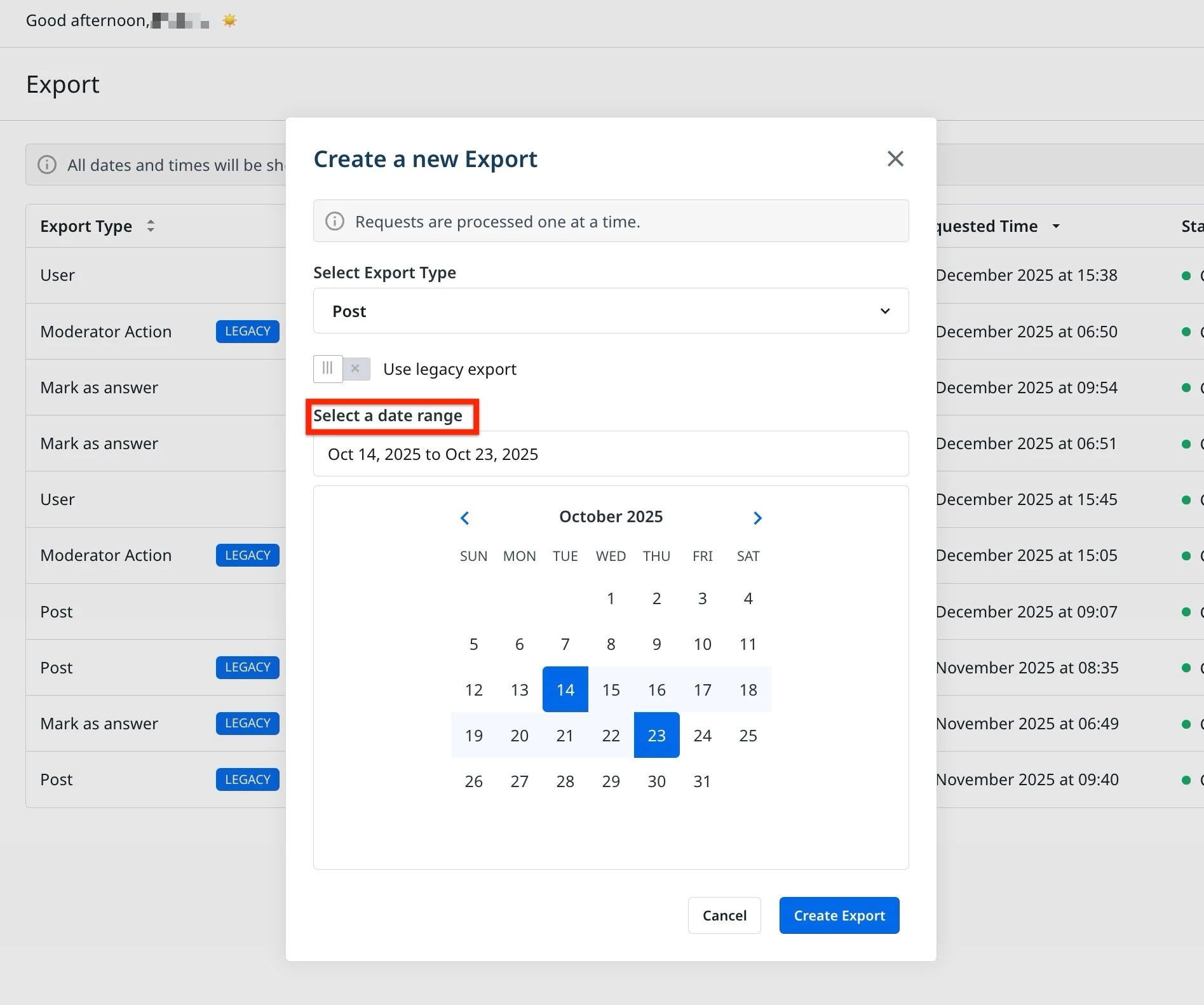
- Date Availability: Exportable data starts from January 01, 2021, based on the retention window of the Customer Communities Data Lake.
Data Coverage and New Metrics
New fields and key performance indicators (KPIs) have been added to multiple export types to support deeper analysis of community engagement.
- Topic Export: Helpfulness vote counts, such as Helpful, Not Helpful, and Neutra,l are now included.
- Marked Answer Export: Additional context is now captured when a reply is marked as the best answer, including:
- Username, role, and rank of the user who marked the answer.
- Public tags and moderator labels.
- Timestamp of the first reply by a moderator.
- User Export: Several new fields are included to support user-level engagement tracking:
- Login data (last login, total login count)
- Helpfulness votes cast
- User ID
- Moderator Actions Export: This export has been expanded to include a broader set of moderator actions, such as:
- Sticky state changes
- Topic or reply movement
- Approval and moderation events
Field Cleanup and Simplification
To reduce redundancy and improve clarity, the following unused or overlapping fields have been removed:
userRankTitle: Replaced byuserRankflagged: Removed from topic and post exportsvisible: Removed from topic export
Time Difference Accuracy
A known issue with time calculation between posts has been addressed:
- Previous behavior: Time gaps were truncated at 24 hours.
- Current behavior: Time is now shown in full (
days:hours:minutes:seconds), providing a more accurate timeline of post interactions.
Data Availability and Limitations
Exports v2 is built on the Customer Communities Data Lake, which supports data from January 01, 2021 onwards. As a result, some limitations apply to historical data access and field behavior.
Note: In Exports V2, data availability is subject to a delay of up to four hours.
Historical Data Window
Most event-based metrics are only available for activities that occurred on or after January 01, 2021. This affects the following exports:
- Topic Export: total_views and Helpfulness vote counts.
- Marked Answer Export: Timestamp and user details for Mark as Best Answer.
- Login and Moderator Actions Exports: All data in these exports is available only from January 01, 2021, onward.
- User Export: Login statistics, gamification points, and helpfulness vote counts are calculated from January 01, 2021, data only.
Date Filter Behavior
Date filtering works differently across export types. The logic is based on the primary activity or entity being exported.
- User Export: Offers both a specific date range and an All Time option. Data for all users is included, but activity-based metrics respect the 2021 data limit.
- Topic and Post Exports: Date filters apply to the creation date of the topic or post.
- Marked Answer Export: Date filters apply to the Marked as Answer action.
Differences in Timestamps and Field Behavior
Some fields may show different values compared to previous exports. These differences are expected and reflect improvements in data accuracy.
- Fields such as
last_activityand moderation timestamps may vary slightly. - Data is now sourced from the topic object in the Data Lake, which excludes purged or deleted content for a cleaner and more reliable dataset.
For more information on different types of exports, refer to the articles below: