

How searching works in the Gainsight CC Platform
Last Updated On: Aug 26, 2025
This article explains how our search works and shares tips for making content easier to find.
Overview
Many users wonder how search works in the Gainsight Customer Community (CC) platform and how to make their content easier to find. Because our search algorithm evaluates multiple factors, it can sometimes be difficult to understand why certain topics do, or do not, appear in results.
This article explains the key factors driving search behavior and offers best practices for improving content visibility across the platform.
Searchable Attributes
When a user submits a query, the search engine examines multiple attributes across both community and federated (external) content to identify matches. Understanding these attributes helps content creators optimize posts for better performance.
Searchable attributes include:
-
Title of the topic: Highly weighted for relevance scoring.
-
Content: The full content is indexed, allowing users to discover posts based on in-depth context.
-
Whether it is an article: Prioritized as it is company-generated content.
-
Whether it has the best answer (if it is a question): Key for searching solved queries.
-
Replies: Captures ongoing conversation and relevance within threads.
-
Source, Tags, Product Area, and Category: Used for filtering and refining search results.
These attributes apply to all indexed content, regardless of origin. Consistent tagging, categorization, and formatting help improve discoverability and filtering.
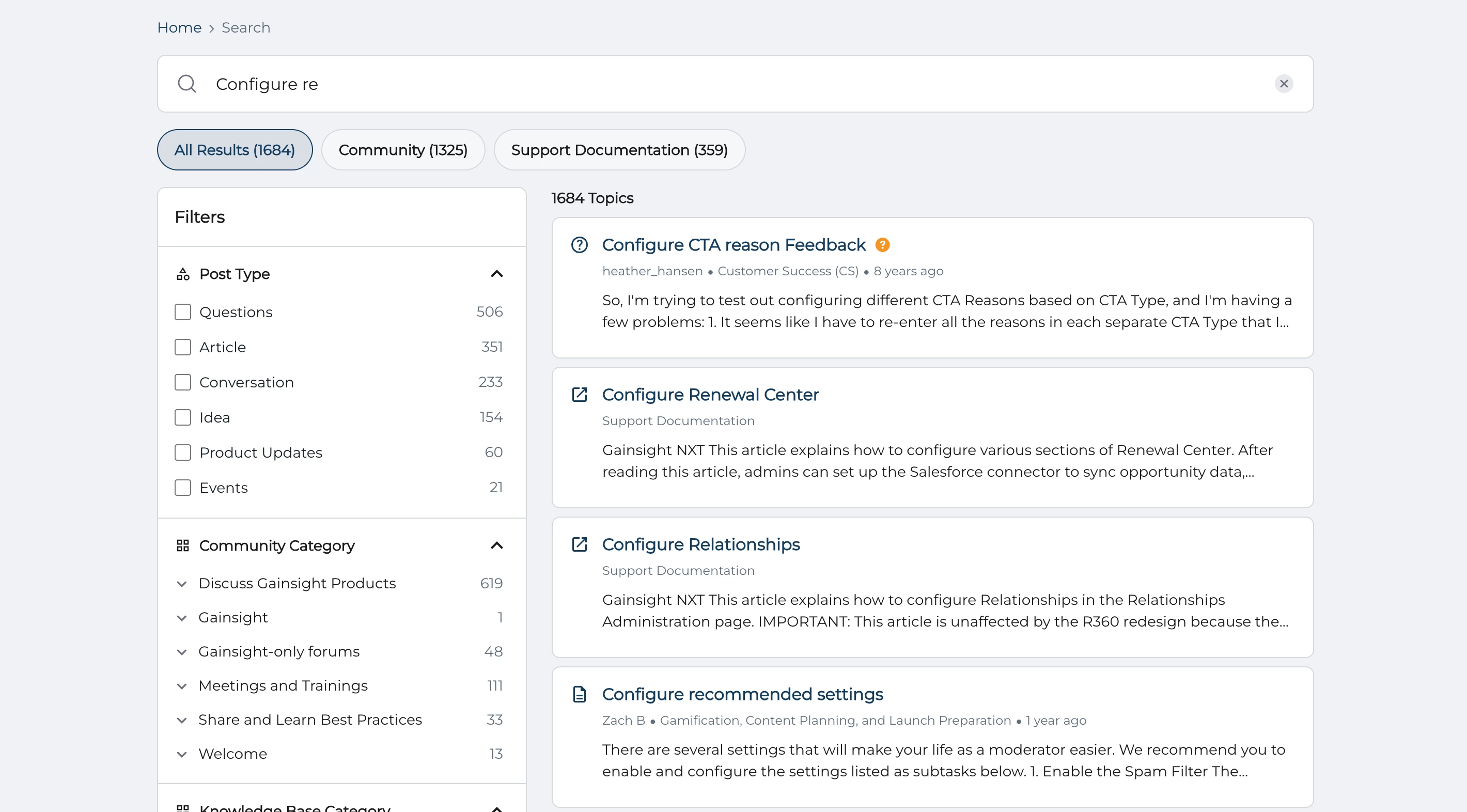
Ranking Result
Once matching content is found, the system applies a scoring model to determine the order in which results are shown. This model uses weighted factors applied consistently across all content sources and types.
Ranking factors include:
-
Number of matching search terms: More matches usually mean higher relevance.
-
Proximity of terms within content: Phrases where keywords appear close together are ranked higher than scattered terms.
-
Content type: Articles and solved questions are often prioritized as definitive answers.
-
Content source: External (federated) content is prioritized over user-generated content in the community
-
Date of last update: Recently updated content is considered more relevant.
-
Engagement metrics include:
-
Number of likes
-
Number of replies
-
Number of views
-
Recency of activity within the thread
-
-
Spelling similarity: Allows for slight typos and misspellings without penalizing results.
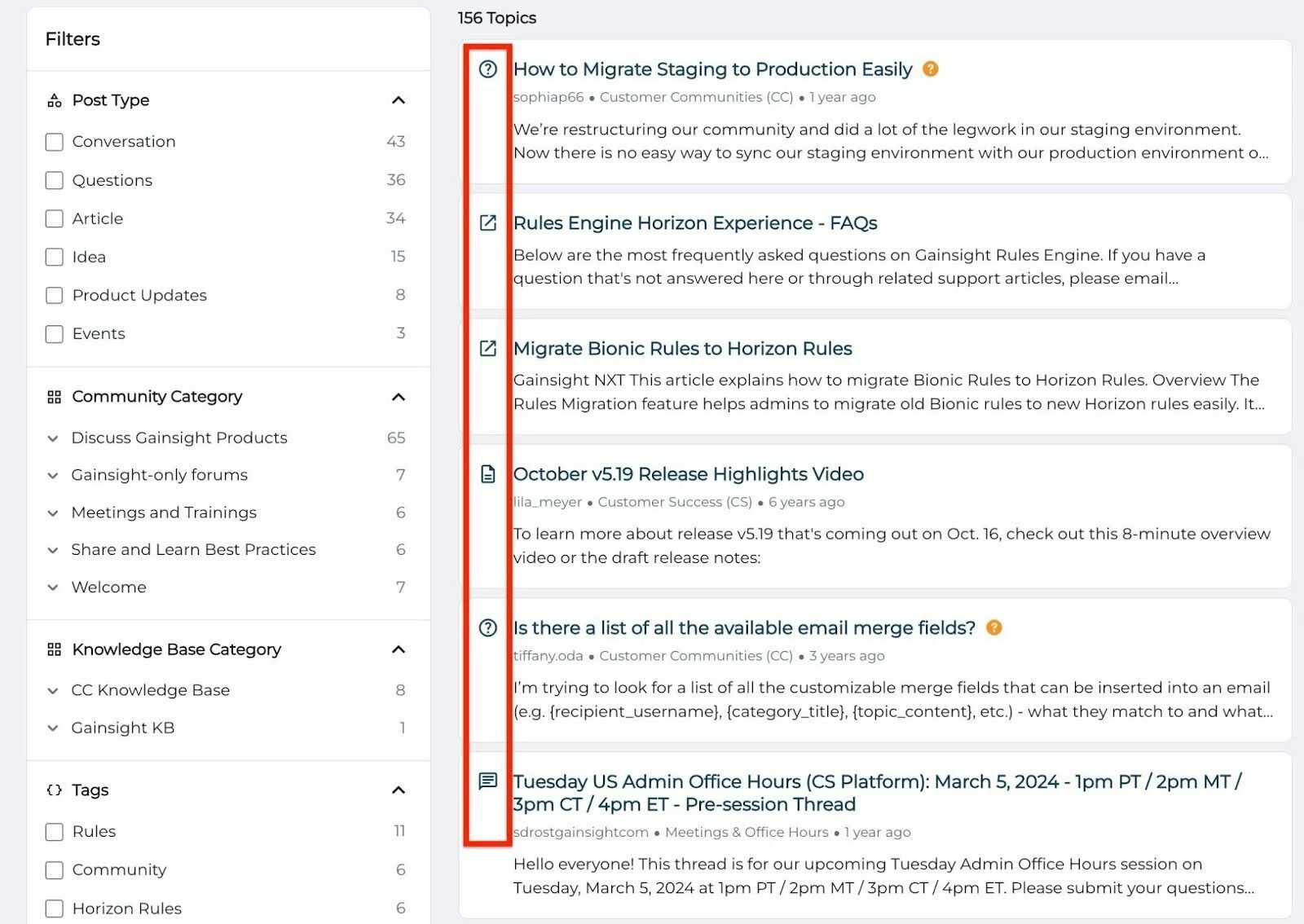
Search results are sorted by relevance, not by content type or source. Community and federated content appear together in a unified list. Each content type (For example, article, question, discussion) is visually labeled for clarity.
Best Practices for Optimizing Search Results
Search behavior is driven by content structure and metadata. While the algorithm itself cannot be customized, the following best practices can help improve search visibility:
- Use clear, keyword-rich titles: Include commonly searched terms relevant to your topic.
- Convert valuable posts into articles: Articles rank higher and are perceived as authoritative.
- Mark the best answers in resolved questions: This improves ranking and helps others quickly identify solutions.
- Apply consistent, relevant tags and categories: Use a controlled vocabulary to enhance filter functionality and avoid fragmentation.
- Remove outdated content: Implement a proactive recommendation for a regular content audit schedule (For example, quarterly review).
- Maintain structured formatting and terminology: Use consistent headings, bullet points, and language across internal and external content. This enhances readability and improves indexing accuracy.
External content should follow these same guidelines to ensure accurate indexing and inclusion in relevant searches. Regular moderation and audits help maintain content quality across the platform.
Leveraging Search Filters
Advanced filters allow users to refine results for more targeted discovery:
- Source Filters: Located directly below the search input; useful when federated (external) content is involved.
- Community Filters: Displayed on the left-hand side of the search results page for narrowing community-originated content.
- Filter by Post Type: Select to view only articles, discussions, or questions. This is particularly useful when you are looking for a specific format of information.
- Filter by Category: Select to view only content posted in a specific community or knowledge base category.
- Filter by Product Area: Select to view only content that was tagged with a specific product area.
- Filter by Public tag: Select to view only content that was tagged with a specific product area.
Tips for Effective Searching
To get the most out of the Gainsight CC Platform's search, consider these practical tips:
- Use quotation marks for exact phrases: For example, search for "customer success platform" to find results where these words appear together in that exact same order.
- Start broad, then narrow down: If your initial search yields too many results, use the advanced filters or add more specific keywords to refine your query.
- Check categories and tags: Sometimes, navigating directly to a relevant category or applying a tag filter can be quicker than a keyword search for broad topics.
- Understand ranking behaviour: If content does not appear, consider whether the keywords are prominent in the title, content, or marked best answer.
How Do Federated Search Results Appear in your Community Search?
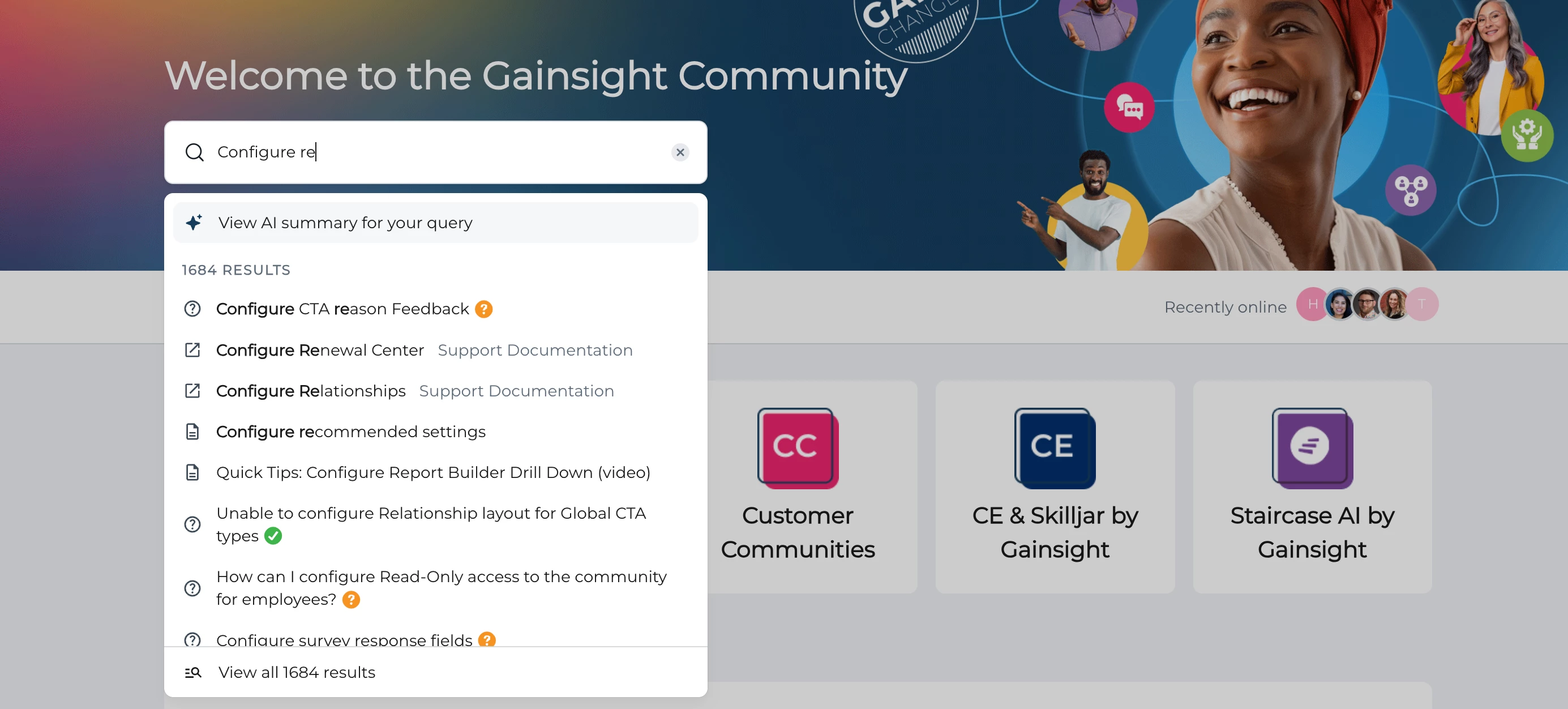
The search results in the community appear either as Live Search dropdown or can be viewed in the Search page.
Live Search Dropdown
Federated content will be listed in the live search dropdown alongside content that is posted in the community. Federated content can be recognised by its icon. The federated source will be displayed in metadata color behind the title.
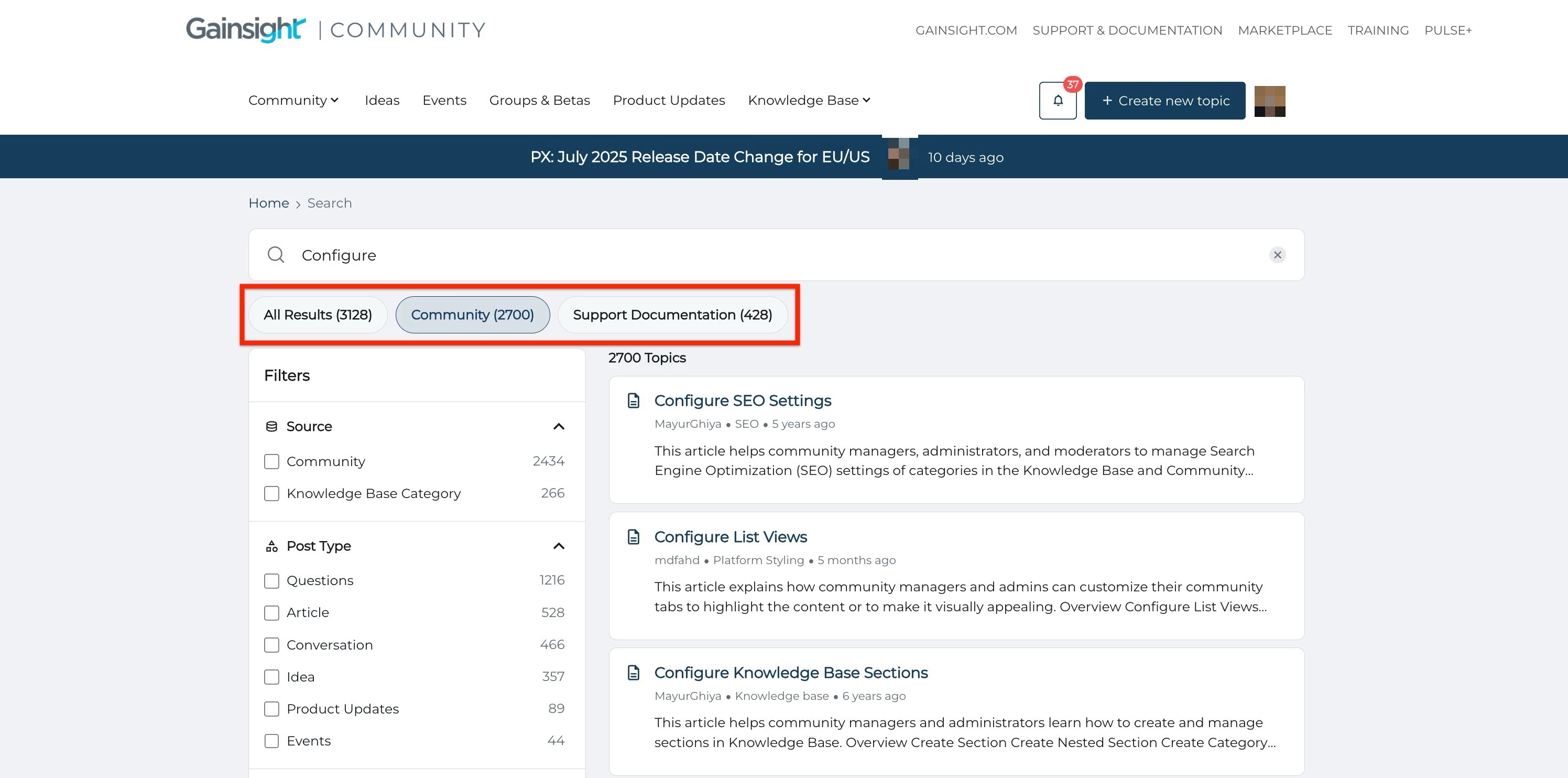
Search Result Page
Federated content will be listed alongside content that is posted in the community. A filter on the top, just below the search bar, allows you to filter and display only results from different federated sources. Remove all HTML tags from federated content before indexing. HTML formatting does not appear in search results and may hinder visibility.
What's New in Search
Recent updates to our search functionality provide better precision, control, and clarity:
- New Filter Options: Narrow results by source, content type (article, discussion, solved question), product area, tags, and categories.
- Improved Relevance Ranking: Updated algorithm prioritizes content based on recency and user engagement.
- Enhanced Visual Cues: Content types are now more clearly marked in search results, helping you identify what you are viewing at a glance.