

Troubleshooting Email Delivery Issues
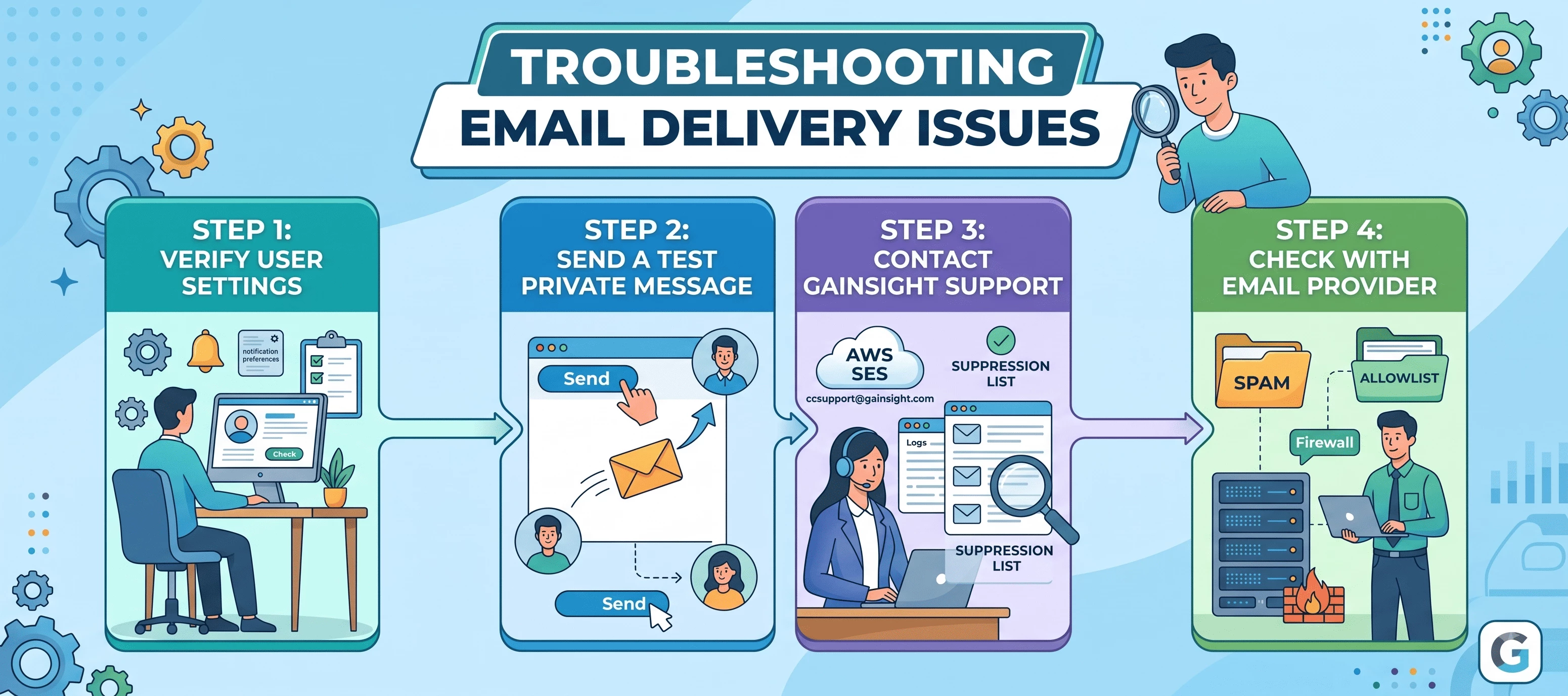
If a user in your community is not receiving email notifications, there are several things to troubleshoot this. This article walks through the most common causes and how to resolve them.
Step 1: Verify the User's Notification Settings
The first thing to check is whether the user has notifications enabled. Users can manage their email notification preferences by visiting:
YourCommunityURL.com/settings/notifications
From there, they can control which types of emails they receive — including mentions, replies, subscriptions, private messages, and email campaigns. Ask the user to confirm their preferences are set as expected before investigating further.
Step 2: Send a Test Private Message
A quick way to trigger a notification email is to send the user a private message directly in the community. This should generate an email notification to their registered address. If the email is received, delivery is working correctly. If not, proceed to the steps below.
Step 3: Contact Our Support Team
If the user has confirmed their notification settings are correct and the test email was not received, please reach out to our support team at ccsupport@gainsight.com. We can query our internal logs and check directly with AWS SES — the email service our platform uses — to confirm whether an email was sent, identify any bounces, and check if the user's address has been added to the AWS suppression list.
If we find the address on the suppression list, we can request its removal so emails resume delivering normally. Common reasons an address ends up on the suppression list include:
- A previous email hard-bounced (e.g. invalid address, full mailbox)
- The user or their email server reported a message as spam
Step 4: Check with the User's Email Provider
Sometimes the issue is on the receiving end. The user's email provider or company mail server may be filtering or blocking community emails before they reach the inbox. In this case, we recommend:
- Checking the spam/junk folder for any community emails
- Asking the user's IT team or email administrator to add the community's sending email address to the allowlist (whitelist)
- Ensuring the domain is not blocked at the mail server or firewall level
Adding the community email to the allowlist ensures future emails are delivered directly to the inbox without being filtered.
If you've worked through these steps and the issue persists, contact ccsupport@gainsight.com with the user's email address and we will investigate further.