Frank
Product Guru
December 11, 2017

Feature Topics on your community

  • December 11, 2017
  • 21 replies
  • 2324 views

This way of featuring topics is no longer recommended for featuring topics on your homepage: we instead recommend that you read our guide on featuring topics with our new homepage customization tool.


By adding a moderator tag to a topic you can feature a topic. There are four designated places in your community where you can feature topics:

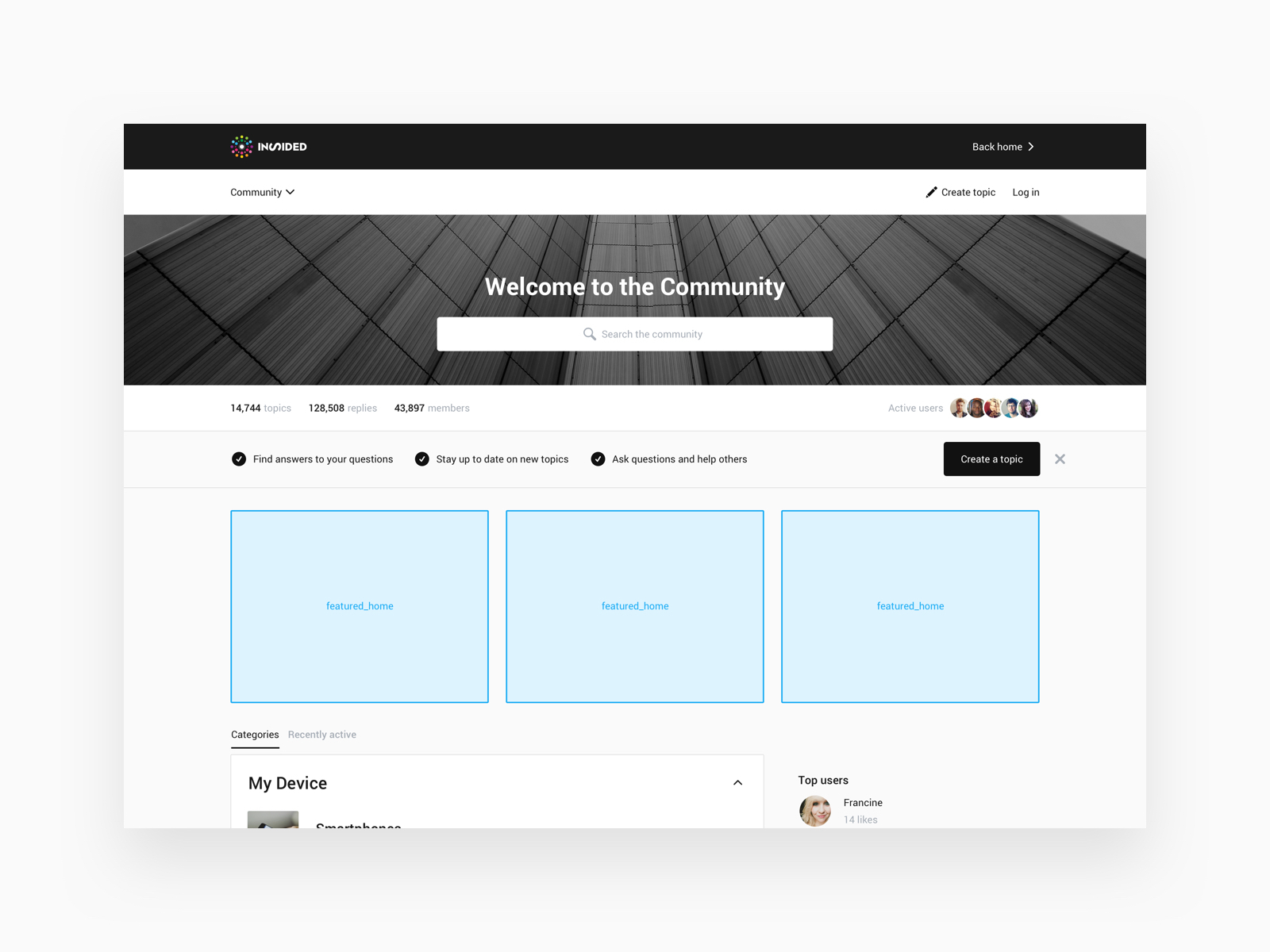
  • On the community homepage below the hero image (featured_home)
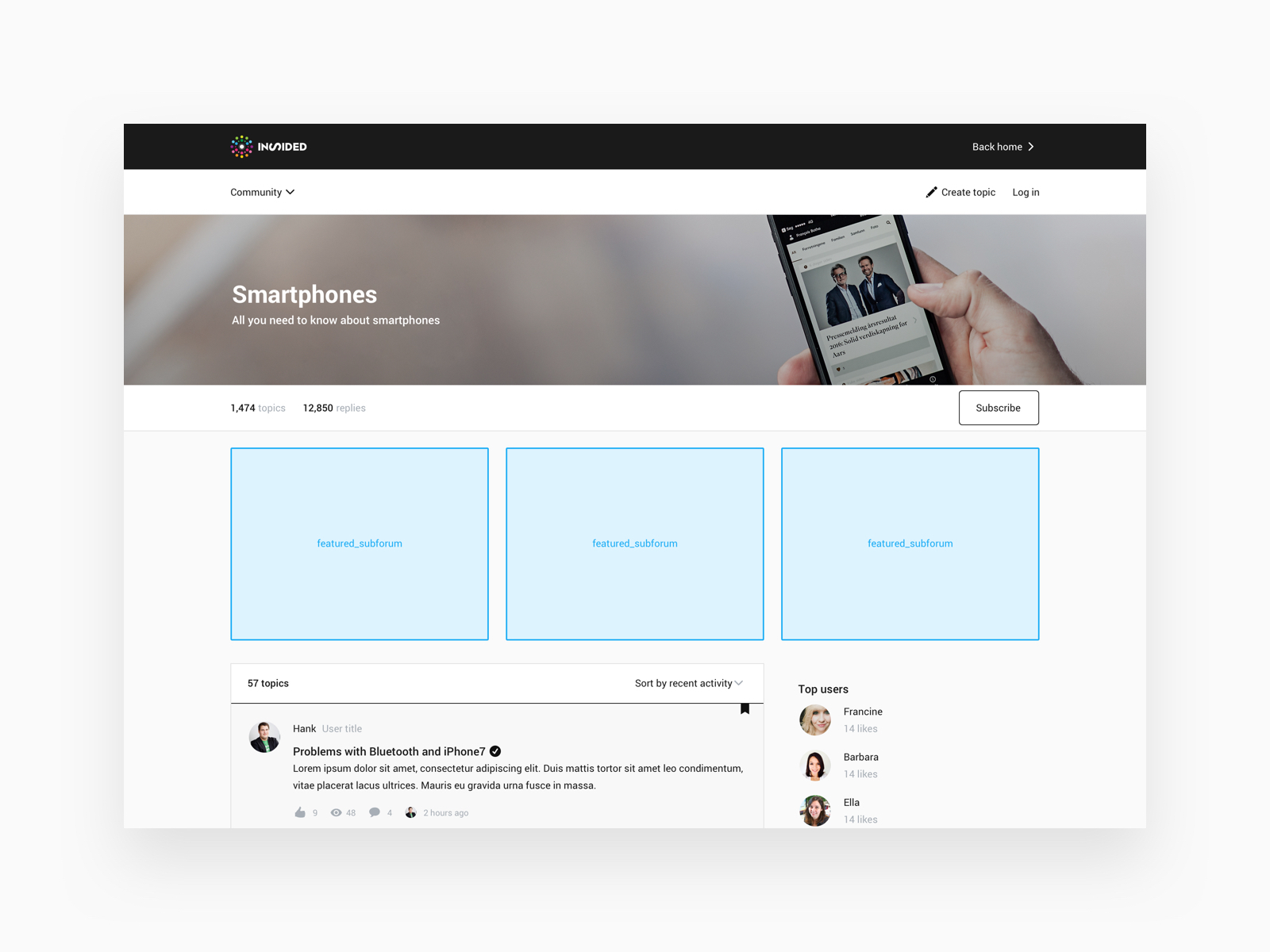
  • On the subforum page, below the hero image (featured_subforum)
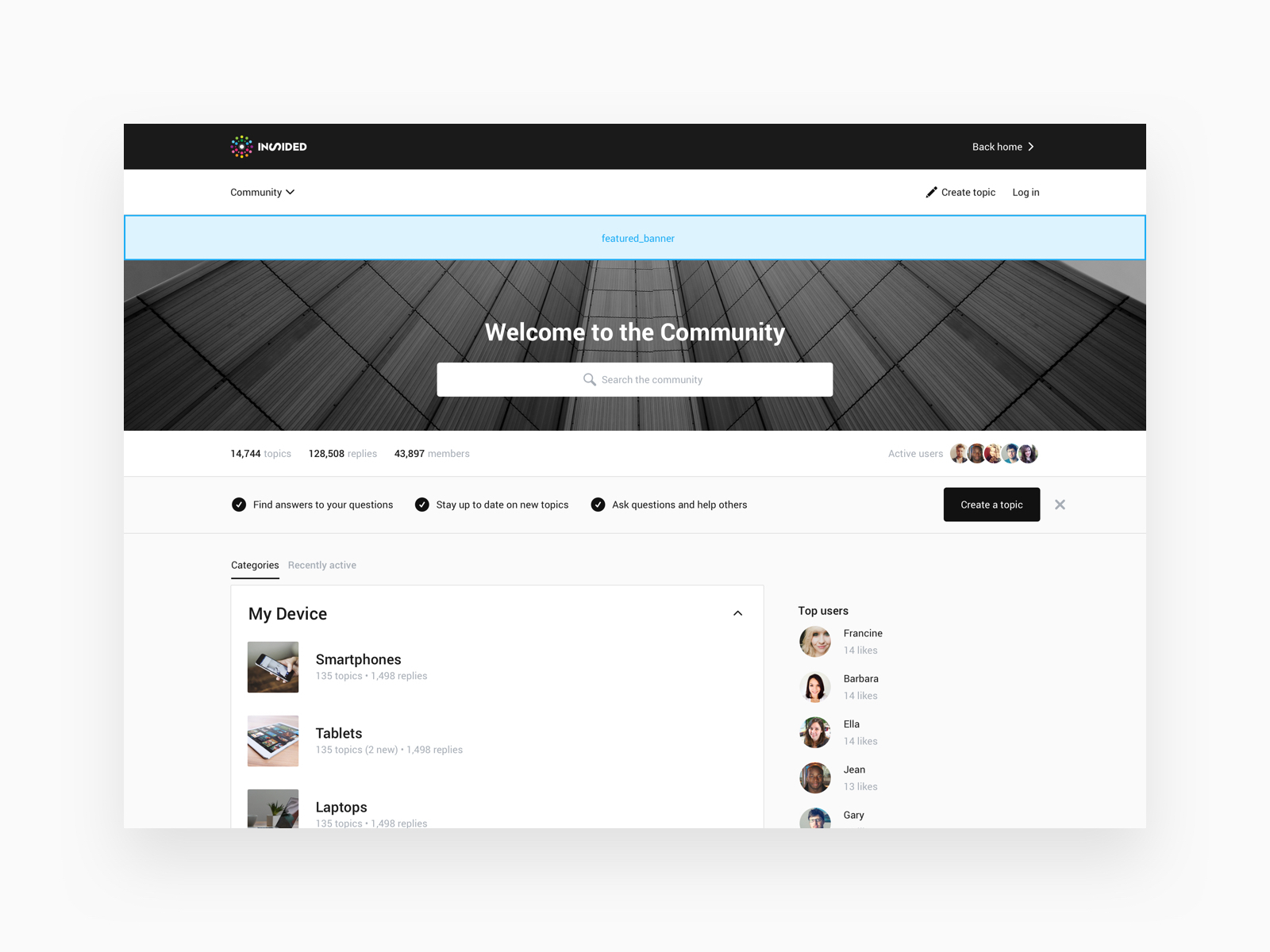
  • As a banner below the community navigation (featured_banner)
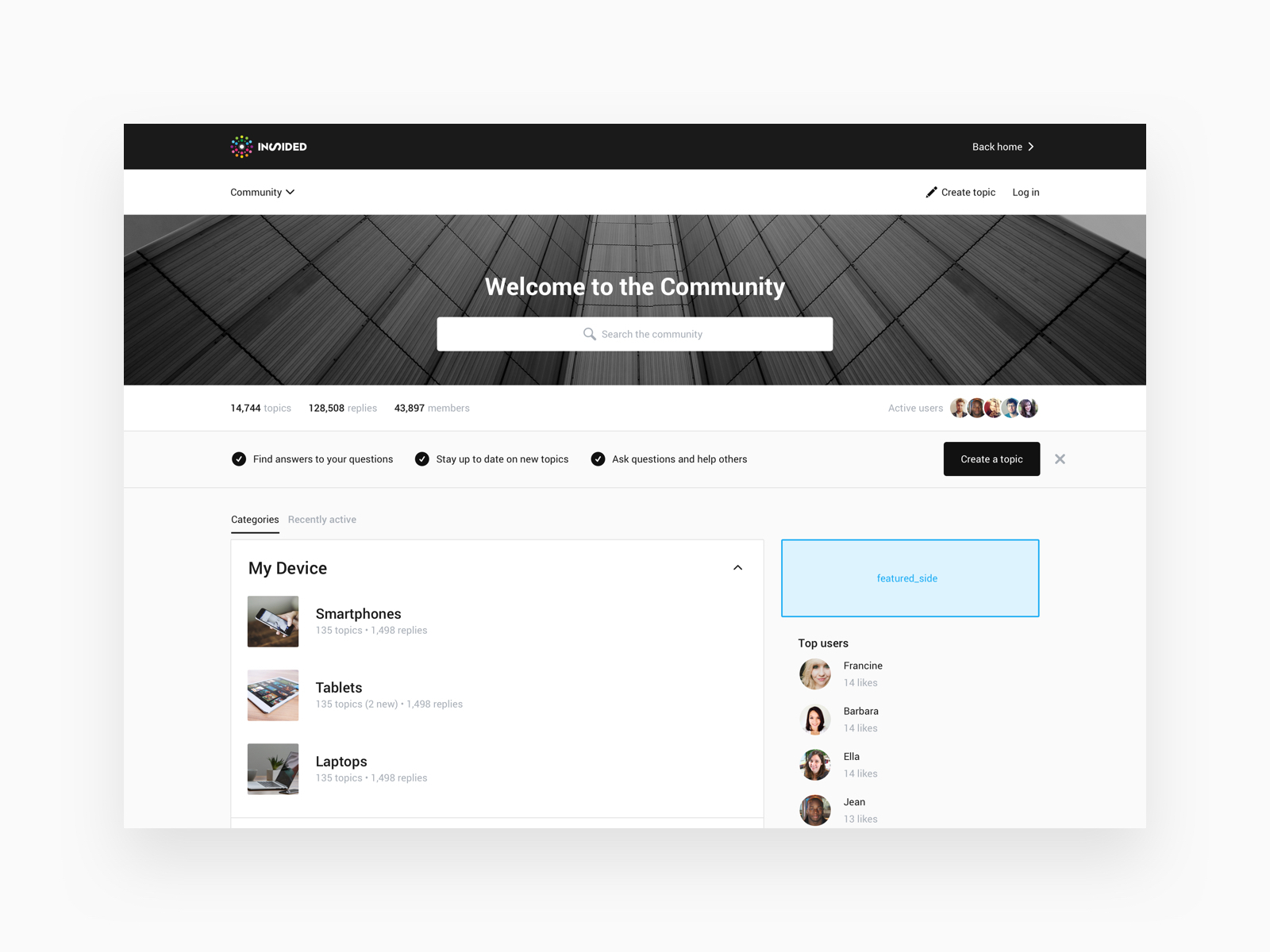
  • As a block on top of the sidebar (featured_side)

How to feature topics

  1. Go to Control > Forum > Overview.
  2. Find and click the topic you’d like to feature.
  3. Add a moderator tag to the topic based on where you want to feature it (see below for the list of tags together with images that show where the topic will be featured on your community).


Click below to see how each moderator tag will feature your topic on your community:

⛰️Community homepage (Moderator tag: featured_home )
6e95d87c-569b-4437-b54f-a4fbe63213f7.jpg


⛰️ Subforum page (Moderator tag: featured_subforum )
1a3f9b56-b9aa-4948-834a-9123d2767466.jpg


⛰️Banner (Moderator tag: featured_banner )
d91664c4-b388-4429-aec8-41f10419d332.jpg


⛰️ Above the sidebar (Moderator tag: featured_side )
701561db-f2ae-475c-9453-df37de0e3634.jpg


⚠ You can only feature one topic as a banner and one topic in the sidebar. A topic featured in the sidebar or as a banner is visible on all pages in the community.

🎯 Don’t feature the same topic as a banner and in the sidebar. A featured topic as a banner is a serious attention grabber, so try to use it sparingly.

💎 You can feature up to three topics on the community homepage and on the subforum page. On the homepage you can feature any topic from the community. On the subforum page you can only feature topics that were posted in that subforum.

💎 The background colour of featured topics in the banner and sidebar are based on the primary colour of your community


21 replies

Contributor ⭐️⭐️
December 13, 2018
Hi @Yoeri that sounds very cool, and would definitely be quite useful, especially the homepage promoted topics.
Contributor ⭐️⭐️
March 19, 2020

Hi All, 

We recently added a post to our banner with the 'featured_banner' moderator tag, but I would like to find a way to remove the date next to the title — is this a setting? Or could you share suggested custom CSS that might help us here?

Thank you!

freydrew
Contributor ⭐️⭐️⭐️⭐️
March 19, 2020

@cherise that’s a great idea. I could benefit from that too. 

Drew -- Senior Communications Manager
bjoern_schulze
Helper ⭐️⭐️⭐️
March 20, 2020

I don’t think that there is a setting to remove the timestamp from the “featured_banner”, but Custom CSS can hide it.

.featuredBanner .thread-meta-item__date {display:none;}

Note: I can’t guarantee that it works without any regressions as I only quickly checked it. Please use it with care and at your own risk.

Yoeri
Gainsight Employee ⭐️⭐️⭐️
March 22, 2020

I tested the suggestion above; .featuredBanner .thread-meta-item__date {display:none;} worked for me 👍

Group Product Manager, Customer Communities
Contributor ⭐️⭐️
March 24, 2020

Yes it worked for us too! Thank you, @bjoern_schulze !

Contributor ⭐️⭐️⭐️
April 16, 2021

Hi @Frank  I know its not preferred - however - does the “featured_side” moderator tag still work?  I can’t get it to show up. 


UPDATE: Nevermind - I realized you need the “Announcement Widget” in the sidebar in Control.  
Thanks.

Julian
Gainsight Employee ⭐️⭐️⭐️
April 16, 2021

Yes this still works, however you have to make sure that the sidebar also has this item listed there.

For the homepage, you can add this via Customization mode.

For topic & general pages (read: category and other pages), you have to activate it in the Control environment (under [Customization] - [Sidebar]). This is the item which you have to drag and drop in the right position:

Then it should work!

I follow my nose, it always knows
Gabolino
Helper ⭐️
November 4, 2021

Hey question for you @Yoeri and @Julian if I may. Can we show different featured topics depending on the category? Or are these shown globally shown across all categories? 

Julian
Gainsight Employee ⭐️⭐️⭐️
November 5, 2021

There are ways to feature specific content on specific category pages, however not via this method. This is the outdated, old way to feature content.

The most easy and straightforward way to feature category-specific content would be content curation:

Note that we speak in this product update about building a Knowledge Base for your categories - this is because you can actually feature several topics at a time. However you are free to customize the title of this segment to whatever you find suitable (e.g. “highlighted content”).

Does this look like a good way to achieve what you want to do on your community? There are other ways to feature content in the category sidebar only on specific categories, but these processes are not as easy to maintain...

I follow my nose, it always knows