Frank
Product Guru
Feb 17, 2020 4:10 PM UTC
How to

Feature topics on your Homepage

Feature, highlight, promote—different words but they all serve the same purpose: making sure topics stand out from the rest. Sometimes you want to make a topic stand out from the crowd because it holds important information, a big announcement or a good promotion. 

The inSided platform offers different ways of featuring topics. In this article you can find all the information you need to feature topics on your homepage.


Feature topics in a card style
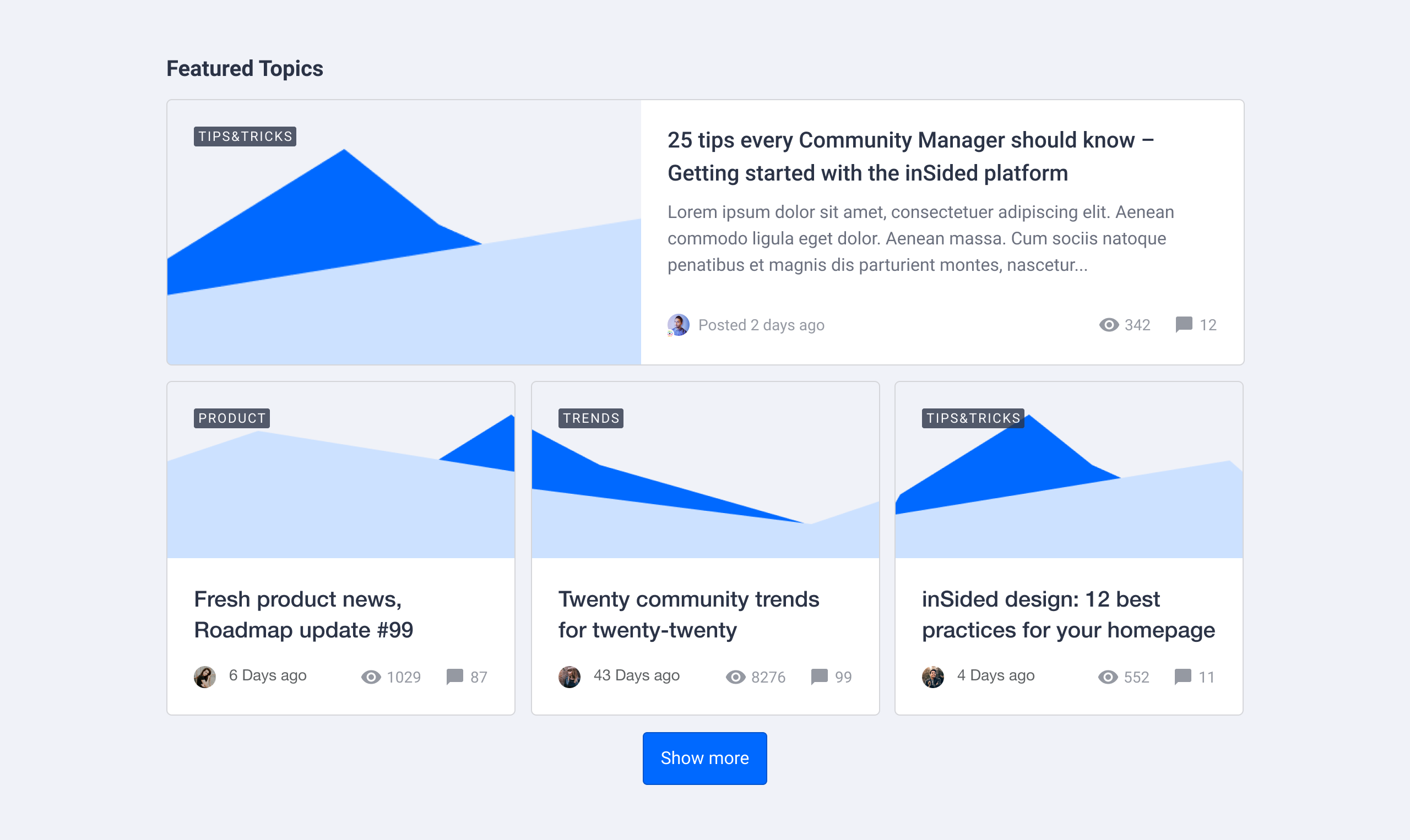
Make topics stand out in a card format. Depending on the content type, the card will use a specific card style:

  • Discussions / conversations will show a preview snippet of the opening post
  • An article will display the feature image & the article label
  • An idea will show the status of the idea

Make the most out of this widget by featuring multiple topics of the same type, here’s how it works:

  1. Activate Customization mode

  2. Hover over the homepage and determine where you want to add featured topics. Click the plus icon (➕)  and select the Featured topics widget

  3. Add one or more topics via search or by copy/pasting a topic URL. You can add as many topics as you like

  4. Select how many topics should be displayed as full-width. If you choose 0 the topic cards will either show in a 2 or 3 column layout depending on the amount of topics

  1. Click Done in the sidebar

  2. Click Publish. Your featured topic cards will now appear on your homepage

The following items are optional to do:

  • Add a title (e.g. Featured, Recommended, Promoted)

  • Reorder the list of topics in your preferred order

  • Add a button and URL


Feature topics in a list style

Use this if you are more fan of a minimalistic list style. This view only shows the topic title and the topic type as an icon in a simple 2 column list. To feature topics in a list style follow these steps:

  1. Activate Customization mode

  2. Hover over the homepage and determine where you want to add a list of topics. Click the plus icon (➕)  and select the Recommendations widget

  3. Add one or more topics via search or by copy/pasting a topic URL. You can add as many topics as you like
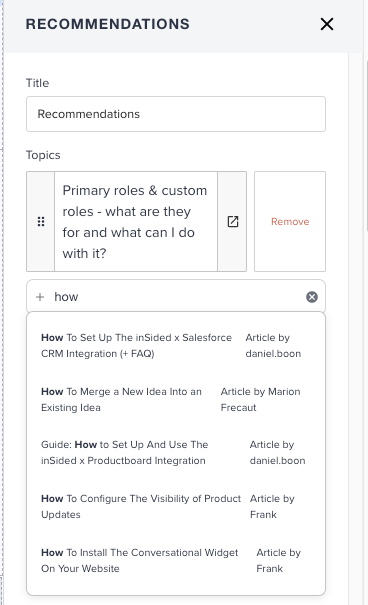
  1. Click Done in the sidebar

  2. Click Publish. Your list with topics will now appear on your homepage

 The following items are optional to do:

  • Add a title (e.g. Featured, Recommended, Promoted)

  • Reorder the list of topics in your preferred order


Feature a single topic directly below the community navigation



This view is very popular when you want to grab the user's attention to a specific, important topic. For example an outage or an important announcement. This featured topic will be displayed on all pages of your community, not just the homepage. The setup requires some different steps:

  1. Activate Customization mode

  2. Go to edit the Topic Banner widget positioned below the Mega Menu

  3. Add one topic via search or by copy/pasting a topic URL. You can add only one topic.
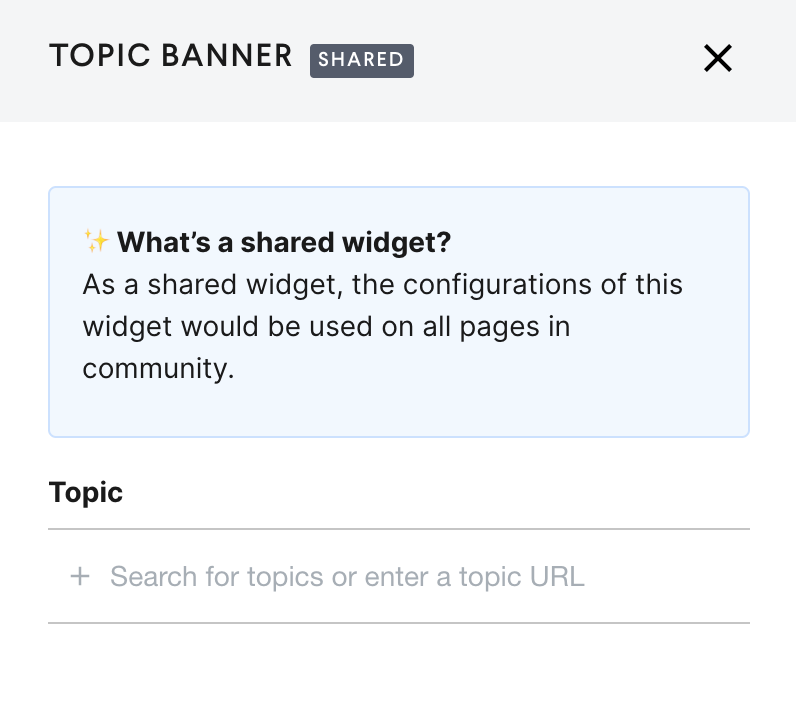
  1. Click Done in the sidebar

  2. Click Publish. Your topic will be featured in the banner

The following items are optional to do:

  • The Topic banner background color can be updated via the customizaion mode Theme> Colors . Look for the color option “Featured Topic Background Color”​​​​​​​

Feature topics with moderator tags

When adding new widgets to the homepage you’ll find the Featured topics (moderator tags) widget. This is a legacy widget with limited capabilities. We recommend using the Featured topics widget described above.

30 replies

Contributor ⭐️⭐️⭐️⭐️
Feb 5, 2025 9:07 PM UTC

Thank you for your detailed response - Yes, I am looking at the green one. The issue is that when I go to Edit Layout and try to add a “Topic Banner” widget, it’s not an option in my widget menu… (condensed screen shot - I can scroll down but it’s no where in the list)


Sorry to drag you out of retirement : ) but I appreciate you jumping in with a response.

Translate
Contributor ⭐️⭐️⭐️⭐️
Feb 5, 2025 9:08 PM UTC

OMG nevermind I see it - its already added on my site just hidden lol - Thank you!

Translate
Blastoise186
Helper ⭐️⭐️⭐️
Feb 5, 2025 9:13 PM UTC

MUHAHAHAHAHAHA! Told ya! :P

A Blastoise’s work is never done ya know - and I NEVER retire! XD

Here’s a funny thing actually. I’m not a Community Manager myself - I’m actually a User (well, Super User)! Gainsight welcomed me into inSpired back in the inSided days and I kinda just stuck around because I enjoyed it a lot. The only reason I haven’t been here is because well, the chaos on my home forum kept me pretty busy all this time. Long story short, my home forum is incredibly active and keeps me very busy, combine that with my IT based day job and the fact I do community volunteering with the fire service (I’m not a firefighter though, I do the community engagement stuff!) and you can soon see where my time gets eaten up. You wouldn’t believe some of the crazy stories I get out of it... :D

Jokes aside, glad to see that it works now. If ya need us again, you know where to find us. :)

Translate
Bug blasting absolutely everything... The Blastoise Way
Julian
Gainsight Employee ⭐️⭐️⭐️
Feb 6, 2025 10:35 AM UTC

Thanks for all the help, incredible ​@Blastoise186! :D Happy to have seen you back over here! 

Translate
I follow my nose, it always knows
Matt Breneman
Contributor ⭐️⭐️⭐️
Apr 23, 2026 8:51 PM UTC

​@Julian reviving an old thread! I must be missing something here - I can’t get the Featured Topics widget to work. When I paste the URL of the topic I want, it says no results. Is there limitation on what can be a featured topic? I have been testing using a Conversation in our Community. Thank you!


Translate
Julian
Gainsight Employee ⭐️⭐️⭐️
May 4, 2026 11:29 AM UTC

Thanks for your question, apologies for the delay as I was out of office…

I quickly checked in your community, and I had the same result, even if I try to search it by the topic title. That usually indicates that something either in the search or in the content (data base information) is stuck and needs to be re-indexed or fixed.

I quickly created a support ticket for you, so that they can look what’s going wrong. I hope to have an update for you soon, will share it here.

Translate
I follow my nose, it always knows
Matt Breneman
Contributor ⭐️⭐️⭐️
May 4, 2026 1:28 PM UTC

Thanks for your question, apologies for the delay as I was out of office…

I quickly checked in your community, and I had the same result, even if I try to search it by the topic title. That usually indicates that something either in the search or in the content (data base information) is stuck and needs to be re-indexed or fixed.

I quickly created a support ticket for you, so that they can look what’s going wrong. I hope to have an update for you soon, will share it here.

​@Julian I appreciate the help! I have since found out that because we are still in a testing phase, the topics are “hidden” so they won’t show up in the featured topics section. Hopefully I explained that well enough. We are testing it now with content that is fully visible and it works just fine. 

Translate
Julian
Gainsight Employee ⭐️⭐️⭐️
May 4, 2026 1:54 PM UTC

Thanks - I was thinking about this too, but I believe that the topic should still show up in search. It would then still hide it automatically from users that cannot actually see / access the content… Let me double check with the support team to ensure there is nothing wrong.

Translate
I follow my nose, it always knows
Julian
Gainsight Employee ⭐️⭐️⭐️
May 4, 2026 2:05 PM UTC

​@Matt Breneman my colleague found the actual reason for this:

For each category, you can also define if content should show up in the community search. We anyways do not show content if a user does not own the right permissions, so this switch usually is not touched. As content is blocked from search, this also affects the search in the widget.

I hope that this matches your observation - if not, please let us know!

Translate
I follow my nose, it always knows
Matt Breneman
Contributor ⭐️⭐️⭐️
May 4, 2026 2:08 PM UTC

​@Julian This makes sense! Thank you very much for looking into it for me. I appreciate you and your colleague! 

Translate