

Ability to actually use the email address as a filter (Data Designer and Report Builder)
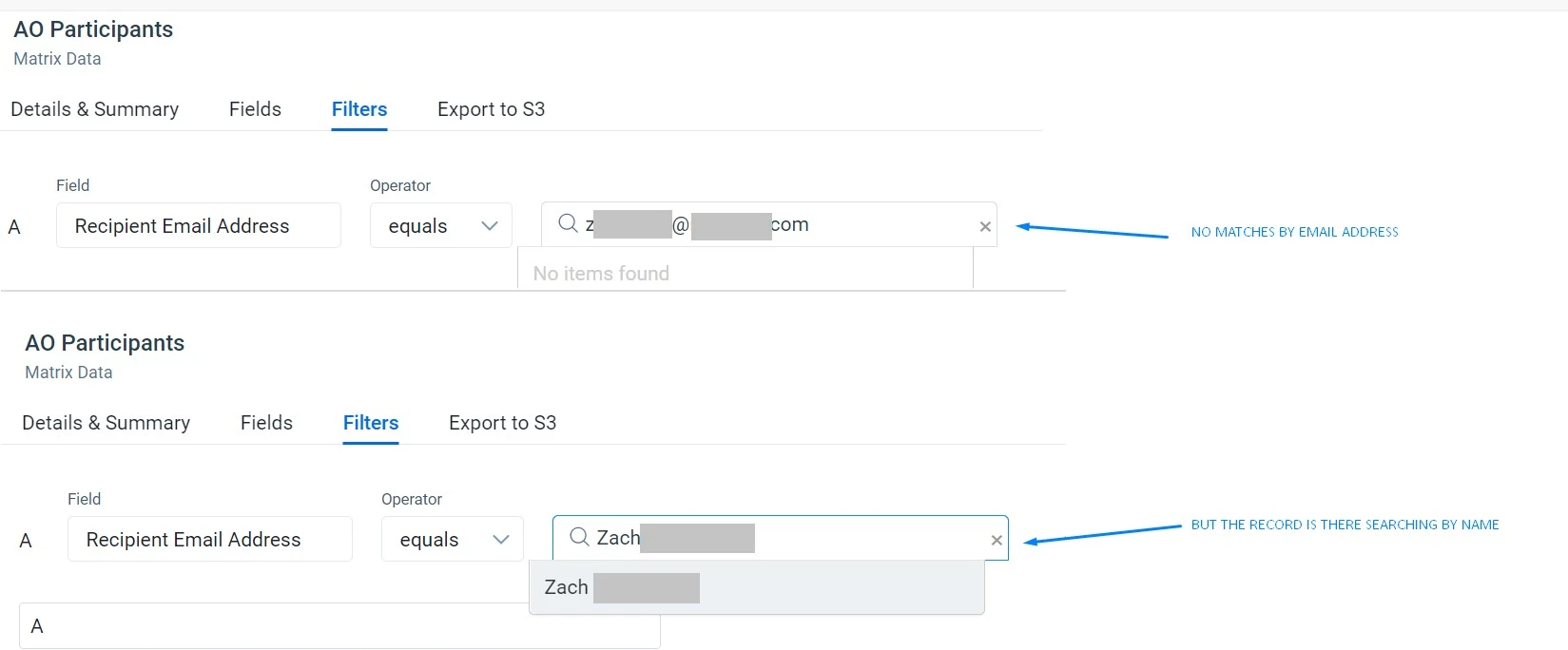
The issue is that in Data Designer when applying a filter email equal to, it doesn’t accept an email address as input, it expects a name... In addition to being confusing, it is counterproductive because an email is a unique identifier but a name is not.
These screenshots are from DD using AO Participants object as the source, but it's the same behavior if applying the filter directly in Person:
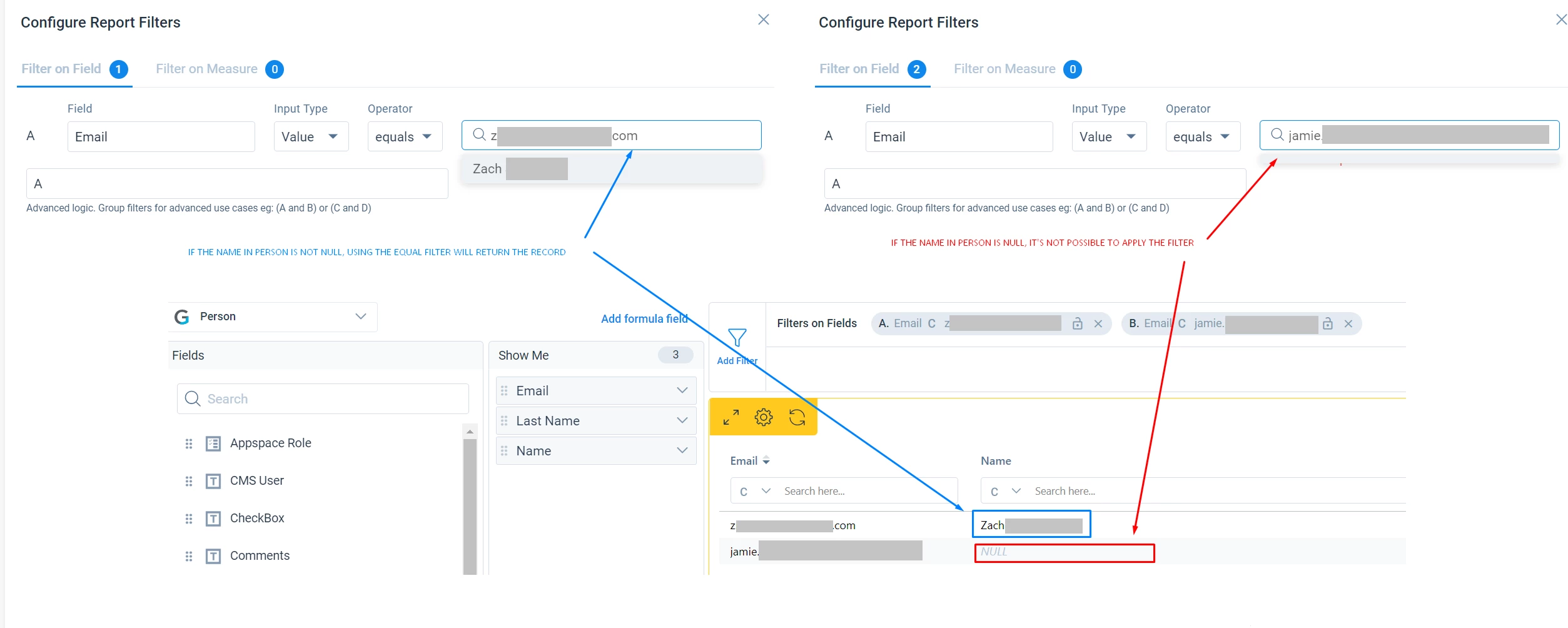
In Report Builder, using Person as the source object and the equal operator you have two possible outcomes:
- If the Person record has the Name not null, you get the result.
- If it is null, you are out of luck, it’s not possible to apply the filter.
Buuut… if the name is null but you use the “contains” instead of equal operator, you get the result too.
It’s an inconsistent and non-intuitive user experience. Is it possible to change the behavior to be able to actually use the email address as a filter?
P.S: This other post was created from support on my behalf based on a query I initiated last month, but as it lacks some context and an explanation of the extent of the issue, I’m creating this one