

romihache
VIP ⭐️⭐️⭐️⭐️⭐️
February 11, 2025
New Idea

Ability to filter by "Used in" Report builder

Related products:CS Reports
  • February 11, 2025
  • 5 replies
  • 84 views

Nothing fancy, a basic filter to select if the report is “used in” Home, C360, Dashboards...
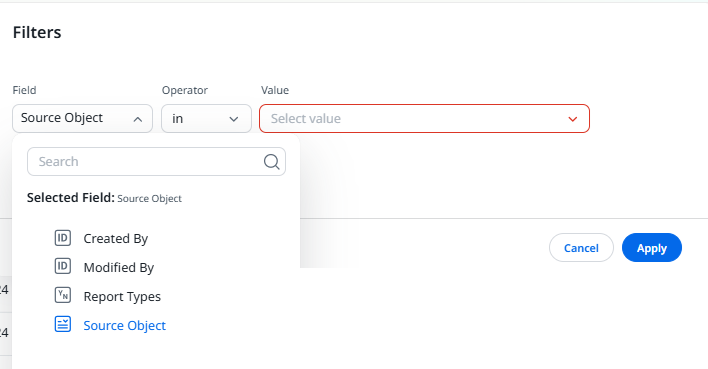


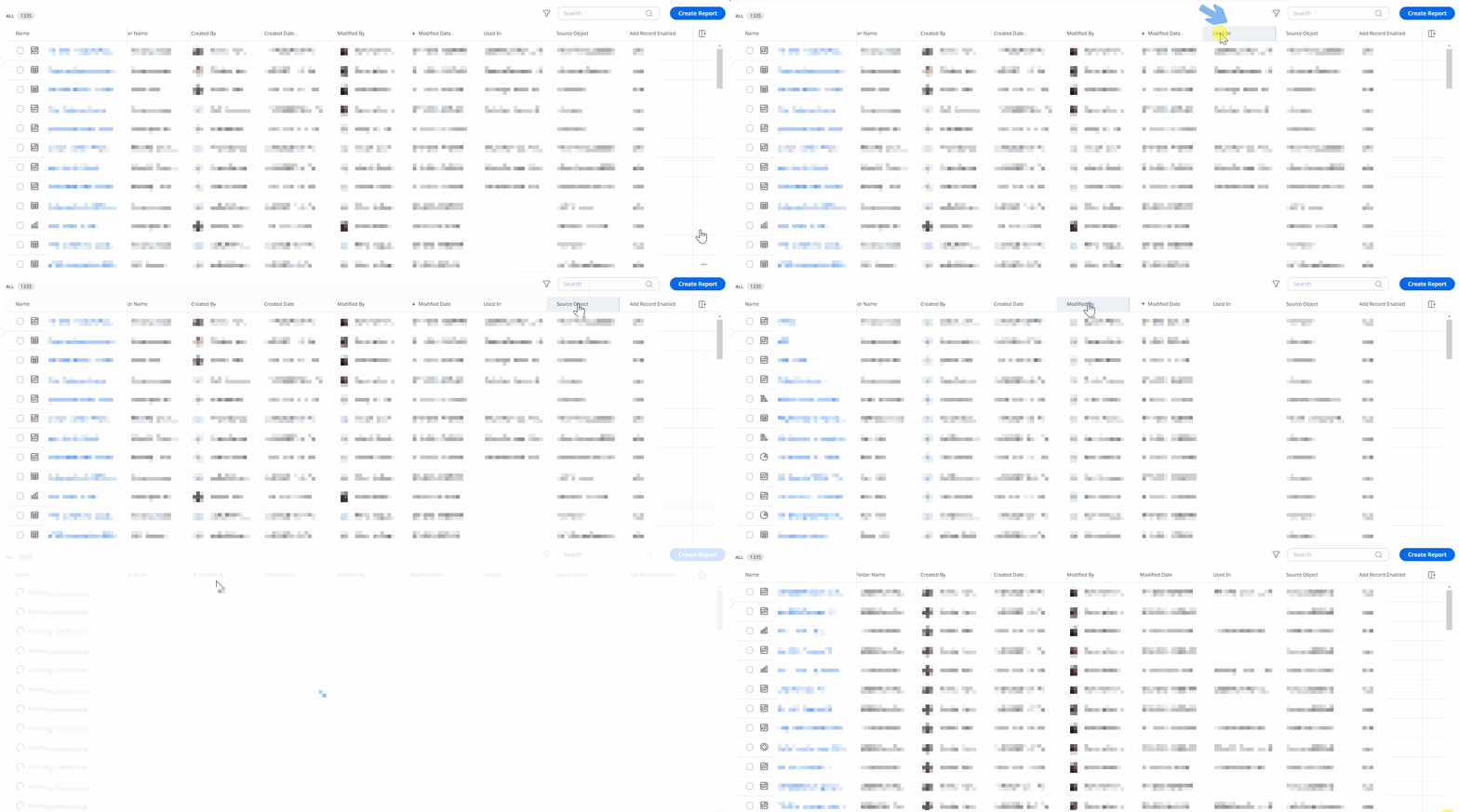
Being able to order by that field will help too, making it easier to identify/delete the dependencies.  I noticed that “Used in” and “Add Record Enabled” are the only fixed fields in the view that cannot be sorted:


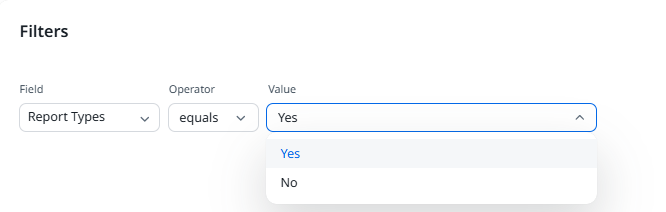
And speaking of filters… can you change the name of the “Report Types” filter? It is not at all obvious that = Yes means the report has been marked as Quick Insights. I couldn’t find any reference in the documentation either.


5 replies

dayn.johnson
VIP ⭐️⭐️⭐️⭐️⭐️
February 11, 2025

Oh man… so many good things here, ​@romihache.

  • Allowing us to use report builder to find dependencies, not requiring us to dig into analyzer
  • Aliases for report values (ex “T/F”, “Yes/No”) -- especially since we can’t use help text for these. The number of times I’ve had to write out “True” means the user has this thing, or “False” means the user has not opted out, and will receive the email.

Report Builder could use a lot of QoL updates!

Staff CS Content & Comms Manager, 2x Gainsight CS Ops Product Council Member
romihache
romihacheAuthor
VIP ⭐️⭐️⭐️⭐️⭐️
February 14, 2025

​@revathimenon  Can this idea be merged with this one

please 🙏?  Don’t know what happened but it didn’t pop up when I was searching for it neither while tying the title of this one. I even commented on Sarah’s many moons ago 🙈
Thanks!  

Continuous improvement is better than delayed perfection
romihache
romihacheAuthor
VIP ⭐️⭐️⭐️⭐️⭐️
February 14, 2025

PS: Thanks to the GGA for pointing this out!

Continuous improvement is better than delayed perfection
revathimenon
Gainsight Community Lead
February 18, 2025
Idea merged into:

All the votes from this idea have been transferred.
Where focus goes, energy flows.
romihache
romihacheAuthor
VIP ⭐️⭐️⭐️⭐️⭐️
February 18, 2025

Thank you ​@revathimenon !
Just wanted to let you know that something is not working properly. I can’t see you comment using the button in the email, had to check it out from the Community notifications. 


Bad URL redirect


(The button directs to https://topic/show?tid=27098&postid=46268)


I have notifications from Friday and those work ok.


Continuous improvement is better than delayed perfection