

Gainsight Employee ⭐️
July 8, 2021
New Idea

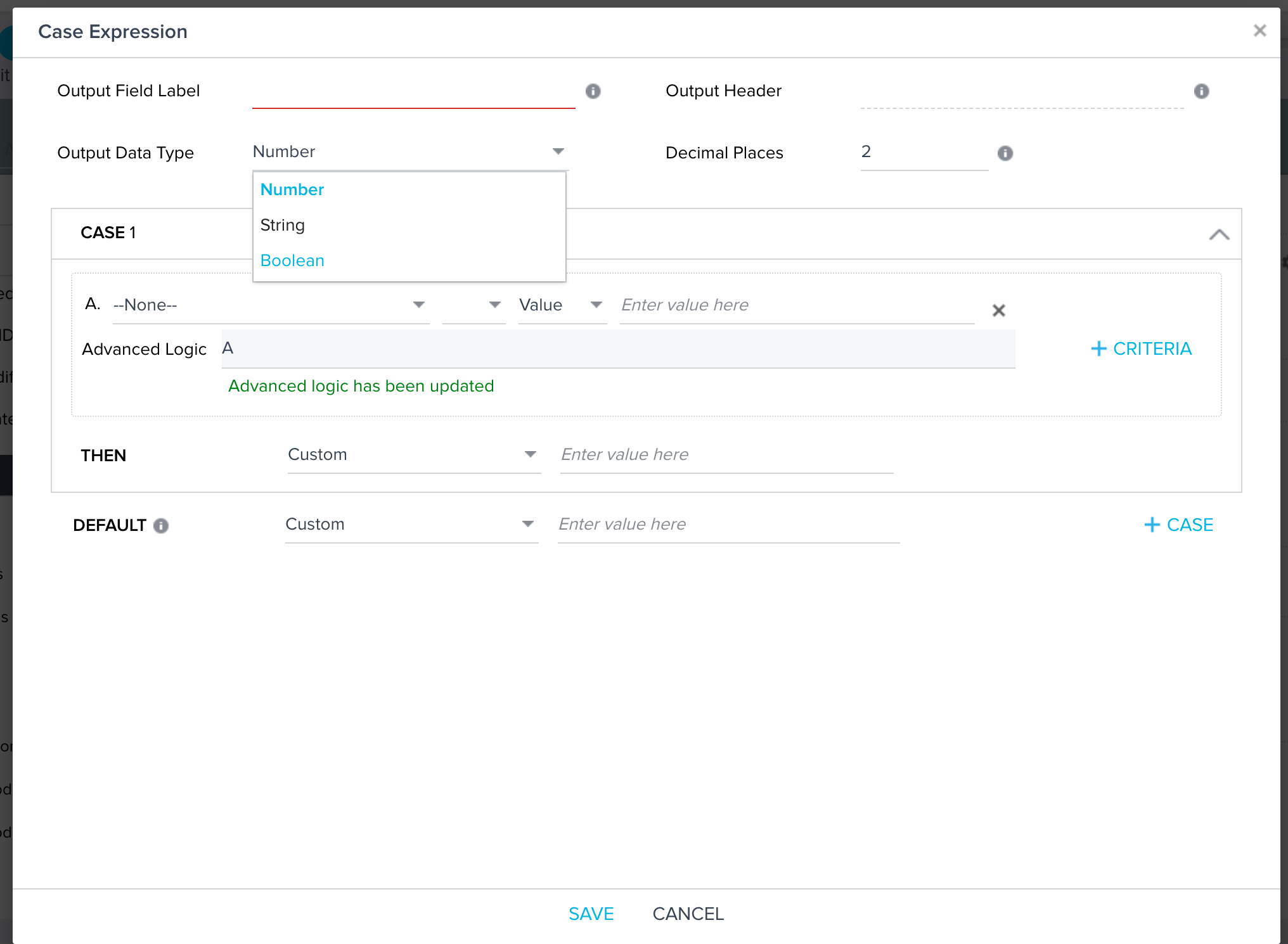
Ability to have date type in the Case statement - Rules engine
Related products:CS Rules Engine
  • July 8, 2021
  • 13 replies
  • 233 views


The out data type here is limited to number, string and boolean. But we have encountered multiple usecases where the final out put fields needs to a date based on set of conditions/criteria.

Is this something in road map?

This ability to have date type in the case statements is not a possibility in Data Designer also.

If we can have the ability then it would be super helpful

13 replies

cwherrmann
Contributor ⭐️⭐️
October 21, 2025

We have a similar use case as others described where we are looking at consolidating 2-3 dates for a customer into a single date. I have the right data to create a case statement to select the correct value, but is it not an option in Data Designers or Rules Engine. The workarounds are messy: there is a way to do multiple transformations or multiple actions or even change a date to string then export to S3 and then reimport so that it’s recognized as a date, but this shouldn’t be necessary. Utilizing a Case statement would simplify this greatly for us. 

It seems there is a lot of interest in this based on the various ideas linked above. 


spencer_engel
Expert ⭐️
July 28, 2026

I would argue this idea needs to be merged here: 

Either way, the fact this limitation still exists is crazy and is a bad look for Gainsight.

My use case is the following: I’m building a process where I need to change a “MAX Date” to the “run date” if it’s close enough. I’m referencing a snapshot table that stamps a date every Sunday, so here’s what it looks like.

Exec Sponsor MIN Snapshot Date MAX Snapshot Date
Jane Doe (current exec sponsor) 5/4/26 (I have a separate transformation subtracting 6 days from the actual MIN Snapshot date to eliminate any gaps) 7/26/26 (this most recent Sunday)
John Doe (previous exec sponsor 2/1/26 5/3/26


All I want to do is change Jane’s MAX Snapshot Date to the Run Date since she is the current exec sponsor. I’m sure I can figure out a roundabout way to do this thanks to some of the suggestions above, but it’s frustrating, especially in the age of AI where a simple prompt could do this in seconds, that I can’t just build this using a Case Statement. We’ve been asking to include Date as an output for 5+ years now, and it doesn’t seem to be taken seriously. Why?

heather_hansen
VIP ⭐️⭐️⭐️⭐️⭐️
July 28, 2026

This definitely comes up often enough that it should be considered.  Our Use Case is similar to ​@spencer_engel, we want to flag when an exec outreach happened, that could be logged in a few different ways, and we need to be able to determine which of those ways produces the most recent date.  Not being able to use a case expression with dates forces us to have to display all values in a report.