


Open

Add Filters to Engagement Performance Analytics

Related products:PX Analytics
  • November 28, 2022
  • 4 replies
  • 54 views

sgage
Forum|alt.badge.img+1
  • Gainsight Employee ⭐️

Issue:

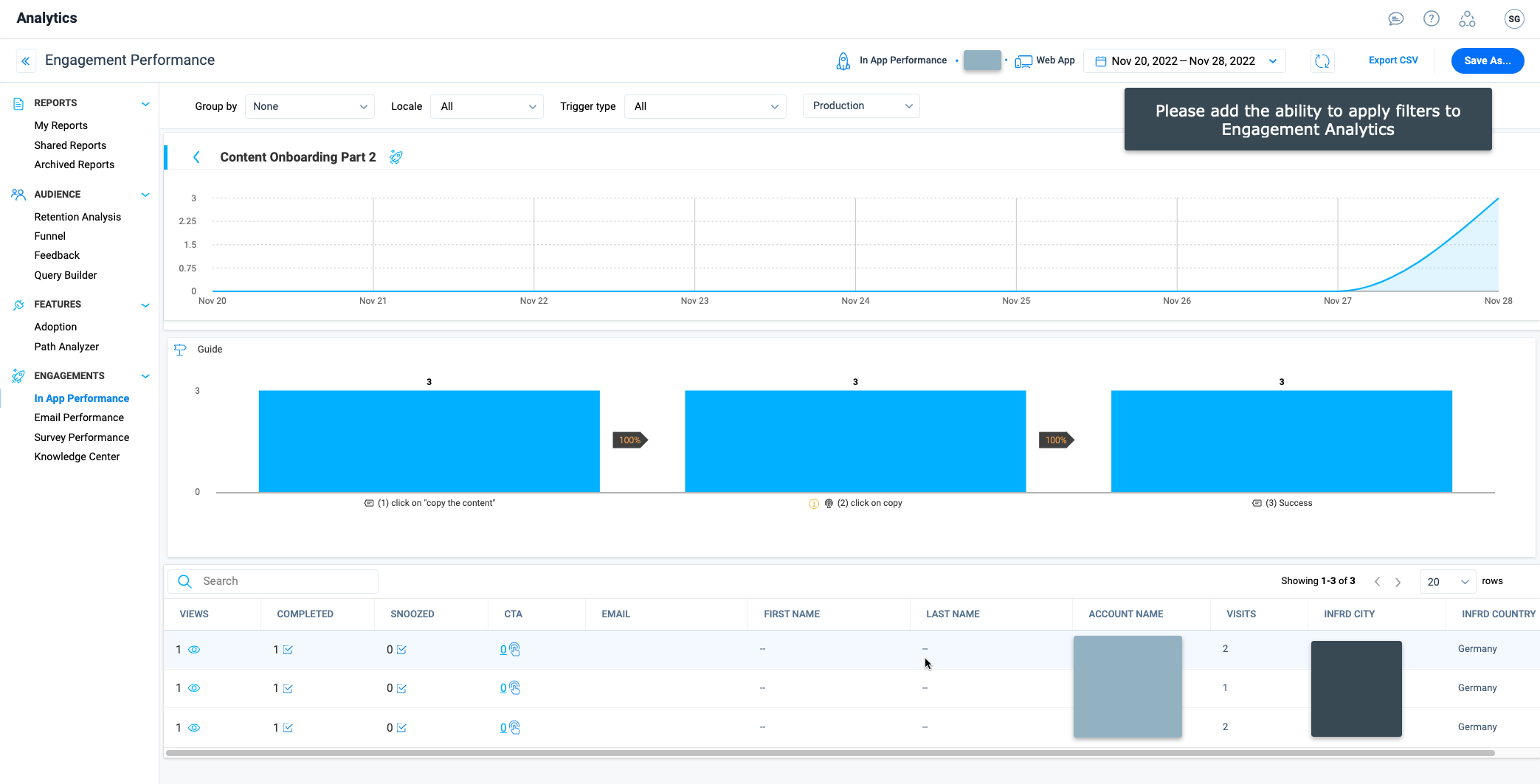
In the Analytics Engagements section, there is not currently a way to apply Filters directly on the results.

The workaround is to save the Engagement Performance as a report > pull it into a dashboard > then apply desired filters. This is time consuming and adds the number of steps a user takes to view the desired metrics.

Request:
Allow for Filters to be applied directly to Engagement analytics.
 

4 replies

Forum|alt.badge.img+1
  • Gainsight Employee ⭐️
  • November 30, 2022
No StatusAcknowledged

Forum|alt.badge.img+1
  • Gainsight Employee ⭐️
  • November 30, 2022

Thank you for sharing this Stephanie! Will look to address this in subsequent releases.


sgage
Forum|alt.badge.img+1
  • Author
  • Gainsight Employee ⭐️
  • December 16, 2022

Other current filtering workarounds (for visibility):

  • Audience Explorer Filtering using In-App rule(s)
  • Query Builder (Event: Engagement. . . )

Marion S.
Forum|alt.badge.img
  • Contributor ⭐️⭐️⭐️
  • December 12, 2025

Hello, do we have any news on this topic? 

I agree with this request. Allowing filters to be applied directly to Engagement performance analytics would significantly improve usability and efficiency.

Thanks,