
Contributor ⭐️
April 7, 2025
Released

Add Source to Activity Timeline advanced filters

Related products:CS Timeline & Activity Tracking
  • April 7, 2025
  • 5 replies
  • 65 views

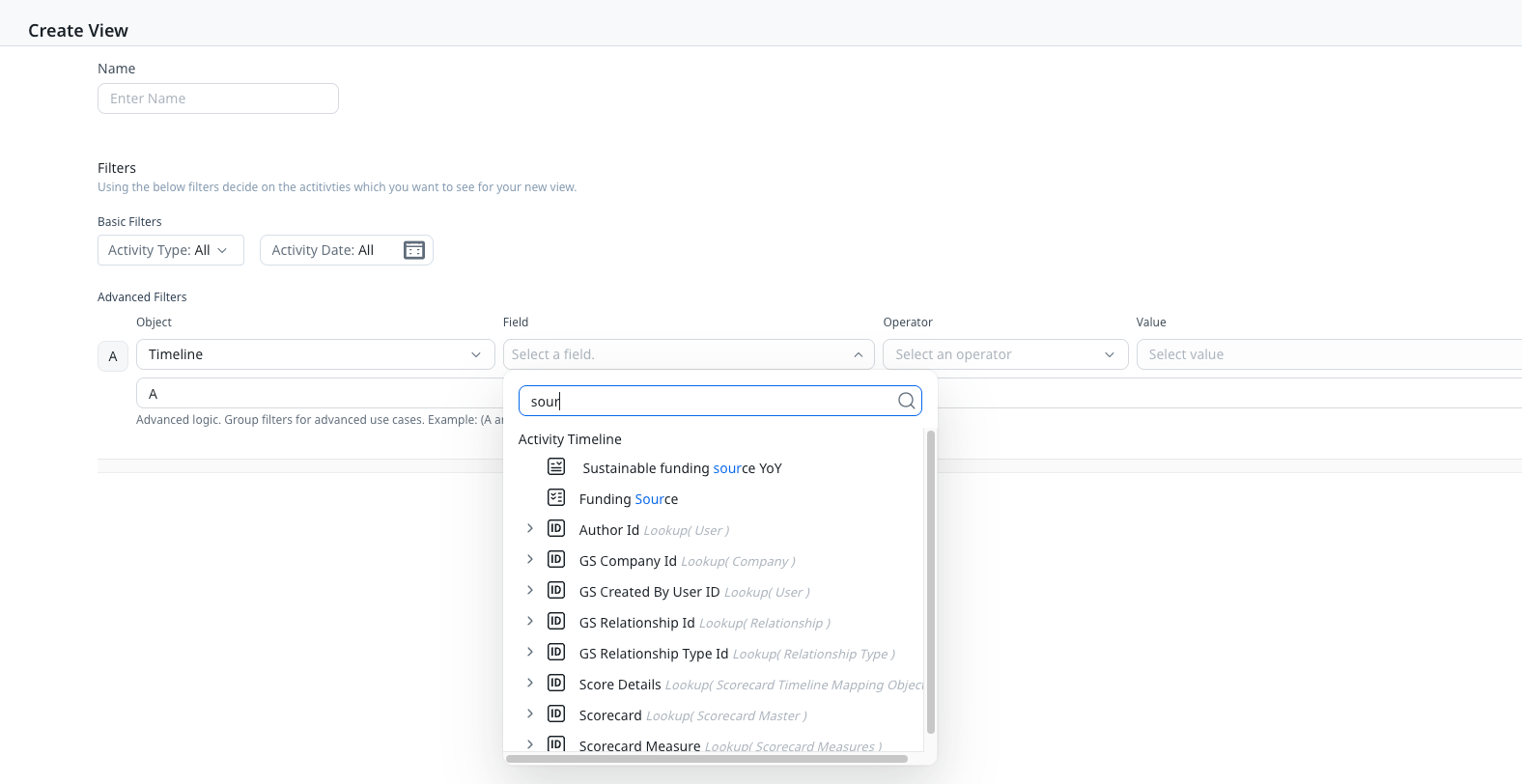
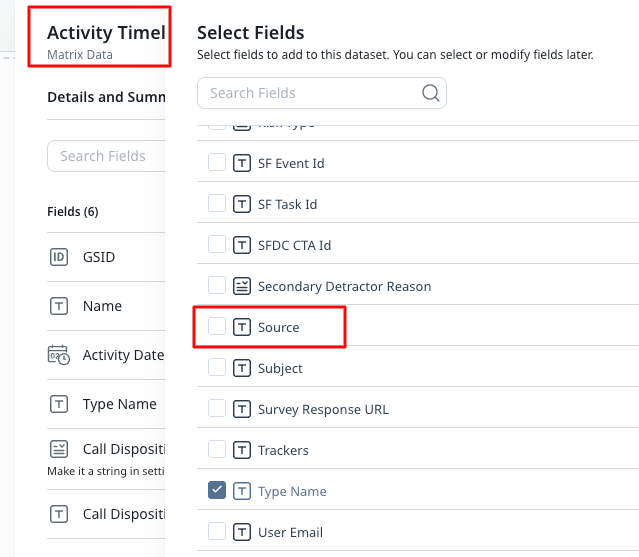
We have emails syncing from Salesforce automatically as well as those that are logged by the CSM through GS Assist on the Timeline. Would like the option to filter out Salesforce synced activities and only look at the ones manually logged by CSMs but are unable to do so as the Source field is missing from Advanced filters on Activity Timeline. It would be nice to have parity with the field as we’re able to use it in Rules Engine.


Source not available in Timeline Advanced filtering:
 

But Source is available in Rules Engine
 

    5 replies

    angela_domenichelli
    Contributor ⭐️⭐️⭐️⭐️⭐️
    April 7, 2025

    Great idea!  We often hear there is a need for parity with Salesforce and also that the Timeline is too cluttered.  This would go a long way to improving user experience, giving them the best of both worlds.

    Angela Domenichelli (She/Her/Hers)
    ChiragJ
    Gainsight Employee ⭐️
    Gainsight Employee ⭐️
    April 23, 2026
    Updated idea statusNew IdeaDevelopment
    ChiragJ
    Gainsight Employee ⭐️
    Gainsight Employee ⭐️
    April 23, 2026

    Releasing this week. 25th April , Q1 27

    ChiragJ
    Gainsight Employee ⭐️
    Gainsight Employee ⭐️
    April 27, 2026
    DevelopmentReleased
    ChiragJ
    Gainsight Employee ⭐️
    Gainsight Employee ⭐️
    April 27, 2026

    Exciting Update:  The Source filter is now available in the Advanced Filter of Timeline View. 😃