

darkknight
Expert ⭐️
October 4, 2022
New Idea

Allow Rules Engine to populate custom Success Plan fields that are not editable on template

Related products:CS Rules Engine
  • October 4, 2022
  • 7 replies
  • 159 views


I have a need to add fixed data to the Success Plan Plan Info that I do not want end users to be able to change manually.  But it appears that you cannot both lock down editability of custom Success Plan fields and have Rules Engine populate them automatically.  

When I have “Editable” turned ON on the Plan Info fields:
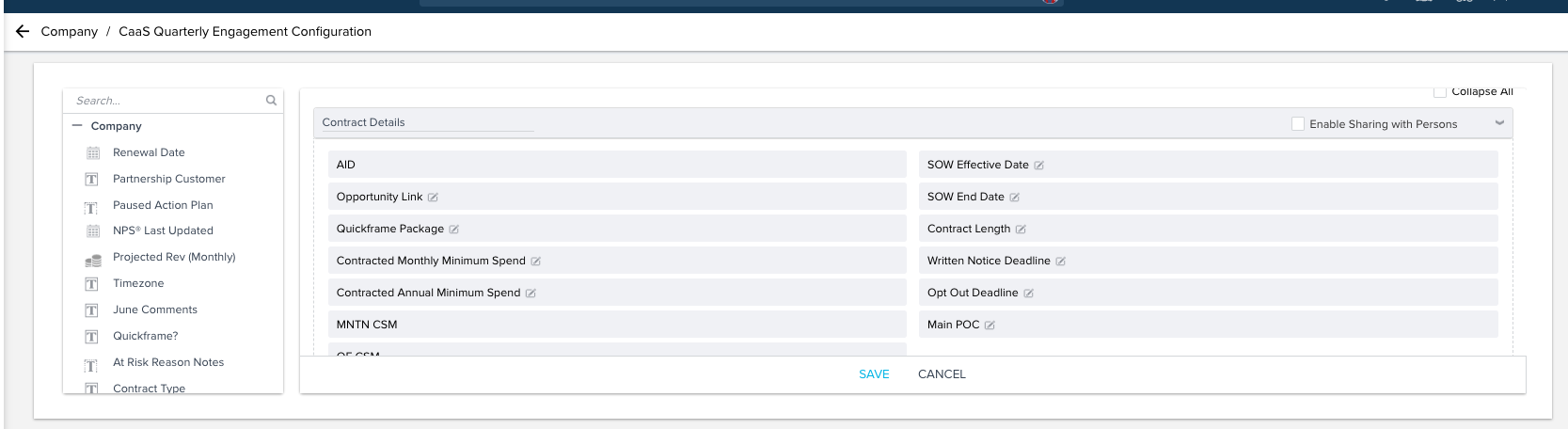
 I can populate the fields in a Rule Action:
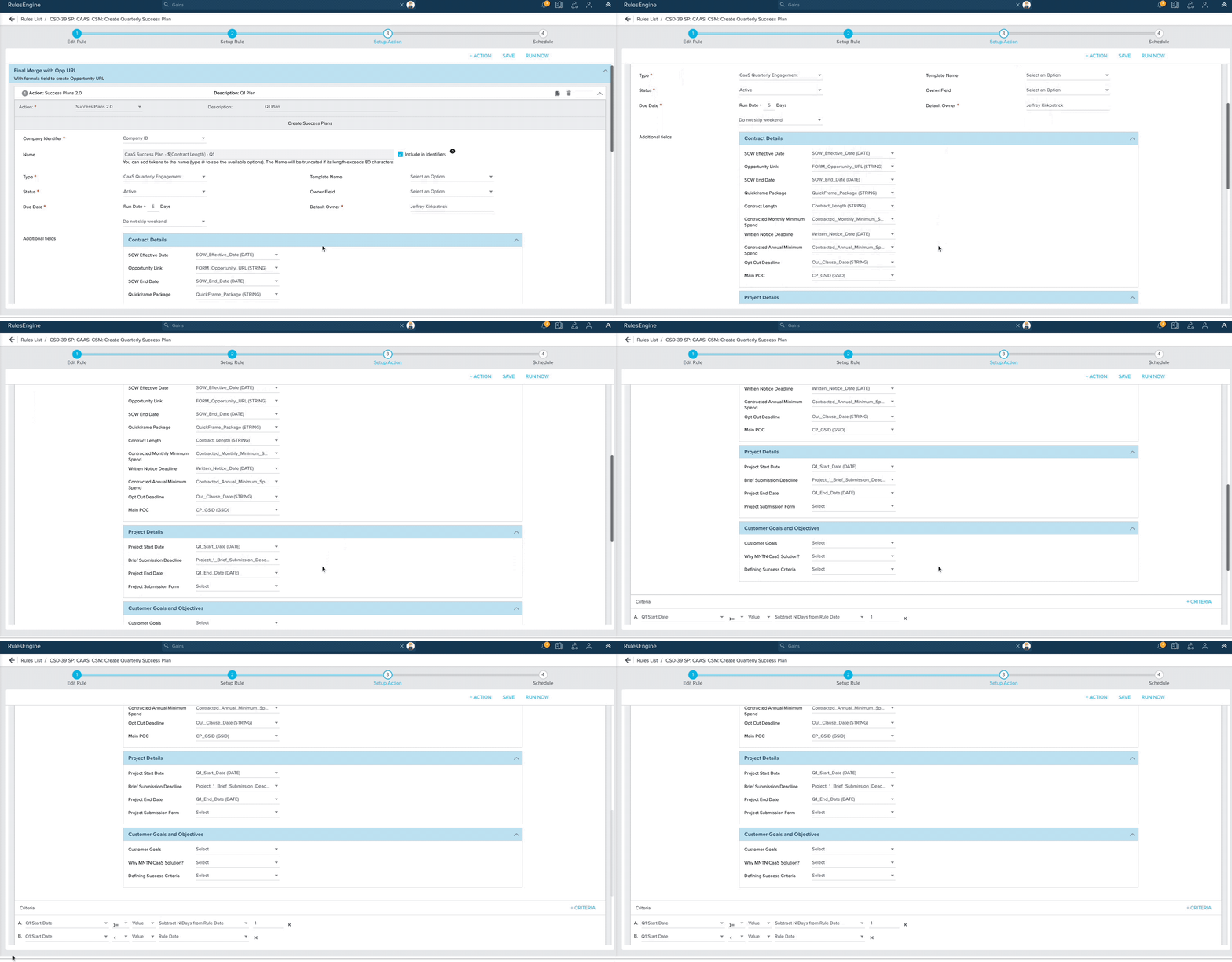

But when I have “Editable” turned OFF on the Plan Info fields:
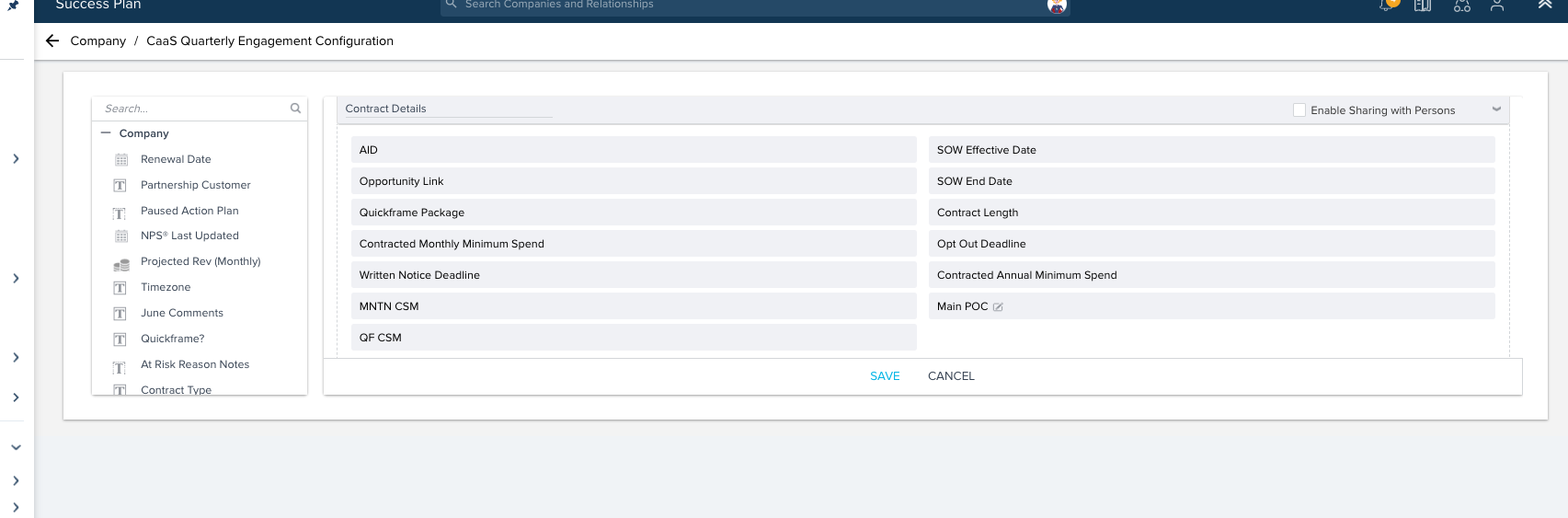
 I canNOT populate the fields via Rule Action:
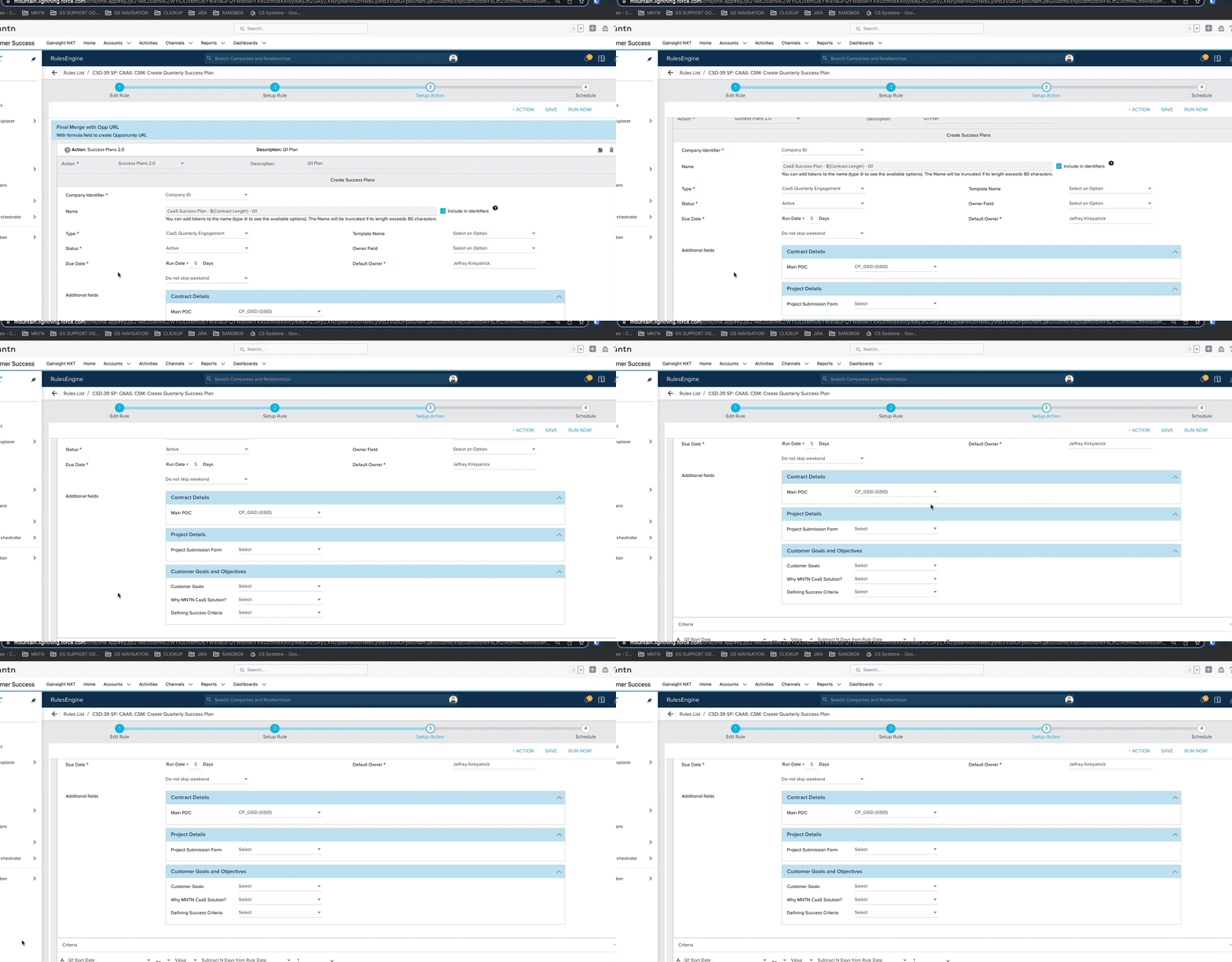
 

It would be great if this didn’t have to be mutually exclusive.  Seems like it would be a common need to auto-populate non-editable data fields.

7 replies

bradley
Expert ⭐️
October 4, 2022

Ran into this at my previous org and had to just add into enablement “please please don’t touch this”. Fortunately our use case was simply to add an internal reference to documentation so end users changing it would only disrupt them, but if you rely on that info being able to write to it and lock it down from editing would be important.

TMaier
Helper ⭐️
October 4, 2022

Set my data freeeeee

andreammelde
Helper ⭐️⭐️
October 4, 2022

I set the display field on these to “ADMIN ONLY field name” to try to help the CSMs as well, but it would be better to not be forced to do so

Andrea Carroll
christopher_sanderson
Helper ⭐️⭐️
August 14, 2023

Definite upvote here. Use cases include:

  • Bubbling up the date of a specific closed task and locking it in place
  • Associating a NPS survey URL to the Success Plan for quick look up of info
  • I really could keep going

Please consider a way to lock end users and allow the rules engine.

Expert ⭐️
August 14, 2023

We do this via rules and API. Works pretty seamlessly.


Has anyone tried to mark the field editable, build the rule, save, and then go mark it uneditable and see if the rule still populates it?

christopher_sanderson
Helper ⭐️⭐️
August 15, 2023

@Wayne that is definitely an option, but not for most users. And I did try mapping the rule with the field as editable, then marking the field not editable.

It worked. BUT, the field disappears in the mapping of the Action. So you now have to remember what you did and when.

I believe this needs to be fixed within the product and a Gainsight workaround is not ideal for anyone.

Expert ⭐️
August 15, 2023

Agreed, it’d be nice to have a UI side setting and backend side setting on everything. But, at least there’s a poor man version of a work around!