

Allow the field to field comparision in JO Evaluate & Conditional Wait Steps
Hi Team,
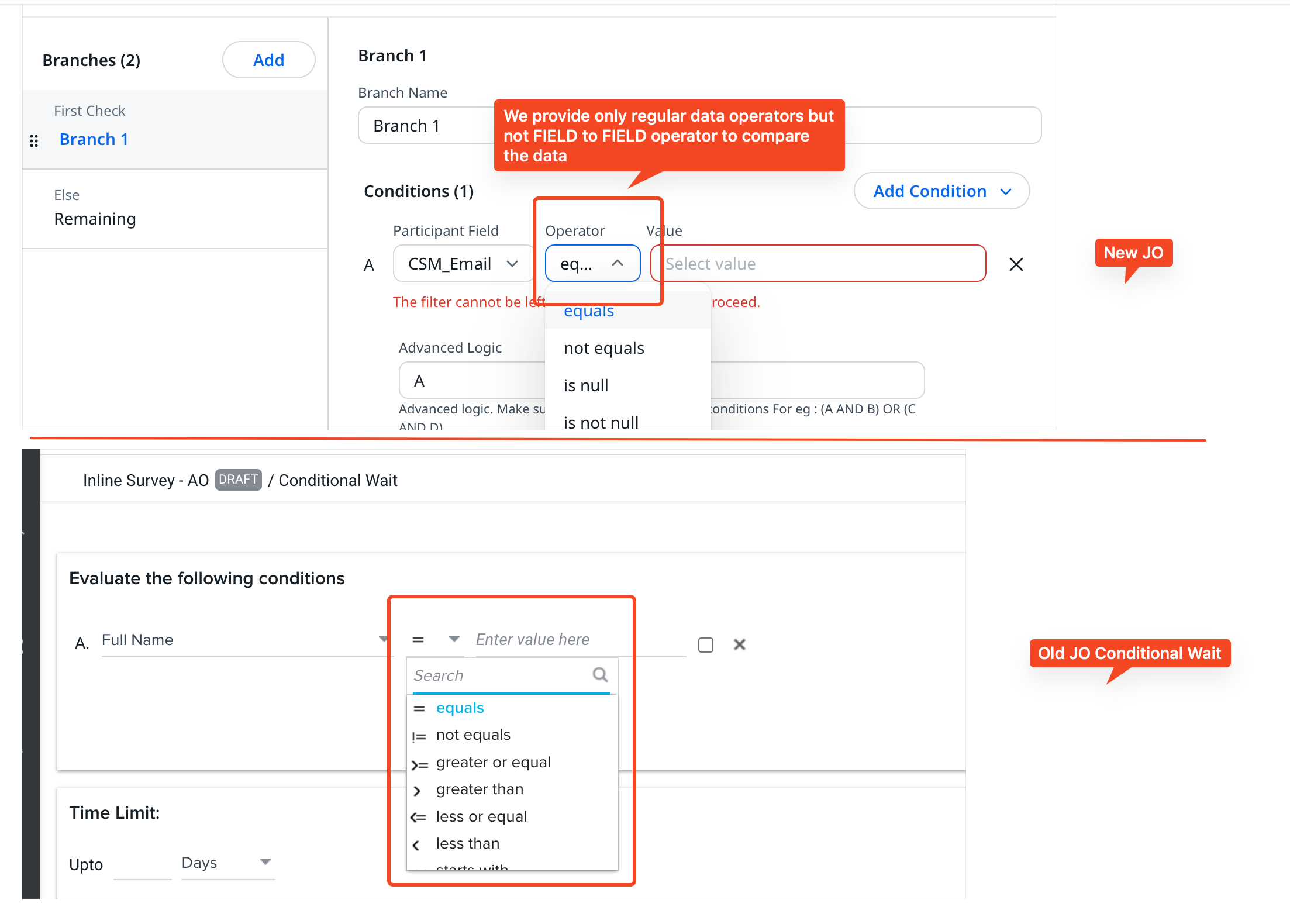
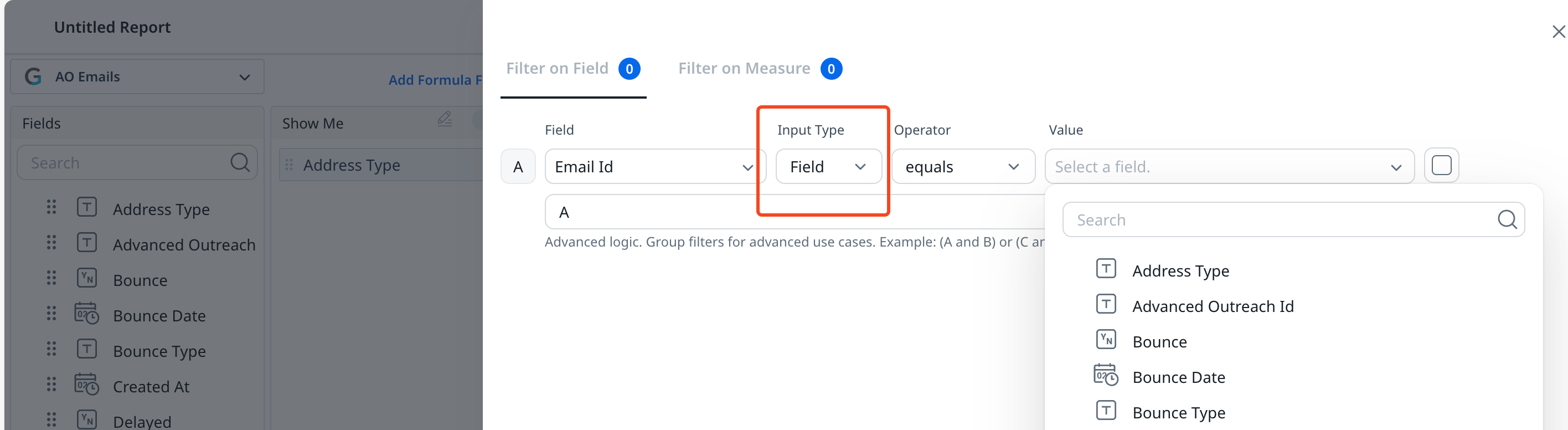
Currently, our JO both Old and New programs don’t allow the Field to Field comparison in the Evaluate and Conditional Wait steps either for Audience or Calculated fields; like how we allow it in the Report builder (see the 2nd Screenshot)
Use Case: There are accounts that regularly have a change of data in fields, let’s take CSM field as an example; on Day 1, I sent an email with CSM Name as “ABC” later if the CSM gets changed for that account to “XYZ”, then in that case I wish to send my subsequent emails to receive a different contextual email template altogether, but I can only send a different Template if I can evaluate if the CSM of that particular account is changed by comparing it with the initially loaded participant CSM value. Had I known that account CSM i can simply pass it as value in Evaluate step, but since each account have a different CSM then I can manually choose to create multiple branches.
Had I have the option to compare the current CSM field (taken from Calculated field) and check with the Participant CSM field in Evaluate by comparing on field to field basis i would be able to achieve my use case
Note: Although I can use calculated fields, but I can’t dynamically evaluate the value coming from Calculated field with Participant field
Existing Evaluate or Conditional Step functionality only allows to pass static values:
Field to Field comparison in Report builder
fyi