
shireesha_reddy
Helper ⭐️
April 24, 2020
New Idea

Auto-Update the subject line with Feedback Type in KC bot.

Related products:PX In-App Hub (formerly KC Bot)
  • April 24, 2020
  • 3 replies
  • 133 views

In PX, Currently We have a option to submit the feedback from Knowledge centre Bot. We can submit different feedbacks like, Issue, Feature request, General Feedback, Other. 
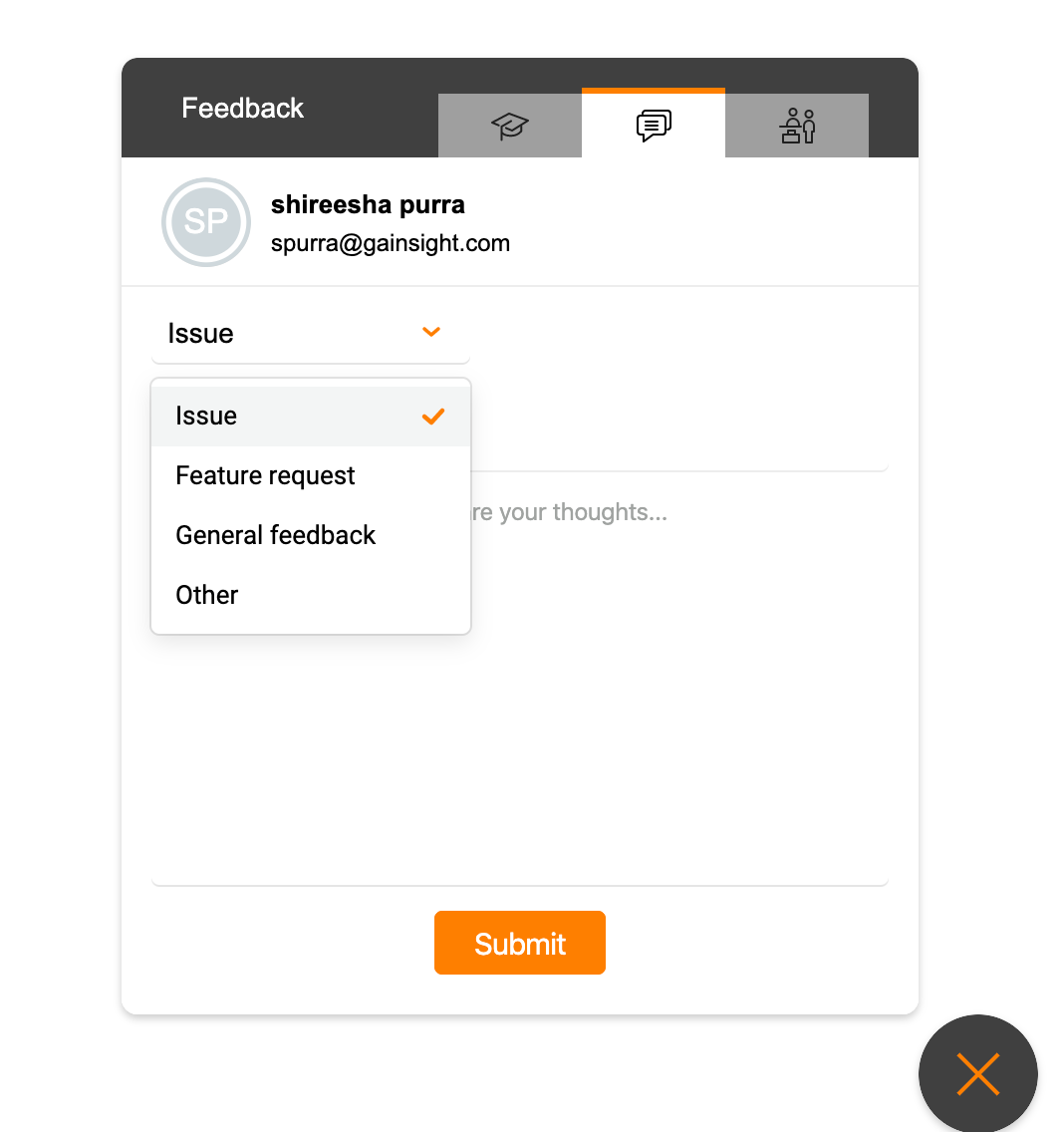
 

When we submit the feedback the admin will receive the feedback with the Subject line of Product Feedback. If the user links the KC bot with Zendesk, It will also create a ticket with the subject as Product feedback.



And in the description field issue type will be displayed.

 

So If we can link this Type of Issue to Subject line, And instead of Product feedback, If we can display the type of the issue directly, It will be really helpful to understand Feedbacks Easily. And this will also help to sort Feedbacks Effectively.

Example Subject line would be like this, “General_Feedback: Test”


Thanks,

Shireesha.

3 replies

shireesha_reddy
Helper ⭐️
April 24, 2020

FYI: @christopher_sanderson 

--Shireesha
JayS
Helper ⭐️
November 2, 2023

I just had this question come up today. Can we lock-down the Subject line so when the email arrives into our feedback inbox we’ll know what the drop-down select was.

I see where I can put a default text into that line, but it then requires the user to type in their own subject line, which would defeat the purpose. 


Jay Sherwood
j_ditzel
Contributor ⭐️⭐️
July 3, 2024

This keeps coming up for us. Our support team has a hard time distinguishing the email issues that come in since all the subject lines start with ‘Product Feedback:’
 

The ability to add the Feedback type to the subject line would be a huge help and would also allow us to easily create filter rules for our support team.