darkknight
Expert ⭐️
April 21, 2021
Development

Cockpit: Custom CTA fields should be visible by default

Related products:CS Cockpit & Playbooks
  • April 21, 2021
  • 22 replies
  • 439 views

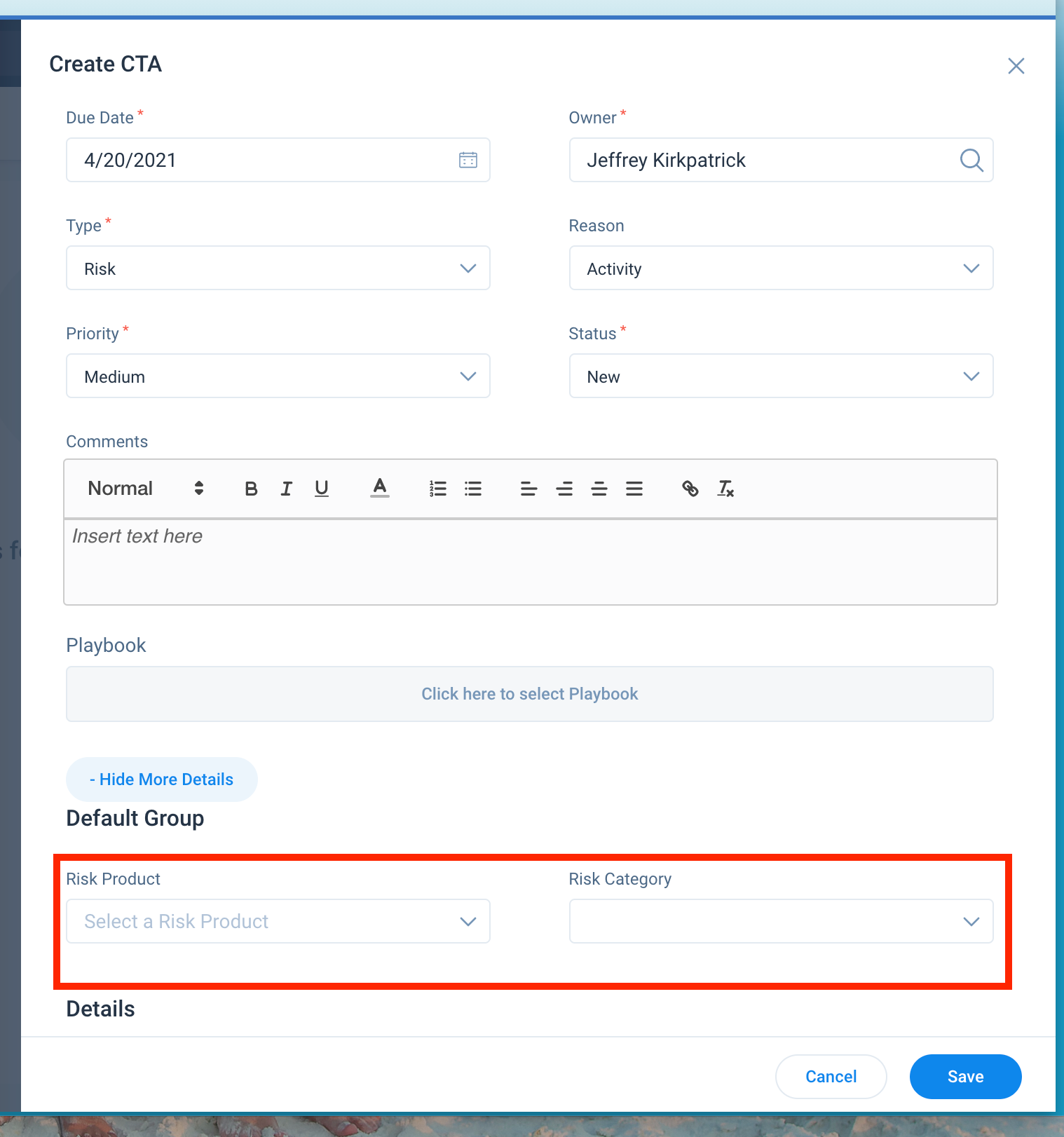
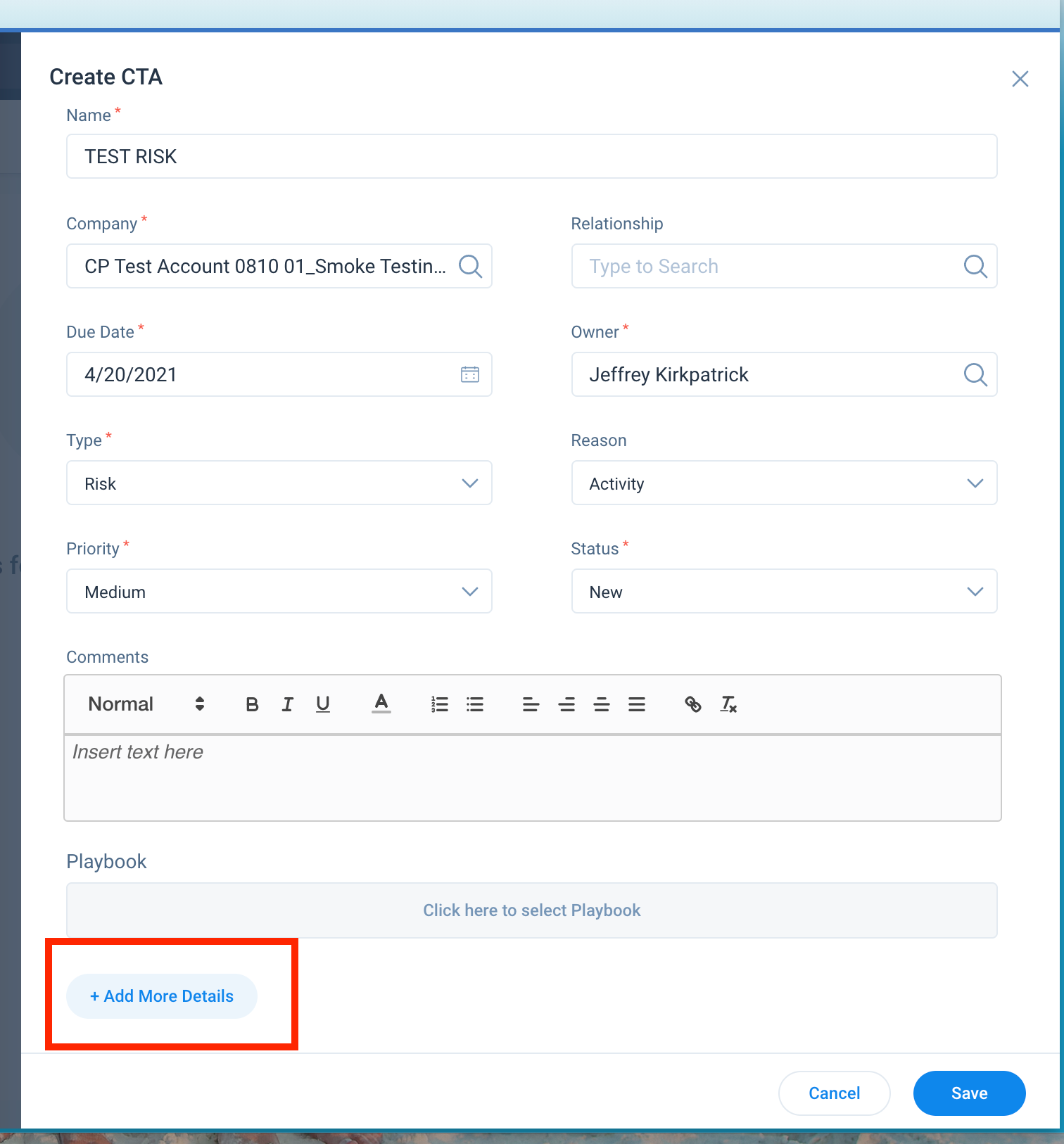
In the Create CTA layout, Custom CTA fields are buried beneath an “Add More Details” link that obscures what may be crucial fields we want end users to populate.  

End Users are forgetting to populate them because they are not immediately visible.  All fields should be visible by default when creating a CTA, preferably in amongst the fields above the CTA Comments.  Users can choose 

BONUS POINTS: It would be great if admins had more control over the Create CTA layout and could rearrange the fields the way we want them.   


22 replies

rrobinson
Contributor ⭐️⭐️⭐️⭐️⭐️
April 20, 2026

This is a pain point every time a custom field is used, which is every day.


Can we please have an update? ​@mpatra @revathimenon

-RR
dayn.johnson
VIP ⭐️⭐️⭐️⭐️⭐️
June 8, 2026

So grateful to see this as “in development” - any sense of when it may be released? We’ve got a custom field that we’re keen on having CSMs use, but it’s hidden and easily missed

If a field is hidden, even if it’s something required as part of our SOP and prescribed playbook… CSMs won’t use it. We shouldn’t need to ask CSMs to unhide a field when they’re working a CTA. This is just like the “log to timeline” checkbox being hidden behind a menu when Dynamic JO first launched. If you hide it, it won’t get done. Simple as that.

Staff CS Content & Comms Manager, 2x Gainsight CS Ops Product Council Member