

CS: X-ORG 2.0 - Admins need ability to deselect dependencies
I don’t know if there is an idea out here for this already or not, but admins need the ability to deselect dependencies when creating an X-Org 2.0 migration bundle because the scope of the default dependency generator is too broad.
As an example, I created two Playbooks associated with a single CTA Type and two Success Plan templates associated with a single Success Plan template. Nothing wild, no custom fields, or anything.
The Migration tool identifies 128 dependencies including CTA Types and Success Plan Types that are unrelated to any of these that I am attempting to migrate (including ones that are INACTIVE in my sandbox), in addition to other fields under Company, Call to Action, Task, etc. that did not require/have any changes made to them as part of the generation of these assets.
I understand Gainsight is trying to ensure that any dependent assets that may be different/have been adjusted as part of the process are carried over, but this control needs to be given to the admin to determine which dependencies are relevant and which aren’t.
For many of us, our Sandboxes are not necessarily 1:1 matches to Production. We often use them as “scratch pads” for testing new features, processes, etc so some of the dependencies the migration tool automatically selects could contain values/components that are not intended for promotion to production.
We need more granular control over it.
--------
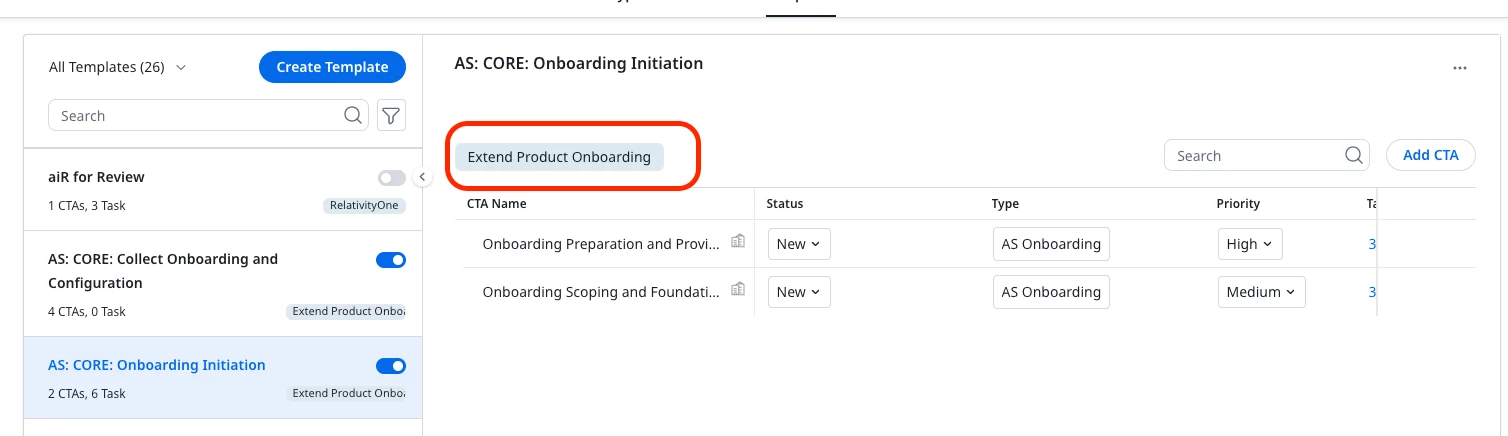
Success Plan Template I’m trying to migrate, under the “Extend Product Onboarding” Success Plan type:
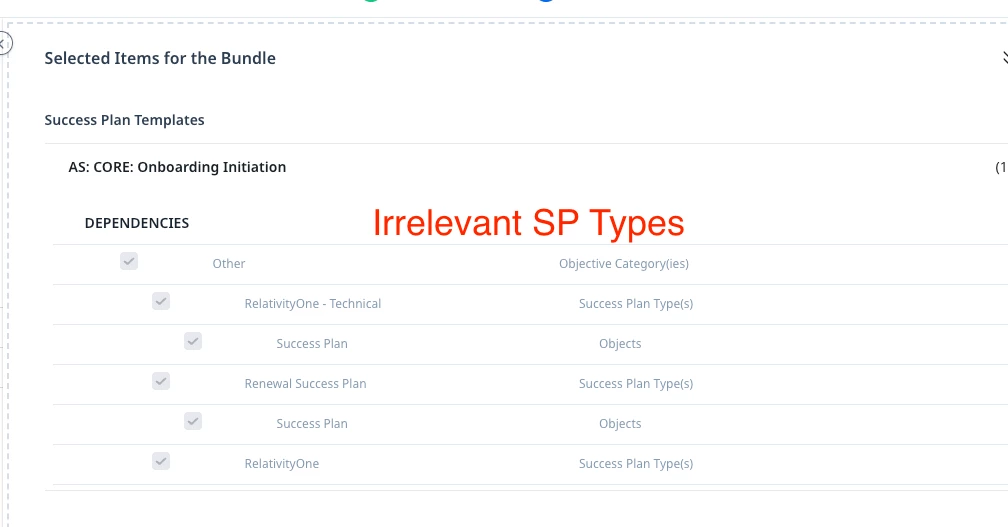
Migration dependencies include irrelevant SP Types:
Including ones that are deactivated:
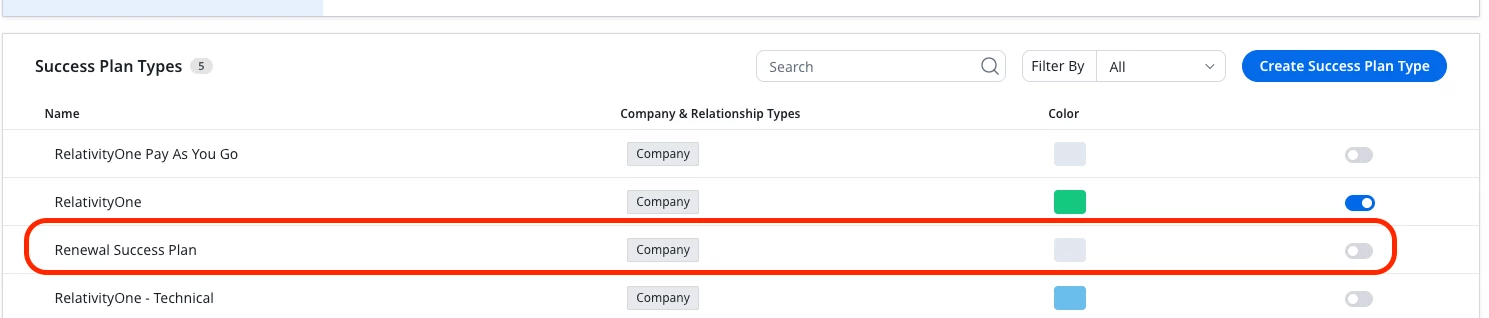
Which it does attempt to insert, since it does not exist in my Production environment:

And then attempted updates/insertions to DA Picklists which the logs don’t even define to which picklist they are related to forcing me to try and deduce it but also are either not different between Sandbox and Production and is unclear why they are attempting to update OR are, again, values related to deactivated assets:
