
Helper ⭐️
June 7, 2021
New Idea

different from email address in email assist task

  • June 7, 2021
  • 11 replies
  • 132 views

Hi Team,


Currently when we send emails using the email assist task . The from email address will be showing as the logged in user. If we setup different domains then we will get an opportunity to choose from which domain we want to send emails. We don’t have an option to change the complete “from” email address and replace it with a generic email address.
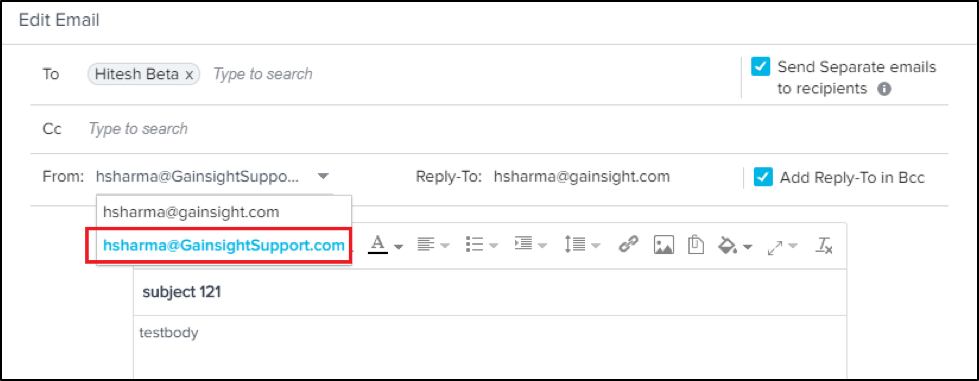


In future do we have an plans of providing this option to customers so that they can use any other email in “FROM” email address.

11 replies

Contributor ⭐️
December 5, 2023

Hi @ebuessler 


This feature has been implemented. To send an email in email assist task with a different email address other than the logged in user, you can follow these steps


  1. Navigate to Administration→ Email Configuration
  2. Scroll to the ‘Organization-Wide Email IDs’ section and click on the ‘ Add Organization-Wide Email ID’ option.
  3. Enter the email address that you want to use as an Organization Wide email address and all the user(s) that can have access to send emails as this address.
  4. Once saved, a confirmation email will be sent to the email address that was added as the Organization wide Email. Login to this email id and approve the request.
  5. After the approval, the Organization wide email ID will be available for use for all the users that are associated with it. This email will be a part of the dropdown in the ‘From’ column when sending an email from Email Assist.