

pat
Contributor ⭐️⭐️
August 2, 2016
New Idea

Filter by Fiscal Quarter in Rules Engine

  • August 2, 2016
  • 24 replies
  • 391 views
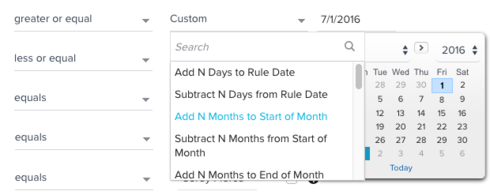
We would like the ability to filter by fiscal date within the Rules Engine Setup Rule. We have some rules that power MDA and reporting that report only on current FQ. Each new quarter, we have to manually adjust the dates to the current quarter, so this will become unscalable once our number of rules grow.
    24 replies

    sundar
    Expert ⭐️
    August 4, 2016
    Hey Pat - Are you looking for options like FQ and FY that you see in report builder when your source object is from SFDC?
    steven_doty
    Contributor ⭐️⭐️⭐️
    October 12, 2016
    That is what I am looking for, I need to show opportunity amounts by quarter and feed that into an MDA table. I can't find a way to have the quarter roll over automatically so I am manually updating dates.
    pat
    patAuthor
    Contributor ⭐️⭐️
    October 12, 2016
    That's correct. We need the ability to filter by FQ and FY in the Rules Engine like in report builder.
    andrew_cummins
    Helper ⭐️
    February 6, 2017
    steven_doty
    Contributor ⭐️⭐️⭐️
    February 7, 2017
    Absolutely. I've voted for your idea as well!
    jeffrey_coleman
    Helper ⭐️
    March 22, 2017
    We just need to see 1st and last day of Current, Previous, and Next Quarter, just like we have for month and week, right?
    jeffrey_coleman
    Helper ⭐️
    January 3, 2018
    This has to be a really quick fix. I'm happy to beg if it helps!!!
    jitin_mehndiratta
    Helper ⭐️⭐️⭐️
    January 9, 2018
    Formula functions:
    FirstDayOfCurrentWeek(), FirstDayOfCurrentMonth(), FirstDayOfCurrentQuarter(), LastDayOfCurrentWeek(), LastDayOfCurrentMonth(), LastDayOfCurrentQuarter() are now available in the transformation task of Bionic Rules. These functions can take Rule date or any date as input.

    Apart from these, there are few other date functions that were introduced in fall release. Let me know if this helps. 
    jeffrey_coleman
    Helper ⭐️
    January 10, 2018
    Hey Jitin -- to use those I would need to query data for the current year (using the existing filter option); transform that result, adding the start and end of the current quarter as new columns using the formula above; and then transform it again, using those new field values as the filter criteria. It's doable, but not as simple as picking "Current Quarter" from a drop-down filter would be!
    Helper ⭐️
    May 6, 2020

    +1 for calendar quarters as well!

    Anastassia Goidina