

darkknight
Expert ⭐️
October 8, 2025
New Idea

Give experienced admins an "opt-out" on in-app notifications

Related products:CS Other Features
  • October 8, 2025
  • 57 replies
  • 955 views

Here we go again. 

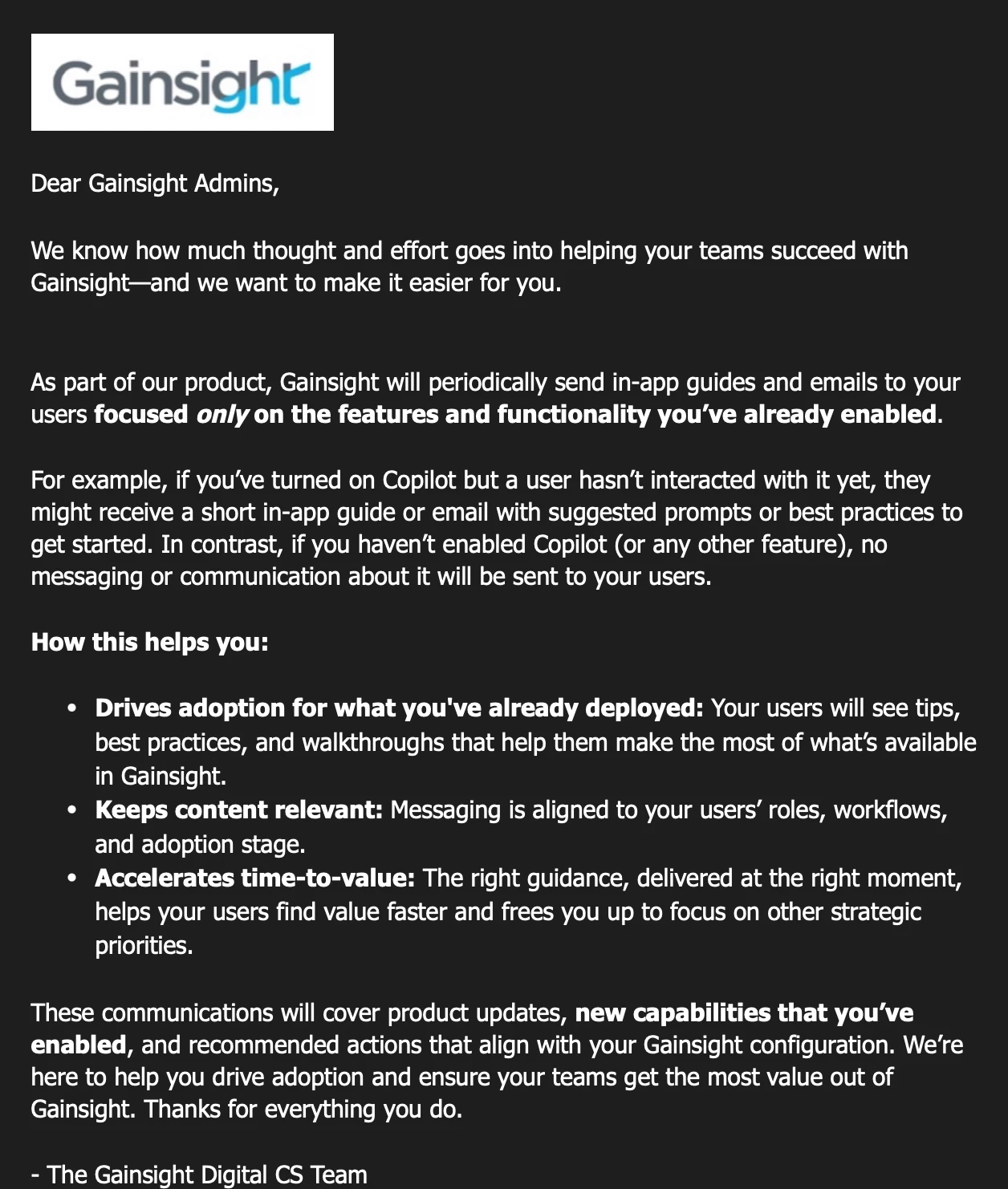
Admins received this notification yesterday.

Just because we have turned on a feature doesn’t mean that Gainsight knows exactly how we’re using it.  How do we know that the guidance Gainsight will serve up on these features don’t contradict how we’ve instructed our uses to use them?

There's more than one way to use Gainsight. Gainsight stepping in and just assuming we’re using features their way has the potential to confuse users and likely screw up adoption. Plus, sometimes an enabled feature is intentionally not in use. How would Gainsight know the difference?

Not all customers are the same can't be all put into one basket. Gainsight’s idea of the best way to do things is limited to Gainsight’s “in the bubble” perspective. We face challenges that Gainsight does not, because their entire company is “all in” on CS. We have to curate and roll things out a certain way at a certain time.  

Some Gainsight customers who are less complex and admins less experienced may welcome the in-app guidance for their users, but for those with more complicated processes/workflows and experienced admins/enablement teams must have the ability to opt out of this. 

Please stop making our jobs harder than they already are.


57 replies

brlayman2583
Helper ⭐️
October 8, 2025

I second this. Use cases vary dramatically and this can and will be a huge issue with our users. We try to limit enablement that isn’t useful and are quite diligent in our communications and enablement expectations for our team. We have a dedicated CS Ops function and part of our responsibility is managing change. This overstep takes that autonomy and consistency in messaging away from us. 

We should 100% be able to opt-in, but the value here is providing these metrics to us as the Admins so we can do with the info what we need to. 

romihache
VIP ⭐️⭐️⭐️⭐️⭐️
October 8, 2025

Spot on! I completely agree with the need to opt out of this "one-size-fits-all" guidance.

A feature may be enabled for internal testing without it being officially announced to users or even guaranteed to "make the cut" after internal review. Enabling != Launching. Gainsight's guidance could easily contradict our internal testing instructions.

Also, to echo the point above, if we had clear access to the underlying metrics, we could better prioritize and decide on the next steps.

Continuous improvement is better than delayed perfection
romihache
VIP ⭐️⭐️⭐️⭐️⭐️
October 8, 2025

FYI ​@vineshgvk ​@Molly.McQ 

Continuous improvement is better than delayed perfection
mobrien14
Helper ⭐️
October 8, 2025

100% agreed with the points above and a desire for this to be an admin-enabled configuration. Some folks may want this & that is great for them, especially those at smaller organizations without robust resources.

But from my standpoint as an admin at a larger organization with multiple different CS-tiers/regions/expectations, it’s incredibly important for us to control the narrative & expectations of when a feature is enabled, how training is done & what documentation is shared with the end users. 

jenlpro
Helper ⭐️
October 8, 2025

We definitely need more flexibility here. We often face limitations in Gainsight’s permission configuration that force us to enable features instance-wide that we don’t intend to be used instance-wide, so our internal enablement team tailors communication around those features to the teams who need to know only. 

Example: Our team is currently going through phased AI feature rollout starting with Copilot. Because Gainsight is inconsistent with data permission granularity across feature areas, we have to make new permission bundles for users to use Copilot. But from AI admin, we are forced to turn it on instance-wide. Default bundles include Copilot for Full and View licenses. We are starting this week with a “POC” group, though the feature will have to be turned on instance-wide; if users begin receiving in-app notifications to entice them to adopt the feature, we face the risk of users mis-using the application without our specific training guidelines during the rollout. Additionally, if non-CSM users who have full licenses for other fringe cases (Onboarding, for example) see that Copilot is available, they may get excited --- but it will likely cause frustration for them since a great deal of information they need for customer accounts is embedded in Gainsight from our BI tool/external web pages, not native, and in objects that Copilot can’t yet access.

What COULD work here: Admin-configurable, instance-wide “opt in/out” for communications with options at a granular feature-specific level, and an admin-configured “Default” setting. ie: “enable in-app messages from Gainsight for the following features?” 

  • Cockpit - {boolean - yes/no} - {filters for user attributes to include/exclude}
  • Timeline - {boolean - yes/no} - {filters for user attributes to include/exclude}
  • AI Features - {boolean - yes/no} - {filters for user attributes to include/exclude}

If the “default” value is “Yes” then by default, new available features will receive notifications for users who have it enabled. If the default value is “No”, then by default, new features will be disabled until an admin updates the configuration.

Something like the above could be great. There are definitely Gainsight customers who will benefit from these notifications --- but many of us will be caused a great deal of pain from this change. 

angela_domenichelli
Contributor ⭐️⭐️⭐️⭐️⭐️
October 8, 2025

I have been reflecting on how many of us (including me) use tools like PX or Pendo for in app communications for our own products, but do not want Gainsight to send these types of alerts. I think the main difference is the level of customization expected to make the product work at all.  Gainsight (and other tools like Salesforce) usually require an Admin to configure their tool.  Otherwise, the end users cannot get the full value of their product. If our product worked with that same level of nuance, I would not use PX or Pendo.  But since ours is pre-configured (our super users can only add new users), the messaging can be consistent.  If Gainsight worked without configuration, the same for everyone, and we all used the same language, I would not push back.  But, since they require customization, please allow those doing the customizing to maintain consistent communications.

Angela Domenichelli (She/Her/Hers)
dayn.johnson
VIP ⭐️⭐️⭐️⭐️⭐️
October 8, 2025

There's more than one way to use Gainsight. Gainsight stepping in and just assuming we’re using features their way has the potential to confuse users and likely screw up adoption. Plus, sometimes an enabled feature is intentionally not in use.

We have to curate and roll things out a certain way at a certain time.  

Some Gainsight customers who are less complex and admins less experienced may welcome the in-app guidance for their users, but for those with more complicated processes/workflows and experienced admins/enablement teams must have the ability to opt out of this. 

100%, ​@darkknight.

re: sometimes an enabled feature is intentionally not in use:

Along a similar vein, sometimes an enabled feature has not been enabled for all teams with Gainsight licenses, or needs to be rolled out over an extended period. Notifying all users with access to Gainsight causes confusion.


Case in point: the new Slack AI agent. This particular feature required a very lengthy security and legal review prior to getting approval to even begin testing. During this time, we had end users who found out about the feature and submitted requests to our security, legal, and ops teams to enable the feature, despite the fact that I was already involved in the approval process. As part of the approval process, we had to validate for our legal and security teams that certain security and data control methods were in place, such as the Wildcard channel blocking option which was previously not stated in FAQs.

Gainsight AI Agent FAQ Documentation

Bottom line:

Just because a new feature will benefit our end users, doesn’t mean we’ve had time to thoroughly vet it, get approval, and create our own INTERNAL enablement. End users see the shiny new feature and think about how awesome it’ll be. We can see the forest for the trees, but we’ve gotta chart our journey to get there in our own time. We can’t take a helicopter to get there. 🏕🚁🏔🚶🏕

Please let us chart our own Ops roadmap. It’s not the same as Gainsight’s.

Staff CS Content & Comms Manager, 2x Gainsight CS Ops Product Council Member
victoria_peeker_barry
Contributor ⭐️⭐️⭐️⭐️⭐️
October 8, 2025

I totally agree - There  are so many ways to customize Gainsight and so may “new” features are not ready for a mature organization - I really feel the admins need control of how functionality is rolled out and enabled

Victoria
darkknight
Expert ⭐️
October 8, 2025

Gainsight that concerned about driving adoption? Give us this instead.

Jeff Kirkpatrick
Helper ⭐️⭐️
October 8, 2025

+1


We have different teams using Gainsight for different features. Most of these teams have systems of their own that they are responsible for updating/managing their day-to-day workflow. In some cases, part of the reason why other teams have adopted Gainsight is because we are making it simple for them to do so. If they’re asked to utilize features that are not intended for them, this may adversely impact their willingness to adopt Gainsight.


I also agree that because a feature is enabled doesn’t mean that it has been rolled out to everyone. I often have to enable features for compliance vetting, admin-testing, small-group user testing, or documentation purposes. In other cases, we might be revamping workflow, processess and communications for a particular feature in preparation for a re-launch. 


Lastly, we do not want to inundate users with communications, particularly at a time where they may have different roles to play or varied workloads. Example, a named CSM may be asked to use a feature differently than a Scaled/Digital/Pooled CSM.