
HA Report Builder: Ability to select all reports within a folder at once; Ability to filter by column names
Hi team, apologies if these points were already raised elsewhere.
Use Case 1: I need to select all reports within a folder in order to delete them.
Currently I have to manually click on each report or command+click into each report to be able to select multiple reports at once. I had a Report Backup folder full of 200+ reports post NXT migration that I wanted to delete. I had to manually click on each on to delete. THEN
Use Case 2: I need to select all of the deleted reports to delete permanently so that I can actually delete the report.
Despite “deleting” all of the reports, it turns out they were NOT deleted permanently, and now I have to do the same thing within the Trash folder to be able to delete the other folder.
I thought, ok, there’s got to be a way to filter all of my reports..maybe I can filter to all of the reports titled with “BackUp” and then the delete option will appear? Not the case, because I can’t even filter based on report name (see below).
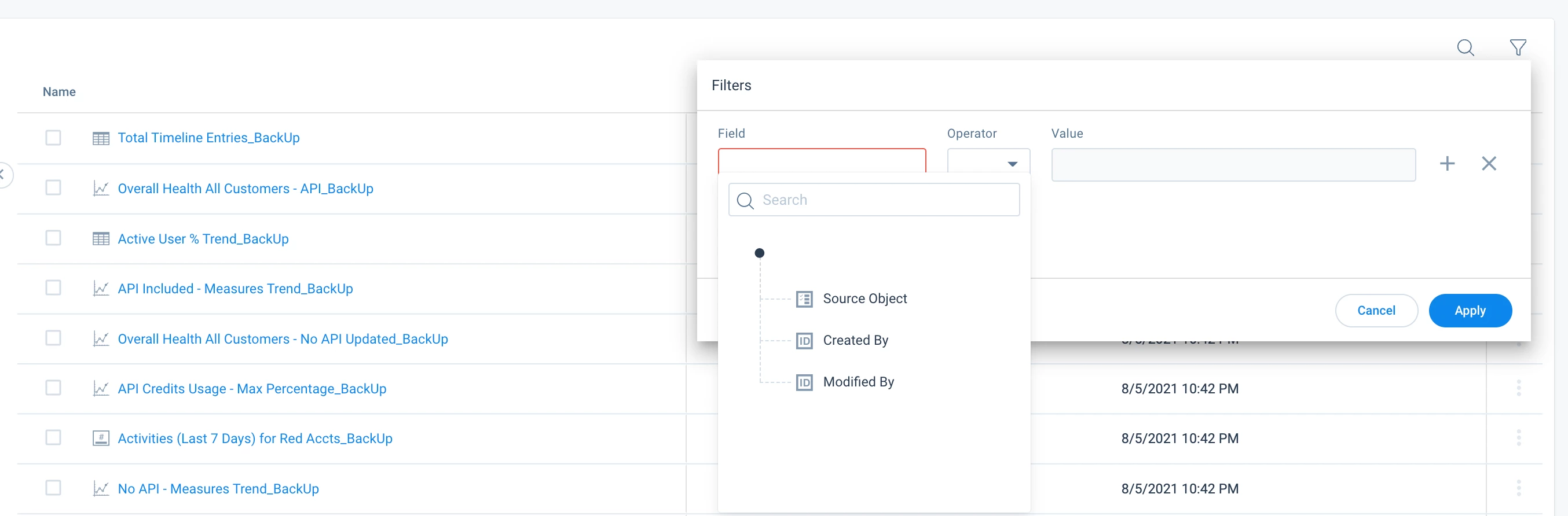
Idea 1: Have a checkbox at the top left so we can “Select All”.
Idea 2: Add the ability to filter by the column names.