

gunjanm
Expert ⭐️
July 20, 2020
Parked

Inbound Email User Management

Related products:CS Timeline & Activity Tracking
  • July 20, 2020
  • 20 replies
  • 641 views

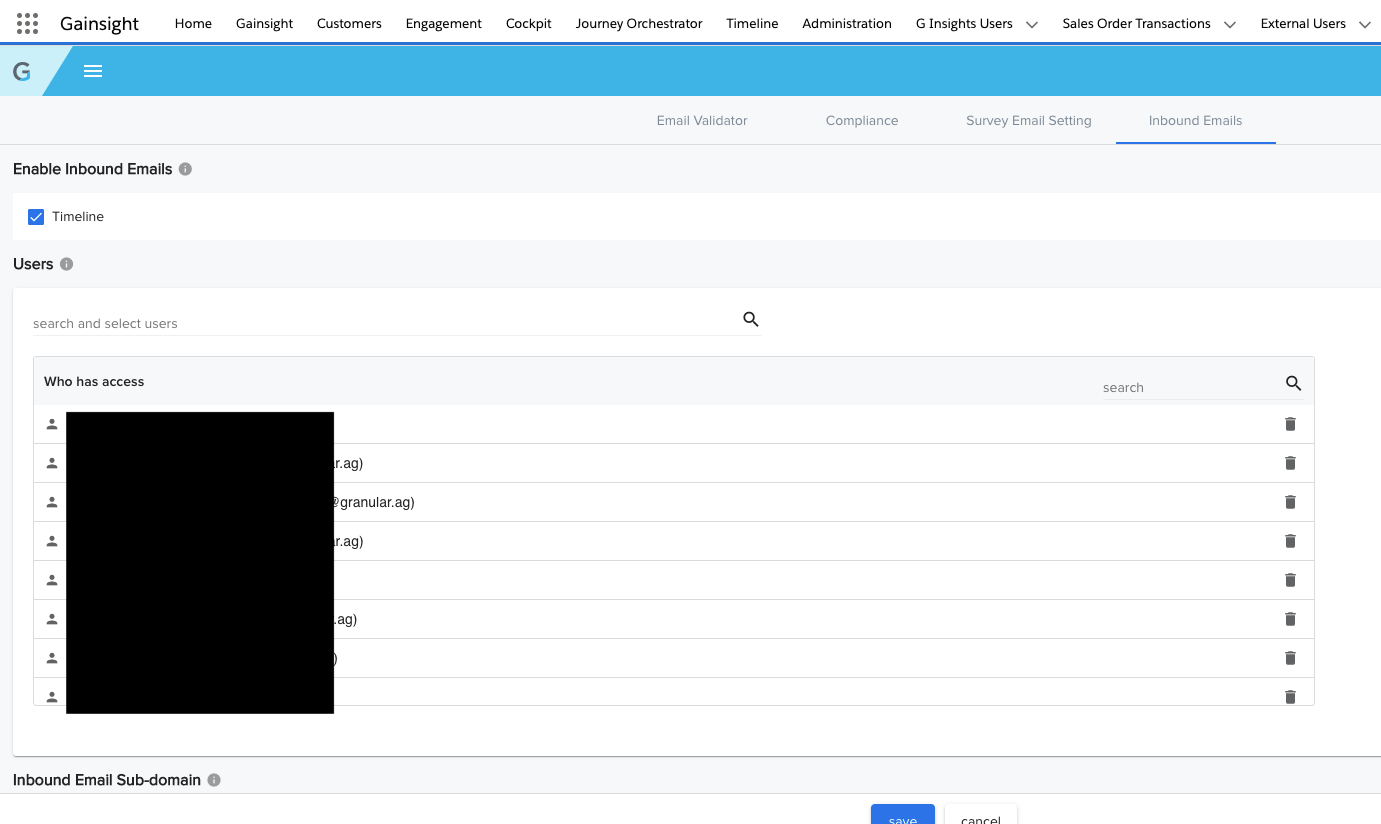
I am sure I’m not the only one rather annoyed by the fact that Inbound Email users, I.e. those who are able to use the BCC to Timeline function, are a) managed in an entirely separate section rather than right within User Management, and b) cannot be added by a CSV or at least selecting multiple users. 

It would be amazing if this were just an easy “checkbox” within User Management. 
 

20 replies

HollySimmons
Helper ⭐️
February 12, 2021

+1 to this (and also the Sally slackbot permissions) please can this be added as something in the Permissions Bundles so we can just automatically provide access based on the bundle someone is given. 


Our user access is automated based on their SF access, so once they are created in SF the role dictates what permission bundle they are allocated (using the rules within that section) but then I still have to separately give inbound email and sally rights - very annoying. 

alizee
VIP ⭐️⭐️⭐️⭐️⭐️
December 15, 2021

+1 on this! It needs to be in the same place, and actually, would take this further and say the same needs to go with granting permissions to the Salesforce App too. This is also a problem (although, I understand users don’t sync both ways, but in an utopian world, we also need that to not rely on yet another disjointed IT ticket to solve the full permission set. 

The most expensive part of building is the mistakes. That's true in construction. Not so much in CSOps. So ask questions, make mistakes and learn. All views expressed here are my own.
davebrown2242
Helper ⭐️
January 17, 2024

How is this still not a thing Gainsight? 

@gunjanm - just increased adoption to include our who AMO group. Going to be a fun day of cross checking our org chart and manually entered users in Email Configuration. ☹️

DB
davebrown2242
Helper ⭐️
January 17, 2024

And make it auditable for us Admins with reporting capabilities.  These should go into the same project!


DB
bradley
Expert ⭐️
March 7, 2025

How is it 2025 and this is still a thing? ​@revathimenon can we get some eyes on this? The Outlook Plug-in has been borked since the update and more users are getting into the inbound email, but some slipped through the cracks on getting it set up for them, so this has been a pain.

revathimenon
Gainsight Community Lead
April 14, 2025

Checking internally ​@bradley 

Where focus goes, energy flows.
ChiragJ
Gainsight Employee ⭐️
April 16, 2025

Hello ​@bradley and everyone, from Timeline, directionally we are moving towards Automatically Logging Emails into timeline, development starts in Q2 ‘25 and so investment in this area of inbound emails will not be appropriate. We intend to bring you a more sophisticated approach to logging emails in timeline. 
Marking this request as Parked

ChiragJ
Gainsight Employee ⭐️
April 16, 2025
New Idea→Parked
bradley
Expert ⭐️
April 16, 2025

:/

alizee
VIP ⭐️⭐️⭐️⭐️⭐️
September 16, 2025

​@ChiragJ Parked? Why?

The most expensive part of building is the mistakes. That's true in construction. Not so much in CSOps. So ask questions, make mistakes and learn. All views expressed here are my own.