

HollySimmons
Helper ⭐️
July 14, 2020
New Idea

Left align survey button in email?

  • July 14, 2020
  • 7 replies
  • 201 views

Not sure if am being stupid or it just isn’t possible. 

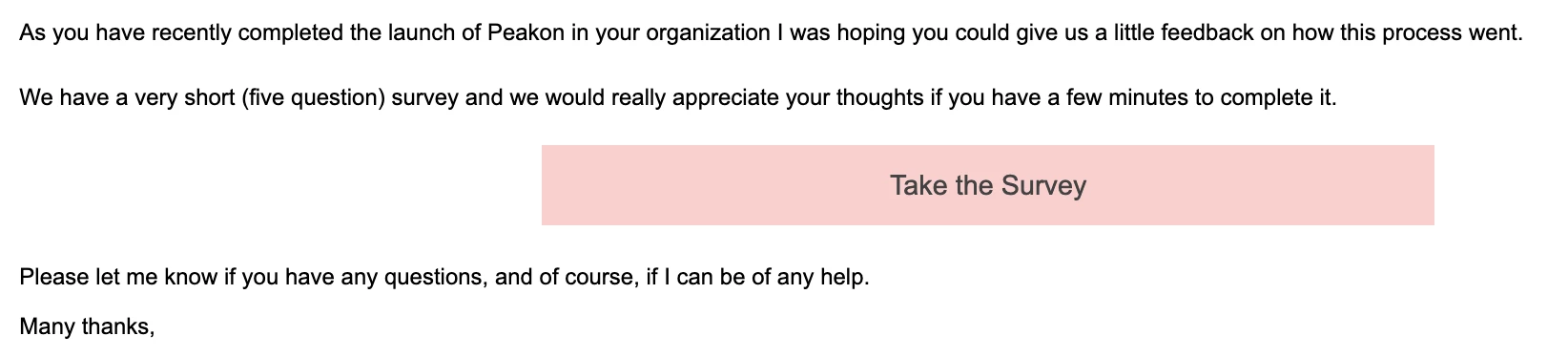
Can I left align a survey button in an e-mail template? Currently it’s in the middle and looks a bit odd with the text aligned left; 


    7 replies

    jean.nairon
    Expert ⭐️
    July 22, 2020

    @HollySimmons - I’m not sure that you can either. Would love to find out if there are some tricks on this as the options are limited on customizing the look of this button. 

    The button may look better if the width is smaller. And you might be able to adjust the width of the email depending on what your HTML looks like. It looks like your email is quite wide based on where the button is currently centered.


    Jean
    jean.nairon
    Expert ⭐️
    July 22, 2020

    There was a similar question to this a year ago (how to center the inline question). This might be a good option for a product idea if neither are currently available. 

    Jean
    Expert ⭐️
    August 19, 2020

    Hello @HollySimmons @jean.nairon 
    We are redesigning our UI, in which surveys looks bit different. Once i have new designs i can share it here and. collect your inputs.

    jean.nairon
    Expert ⭐️
    August 19, 2020

    Thank you for the update @chethana. It’s most appreciated.

    Jean
    sai_ram
    Expert ⭐️⭐️
    August 27, 2020

    Since this is an enhancement request, changing this to idea post.

    Helper ⭐️
    March 29, 2023

    This is a basic thing, must have ASAP

    Abhijeet Bakare
    jeynreyn
    Contributor ⭐️⭐️⭐️⭐️
    July 5, 2023

    100% agree with @abhijeetbakare, seems like a standard option for email templates. The button is way too far out of line with the rest of the email and seeing as the button is the call to action item, it should be visually in line with what is said around it.

    Jenn