

andreammelde
Helper ⭐️⭐️
January 27, 2023
Discovery

Name action at "criteria" even if there is no criteria

Related products:CS Rules Engine
  • January 27, 2023
  • 10 replies
  • 107 views

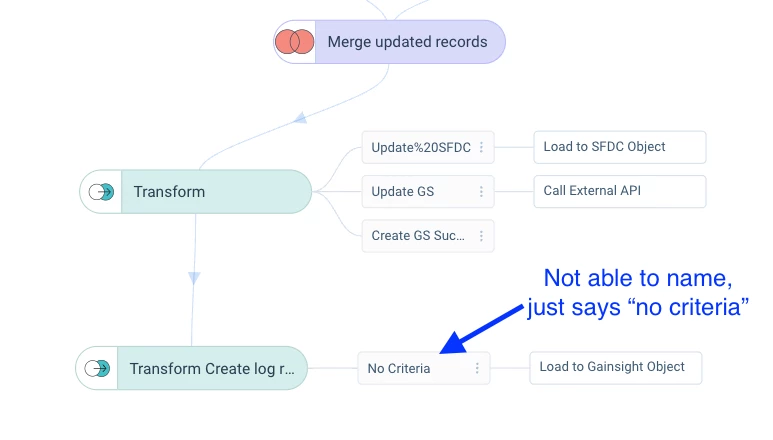
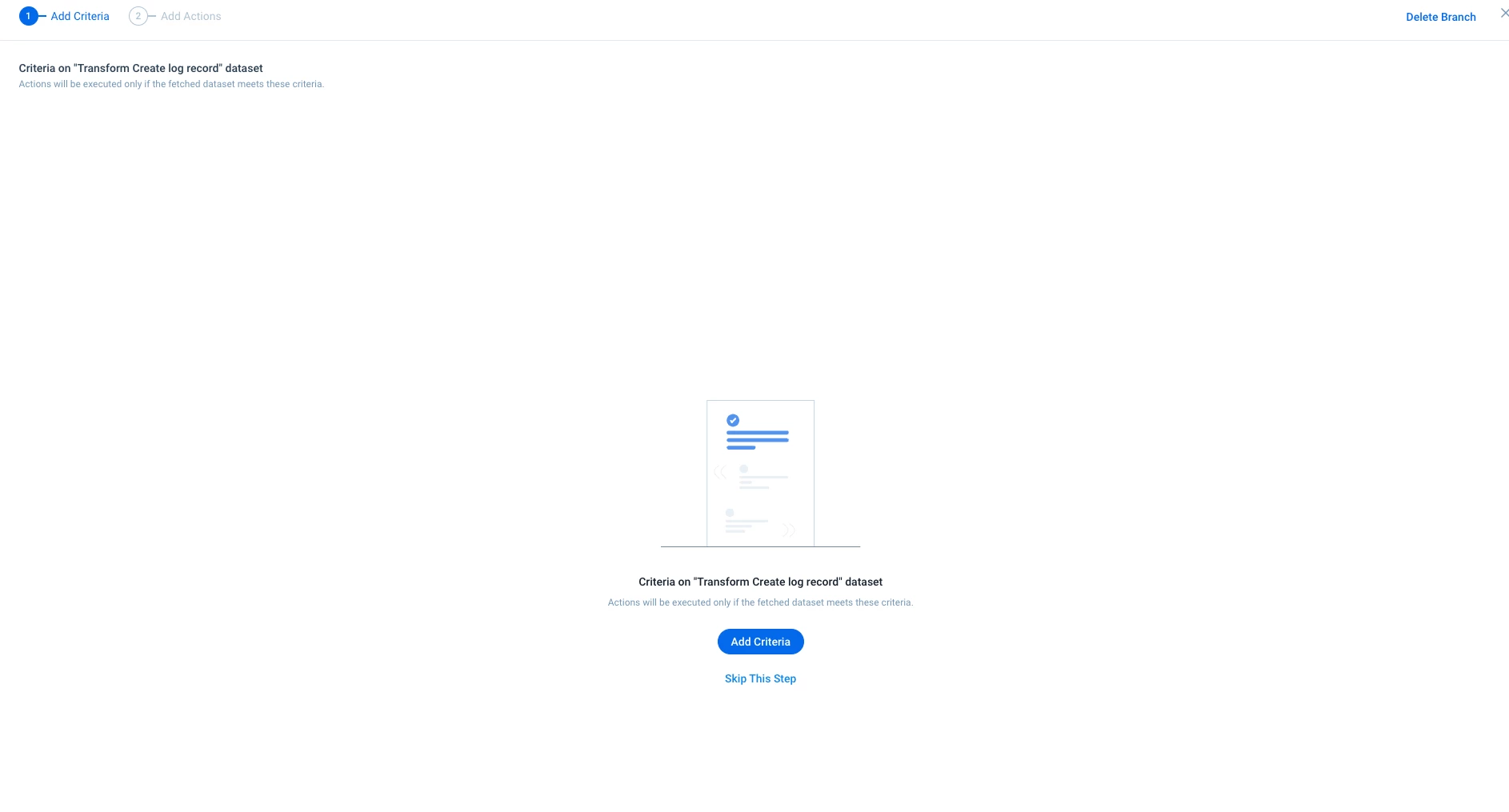
You cannot name an action if you do not have criteria. IE i get to a step and during my rule I have already filtered out anything that does not need to be actioned on. I do not need criteria before going to my rule, but technically that is the step to add a name. Bc I do not select criteria, I cannot provide a name. The action always displays the type of action you select.
 

10 replies

bradley
Expert ⭐️
January 27, 2023

That is a pain, the whole Criteria as another step has some very weird side effects too.

If you have several actions with no criteria, you can’t name the criteria, and they all have the same default criteria name, which means your actions get lumped together. If you want to edit or change the criteria for one action later, you would have to change it for all of those actions, or delete the action and create a new step and re-do that rule action. :/

rakesh
Gainsight Employee ⭐️
Lets put your data to work!
January 30, 2023

Hi,

Wanted to confirm the problem again @andreammelde since I do not believe we ever had the capability of Naming actions - Are you looking at the ability to name criteria when there are no filters? 


@bradley acknowledge this problem. Will look more into this.


andreammelde
Helper ⭐️⭐️
January 30, 2023

@rakesh you have always been able to “name” an action by adding a description. With the change, you can only add a description if you have a criteria. Before, the description, mapping, and criteria was all in one step so you always could “name” an action.


Regardless if you could or couldn’t, this is a major miss in the design. We run multiple action off of one rule to be more efficient, yet we cannot tell what we are running? I should always be able to provide a description regardless of if there is a criteria or not.


Andrea Carroll
rakesh
Gainsight Employee ⭐️
Lets put your data to work!
January 30, 2023

Got it.

You can still add a description in the action


and it will be visible on hover


andreammelde
Helper ⭐️⭐️
January 30, 2023

@rakesh but then I have hover over the action to see what is happening… This is a bad user experience. It should be clear at a glance, not another click or hover, what is happening. Especially something so important as an action. What if I had multiple “Update SFDC Object” with no criteria but to different objects? I then have to hover to see which is which??

Andrea Carroll
anirbandutta
Expert ⭐️
March 2, 2023

Converted this Horizon Rules Beta feedback into an Idea.

It's an opportunity for engagement
anirbandutta
Expert ⭐️
March 2, 2023
No Status→Under Consideration
It's an opportunity for engagement
anirbandutta
Expert ⭐️
March 2, 2023
Updated idea statusNo Status→Under Consideration
It's an opportunity for engagement
alizee
VIP ⭐️⭐️⭐️⭐️⭐️
March 2, 2023

Agreed with all of the above.

The most expensive part of building is the mistakes. That's true in construction. Not so much in CSOps. So ask questions, make mistakes and learn. All views expressed here are my own.
sarahmiracle
VIP ⭐️⭐️⭐️⭐️⭐️
November 29, 2023

Chiming in - I was just about to create my own idea post for this so glad to see it’s already been created.

We need to be able to give a name to a branch that has no criteria because this was still possible in Bionic rules. We need to be able to see the name of that branch from the view design/view actions canvas, without needing to click into the action to see the description.

Customer Success Systems Admin @ Amplitude, 3x Gainsight CS Ops Product Council Member