
alex_legay
Helper ⭐️⭐️⭐️
March 11, 2020
New Idea

Option to not display inactive picklist fields even if grayed out

  • March 11, 2020
  • 5 replies
  • 341 views

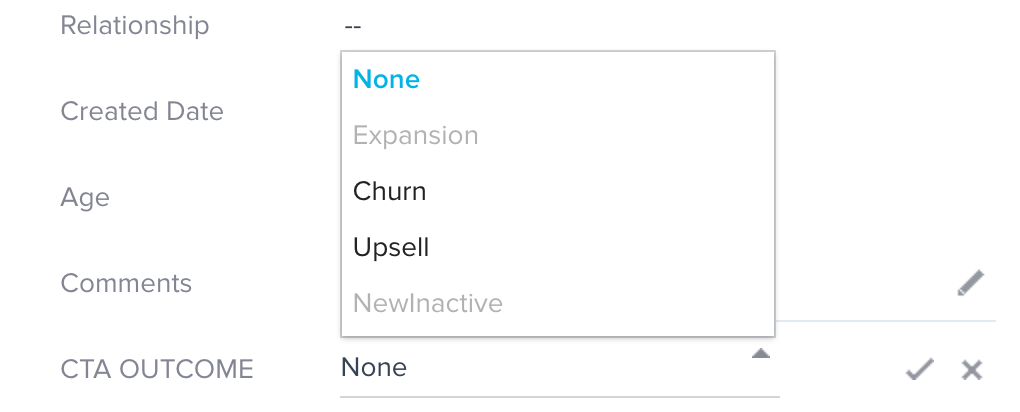
Seems across the product if we make a picklist value inactive it will still show in the dropdown but grayed out. This request is to have it not show at all.

The below is in NXT when adding a field to the CTA object that references a drop down list. When I add that field to the CTA view, the inactive values still show.
 

5 replies

sai_ram
Expert ⭐️⭐️
June 8, 2020

@alex_legay Thanks for sharing it here! I have redirected this to our product team. 

saitheja_raavi
Contributor ⭐️
June 11, 2020

@sai_ram  - Thank you for taking this to the product team. Can we please expedite this to have a fix ASAP? This has been a big concern for all the customers and causing issues when trying to select the values.

Gainsight Employee ⭐️
December 9, 2021

I had another customer contact support on this issue. Do we know if this something on the roadmap to fix?

Gainsight Employee ⭐️
June 15, 2022

Is it planned to hide the inactive dropdown options? Had a customer ask about this today, the inactive options still appearing in the dropdown can cause confusion and the cluttered dropdown list doesn’t look great

jrich
Contributor ⭐️⭐️⭐️⭐️
January 5, 2023

The worst part of this is that in Rules Engine filters, inactive dropdown values still display and there is no way to differentiate.  I have had to add ‘x-inactive’ in front of all my dropdowns to keep everything straight for myself and CSMs.

When trying to sync with Salesforce picklist fields, this can get really cumbersome.  We have had to ask Gainsight to manually remove picklist values for us as we reach the limit.  This is a very major pain point, and wish there was some way to deal with inactive picklist values being hidden from user fields.