
travis_floyd
Contributor ⭐️⭐️⭐️⭐️⭐️
March 22, 2024
New Idea

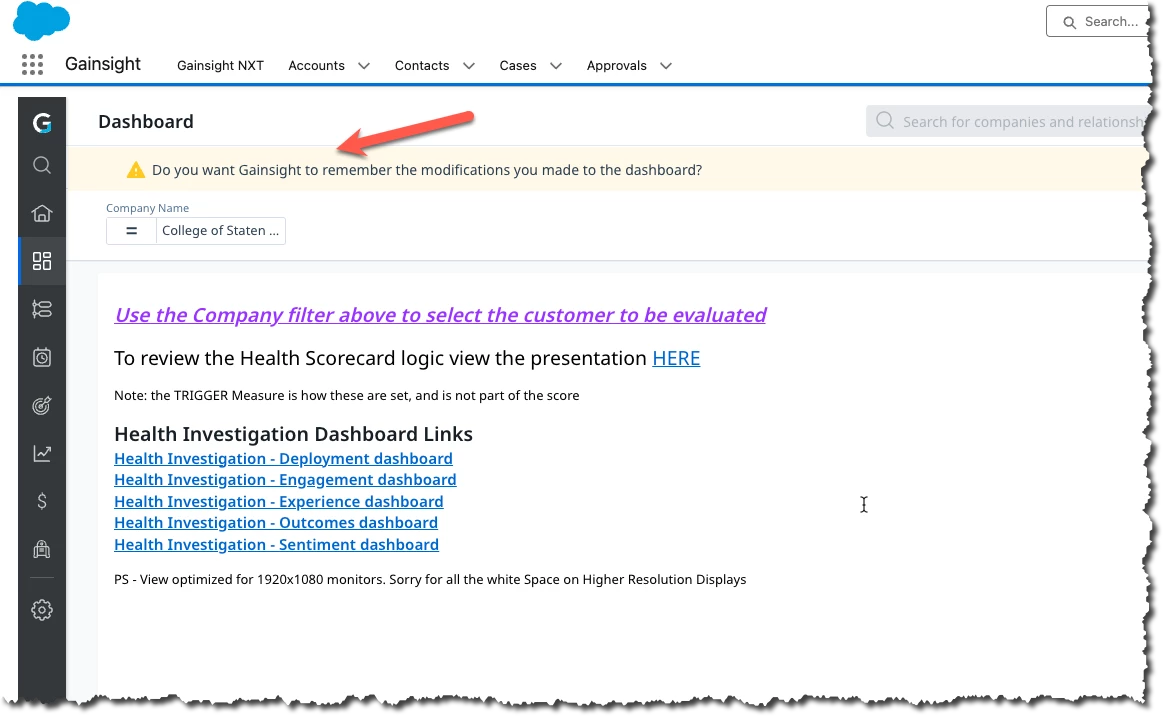
Please change the "Do you want Gainsight to remember the modifications you made to the dashboard?" prompt that shows every time you change a Dashboard Filter to be a BUTTON to "Save Current Filter Settings".

Related products:CS Reports
  • March 22, 2024
  • 5 replies
  • 104 views

Please change the "Do you want Gainsight to remember the modifications you made to the dashboard?" prompt that shows every time you change a Dashboard Filter to be a BUTTON to "Save Current Filter Settings".

The Existing Prompt gets in the way EVERY TIME it comes up and covers up the “Dashboard Picker” to go to a different dashboard.  (See Screen shot) 
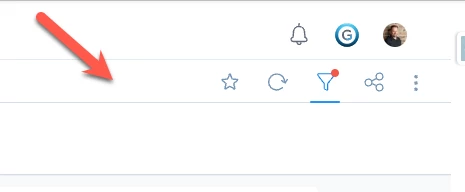
Very rarely do I ACTUALLY want to save my filter config, and if I do, I could easily click on a button next to the filter option when needed.
 

I have had numerous complaints about this from my end users and fellow admins alike.

5 replies

darkknight
Expert ⭐️
March 22, 2024

💯 so annoying.

Jeff Kirkpatrick
romihache
VIP ⭐️⭐️⭐️⭐️⭐️
March 25, 2024

I lost count of how many times I thought the same thing.
Thanks for submitting the idea!

Continuous improvement is better than delayed perfection
Prateek Parashar
Gainsight Employee ⭐️
March 27, 2024

Hello @travis_floyd 


Thanks for highlighting this. I  completely agree that the interaction is not optimal. Having said that, with this comment I am trying to understand what is the main problem here. 

  1. Is not being allowed to use “ Dashboard picker’ the main issue ?
  2. Is the banner being displayed every time to an user after making a change the real issue?


We can solve  the first  problem by simply reducing the banner size so that user can interact with all dashboard functionalities( without banner hiding any  dashboard capability)

For second, if seeing the banner every time is frustrating, we may have to decide what should be the next state - a) Autosave as default ( as we do in GS Home)  b) Ignore the changes as default c)  Build a better UI interaction to ask users.(few users may want to save while few may not depending upon the use case)


One thing that i would also like to add is even if user make changes to multiple reports in a dashboard( like changing the visualisations ,filters etc), we show one banner for all the changes so that user has to take the action only once

Prateek Parashar
Tomas Trijonis
Contributor ⭐️⭐️⭐️⭐️⭐️
March 27, 2024

@Prateek Parashar 
For me it’s the second reason, and I would prefer it to not save by default. However, only if there is a permanent “save state” kind of button that is fluid with the rest of UI, as per Travis’ suggestion.

travis_floyd
Contributor ⭐️⭐️⭐️⭐️⭐️
March 27, 2024

The issue for me is that I very rarely want the dashboard to keep my settings, and in the rare time that I do, a button to choose that would be sufficient. I don’t need a reminder every time and I definitely don’t like the reminder blocking me from selecting another dashboard. 

Be excellent to each other.