

phani_kumar
Gainsight Employee ⭐️⭐️
September 8, 2020
New Idea

Rule Results should include the Action's in the Execution Logs

  • September 8, 2020
  • 5 replies
  • 125 views

Hi.

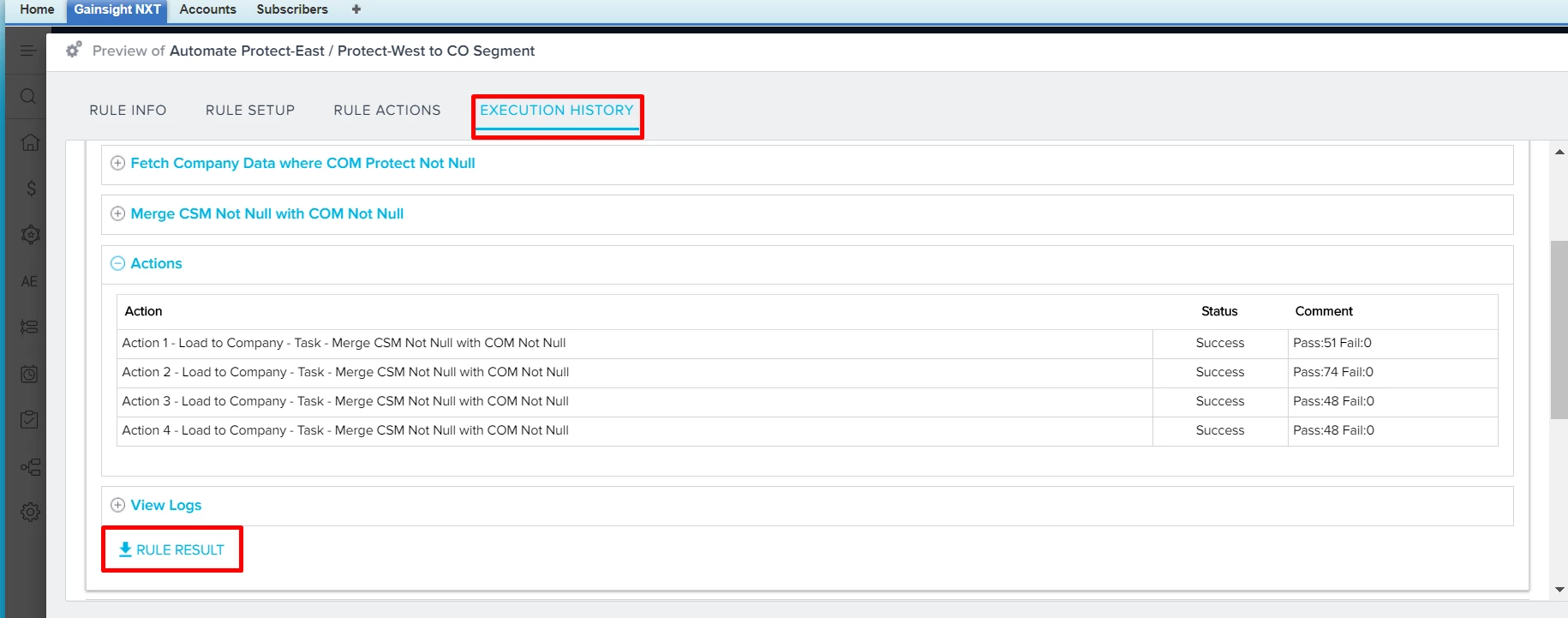
In the Rule Execution History we have a option to download the Rule Results. But that downloaded file not cantaing the actions to see which records are passed in which action.

Screenshot:
Downloaded File:
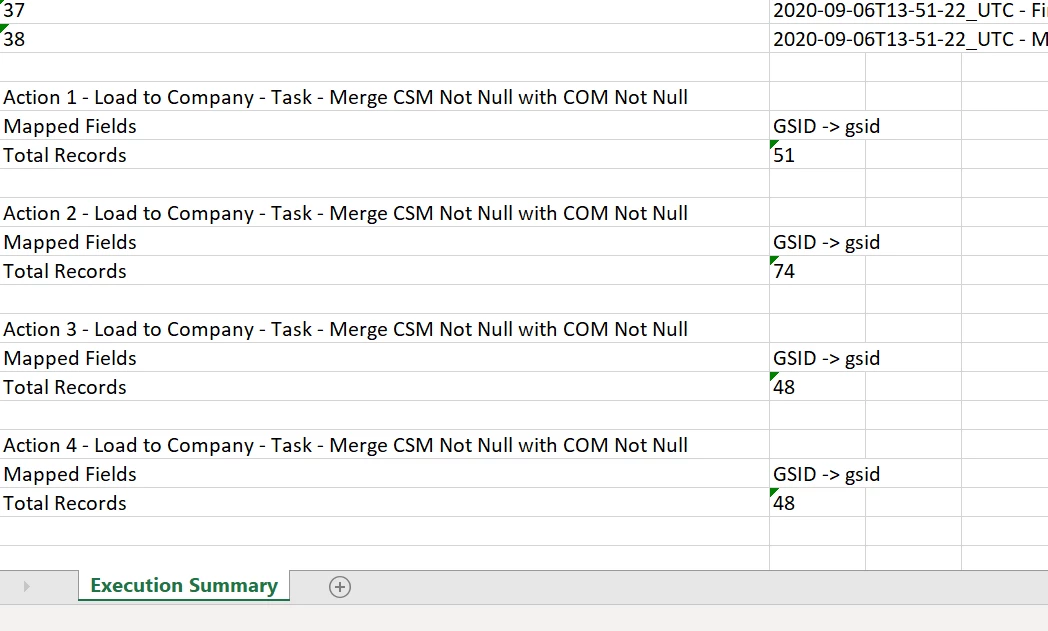
So it is very helpful if we get seperate sheets for each action along with the Records which are passed. This helps a lot in the validation point of view.


Thanks.

    5 replies

    rakesh
    Gainsight Employee ⭐️
    Lets put your data to work!
    September 16, 2020

    Hi @phani_kumar ,


    We cannot provide an excel with all the records everywhere. Imagine if there are large number of records generating this excel itself would take a lot of time - timing out some rules, etc. 

    What we are planning of doing is provide a zip file with the pass and fail data from each action in the same zip file. 

    phani_kumar
    Gainsight Employee ⭐️⭐️
    September 16, 2020

     Hi Rakesh.

    I guess previously we have that facility where once we download that rule result, that file contains the Success records and Failed records per each action-wise.

    Screenshots:

    And once we open that attached sheet we can see extra tabs for each Action along with the reocrds which are passed in that action.

    Screenshot:

    So, if possible can we get the same format again. This would be more helpful for us to validate the results very quickly.


    Thanks.

    spencer_engel
    Expert ⭐️
    June 23, 2022

    Thanks for bringing this up @phani_kumar. This drives me crazy because it seems like a step backward. All I want to be able to see is the individual tabs with each action like we used to be able to see (similar to Phani’s screenshot above). Now though, I seemingly have to download a separate CSV for each action. 


    Take the following example: I’m trying to test a rule where I have four different actions for loading to company. When trying to analyze the results, I can download the final dataset before it gets loaded (in this case a merge dataset - see below), which has all the fields in my final dataset, but I don’t know the final rule results - i.e. which action actually took place.


    When I do download the rule results, I have to download each individual action - resulting in 4 additional CSVs because I have 4 actions in the rule - and these CSVs only include what I’ve mapped in the action (in this case Account ID and two more fields). This is worthless and requires a ton of extra work involving a bunch of V-Lookups. I would love to simply be able to see a final dataset that has all the fields I included in my final dataset, PLUS the actions that are being applied to that data. Doesn’t seem like too much to ask.

    heather_hansen
    VIP ⭐️⭐️⭐️⭐️⭐️
    June 23, 2022

    I will just add on here that the issue becomes even more difficult when you have a lot of actions. For examples, we have a rule that fires a CTA based on product, and we have 10 products. To troubleshoot, I have to download 10 separate results files and put them into one to share with the business stakeholder for verification that the rule is working correctly. 

    darkknight
    Expert ⭐️
    June 23, 2022

    This is one of my top two challenges with Gainsight.  Between this and the GSID picklist issues that pervade every feature of the platform, it makes for a very painful support and troubleshooting experience.


    Jeff Kirkpatrick