

kstim
Helper ⭐️⭐️
August 10, 2021
New Idea

Show full input in Horizon Analytics dashboard global filters

  • August 10, 2021
  • 5 replies
  • 84 views

Currently when you put in a value in a Horizon Analytics dashboard global filter, you’re shown a preview of the input by default:
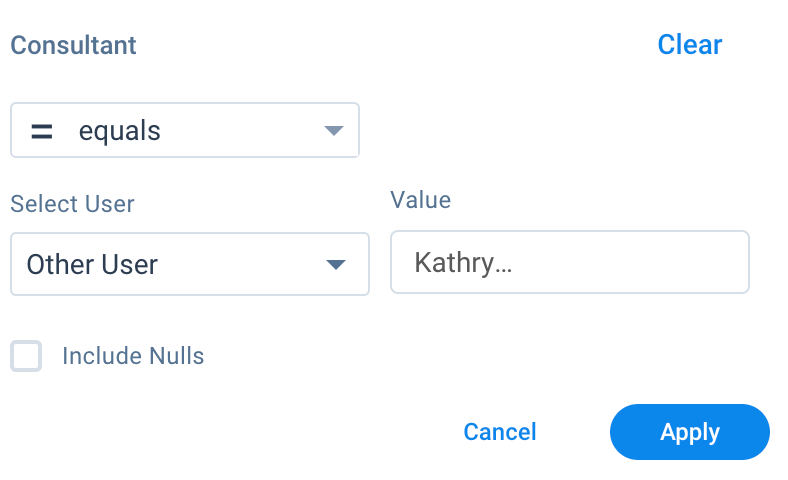
Value cut off by default

To view the whole value, you have to either move your cursor over it, or apply the filter and view it from the overall dashboard view:
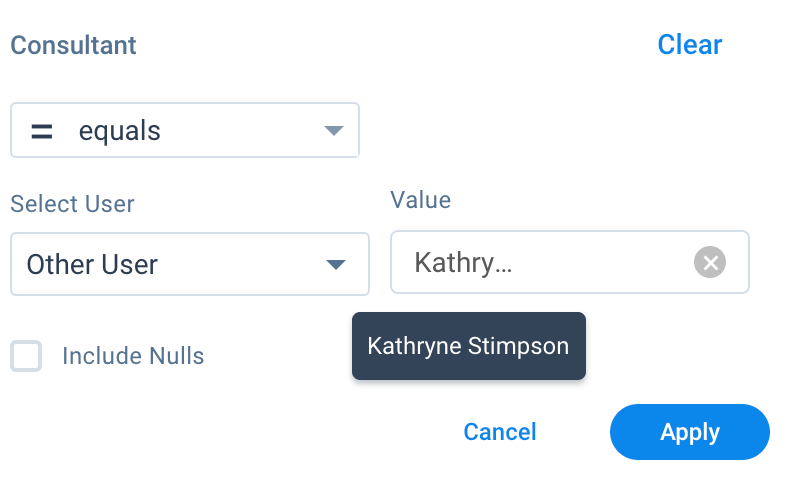
Mouse over value to see full input

While this may be a small ask compared to the rest, I think it would be important to allow us to see the full value by default. I anticipate this is something our end users will find useful as well while they’re applying filters to their dashboards. Thanks!

5 replies

bradley
Expert ⭐️
August 10, 2021

+9999999999  Many times I’ve looked at a value that has something like “F….” and a bunch of blank space next to it. Even if it isn’t the full value, at least use more of that space in the container.

davebrown2242
Helper ⭐️
August 10, 2021

Less whitespace, more content. +99999999 also

DB
rakesh
Gainsight Employee ⭐️
Lets put your data to work!
August 11, 2021

Hi All,

Agree that we should try and display more content here! Will work to get this out.


kstim
kstimAuthor
Helper ⭐️⭐️
August 12, 2021

As an addition to this, I’m noticing that we currently aren’t able to see the full title of a widget unless we mouse over it with our cursor. I have the widget fully expanded. There’s plenty of white space to the right of the titles -- please consider adjusting this!!

Widget titles cut off


bradley
Expert ⭐️
August 12, 2021

As an addition to this, I’m noticing that we currently aren’t able to see the full title of a widget unless we mouse over it with our cursor. I have the widget fully expanded. There’s plenty of white space to the right of the titles -- please consider adjusting this!!

Widget titles cut off


I also recommend checking this post and the linked post inside too: