
Helper ⭐️
May 2, 2022
New Idea

Sort all the fields on the Data Management page alphabetically; don't sort on separate page views.

  • May 2, 2022
  • 6 replies
  • 86 views

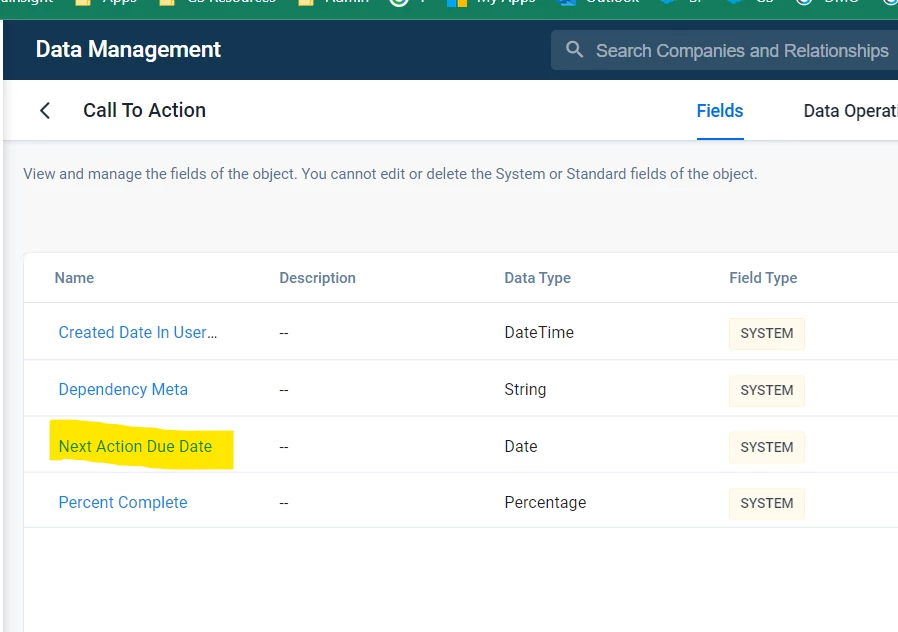
I had trouble in finding a field in the Call to action object because I thought ALL of the fields were sorted alphabetically, which is not the case. I had to scroll to the last page to find it:
The reason I was led in error was because each page sorts only the fields shown in the bottom right config:

 

In this case ^ I had 25 fields on the first page sorted from A-Z, then another 25 fields on the 2nd page sorted alphabetically and so on.


I almost opened a ticket for not being able to find the field in the CTA object, when I checked it in the first page, which looked like this:
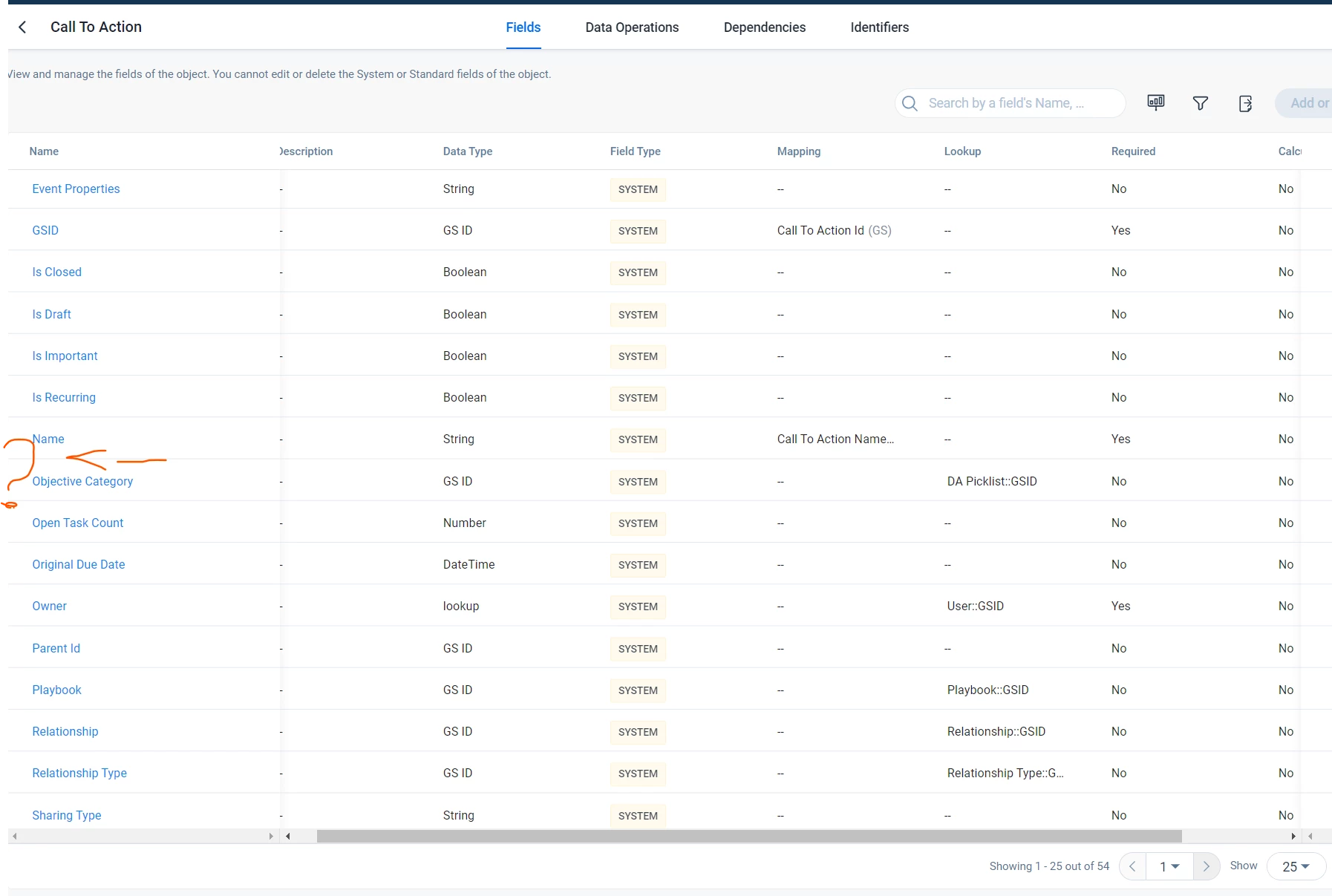


Either remove this limitation of 25 fields/page entirely or implement the sorting for all of the existing fields.

It’s the first software where I saw sorting happen in this faulty fashion.

6 replies

waynedilworth
Contributor ⭐️⭐️⭐️⭐️⭐️
May 2, 2022

I reported this when it was still beta - but it did not get any traction - let’s hope it does now that this is our only option.   Gainsight - the easiest workaround is for the user to change to 100 fields per page (how many objects have more than 100 fields?) - however, that is not sticky in the current version.  So if I change to 100 fields, then switch tabs to something like data operations- when I go back to fields, it goes back to 25 fields. 

johnnyAuthor
Helper ⭐️
May 2, 2022

“(how many objects have more than 100 fields?)” - yeah, that switching the page display stuff is a workaround, since you have to do it each time you access an MDA object and that’s not efficient in the least. 


The best solution would be to be able to sort the data across all the pages.

johnnyAuthor
Helper ⭐️
May 2, 2022

not to mention sometimes you forget about this weird quirk and you end up even creating a duplicate field because the one you’re searching for is long forgotten on the last page.

johnnyAuthor
Helper ⭐️
May 2, 2022

all the things I’ve mentioned waste Gainsight’s customer’s time.


Proper code would be desirable.

heather_hansen
VIP ⭐️⭐️⭐️⭐️⭐️
May 3, 2022

+1!  This happens in the current version of Data Operations too, and it definitely makes working with either section a lot more difficult than it needs to be.  

ltsponhour
Contributor ⭐️⭐️⭐️⭐️
September 13, 2022

Agree. Our users find it frustrating that sorting works page by page rather than on the whole list. They forget that they should Show the maximum number of items, and some lists are too long even for that to work. Please make this a priority.