
Contributor ⭐️⭐️
May 29, 2020
New Idea

Survey 2.0 color change of system sentences

  • May 29, 2020
  • 4 replies
  • 143 views

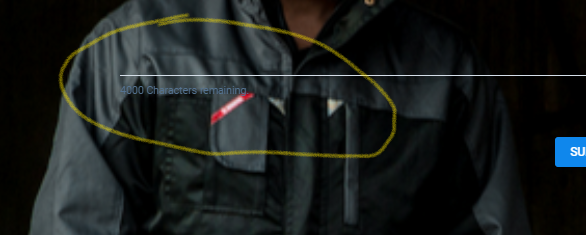
Hi all, when doing a Survey in Gainsight looks like I can’t change the color of these 2 sentences:

1. All questions marked with * are required.
2. 4000 Characters remaining.

It seems no matter which colors I choose in the designer for the rest of the text these can't be changed.
(Attached the examples)


Support confirmed it is by design and asked me to post it here…


4 replies

Helper ⭐️⭐️
June 10, 2020

@andrea.milani Thanks for bringing it up. We will be taking it in Q3

tom_gerth
Gainsight Employee ⭐️⭐️
December 15, 2021

@vikram was this taken up?  Or are there current plans to take it up?

Enterprise Support Manager, Gainsight
Tomas Trijonis
Contributor ⭐️⭐️⭐️⭐️⭐️
November 23, 2023

Would be great if this could be implemented, at the very least making the same style class apply to it as the question title. No new UI elements and immediately lets us actually comfortably use a dark theme for surveys. It seems like a 5 minute fix :)

stevepost
Contributor ⭐️⭐️
November 27, 2023

Allowing a little Custom CSS setting for surveys would also be a simple workaround. That way the more adventurous admins could override styling where necessary until full customization via the UI arrives. 

-- Steve Post