Contributor ⭐️⭐️
November 10, 2020
Released

Tasks display in drop down for Horizon view

Related products:CS Cockpit & Playbooks
  • November 10, 2020
  • 18 replies
  • 265 views

With the recent move to no long display tasks in a drop down below the CTA, our CSMs are now more challenged in editing and tracking tasks. This is for a couple of reasons: 

  1. This now adds additional clicks. Previously, we could select the task drop down and within the cockpit view easily see all tasks and due dates associated with that CTA. Adding extra clicks and burying tasks into a tab forces CMSs to take extra steps to see that information.
  2. Editing the due date of the CTA can inadvertently cause the CSM to edit the due date on tasks because they can no longer see tasks and CTAs at the same time. The experience now looks like this (editing the “test” CTA, which has 3 test tasks within it):
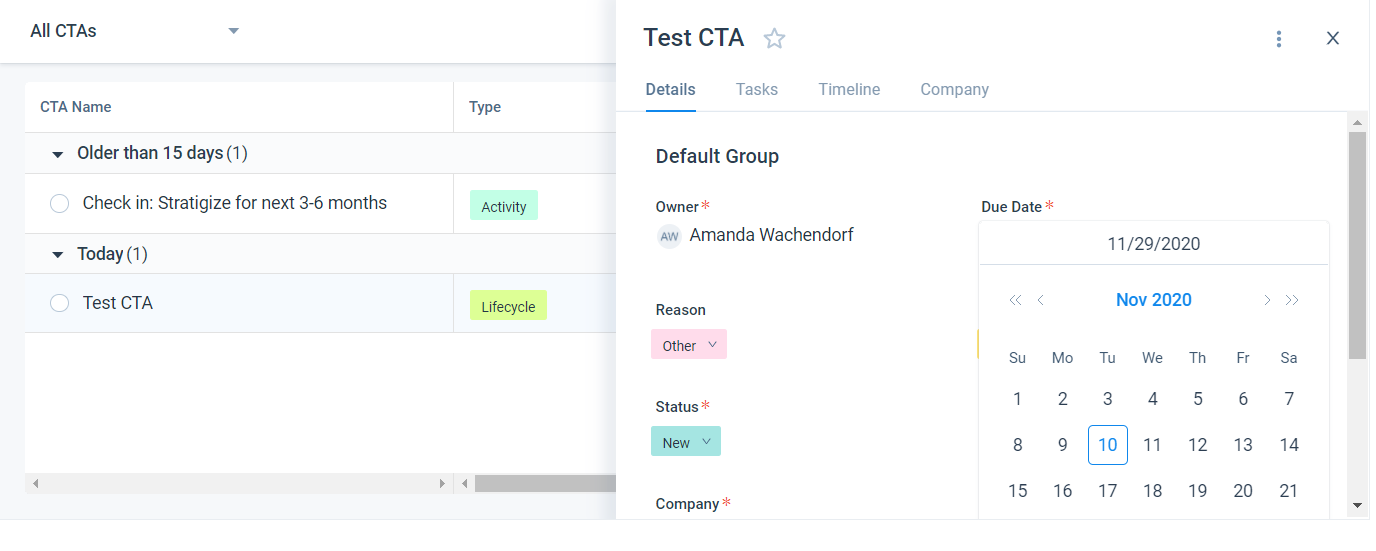
    1. Click on CTA due date from within the cock pit: 
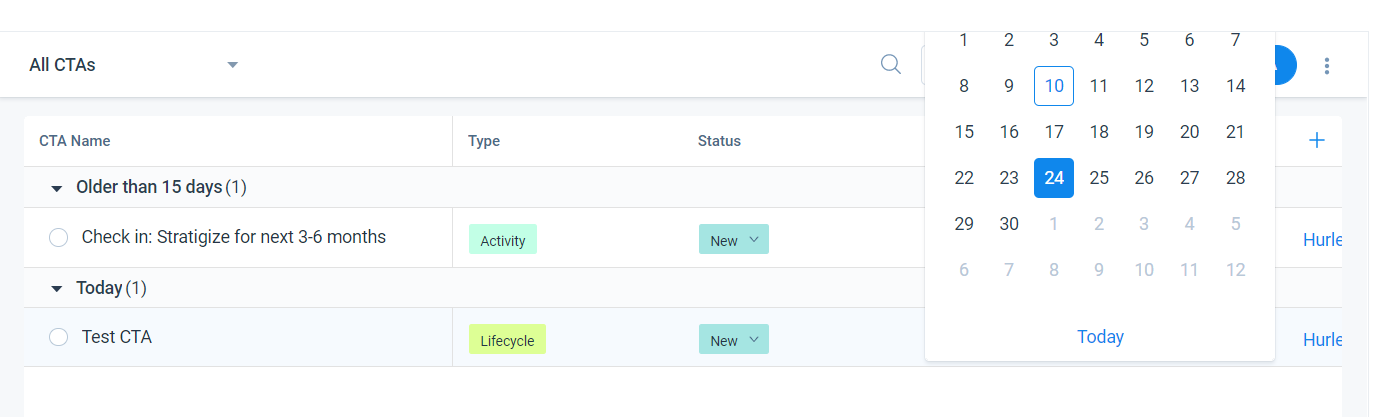
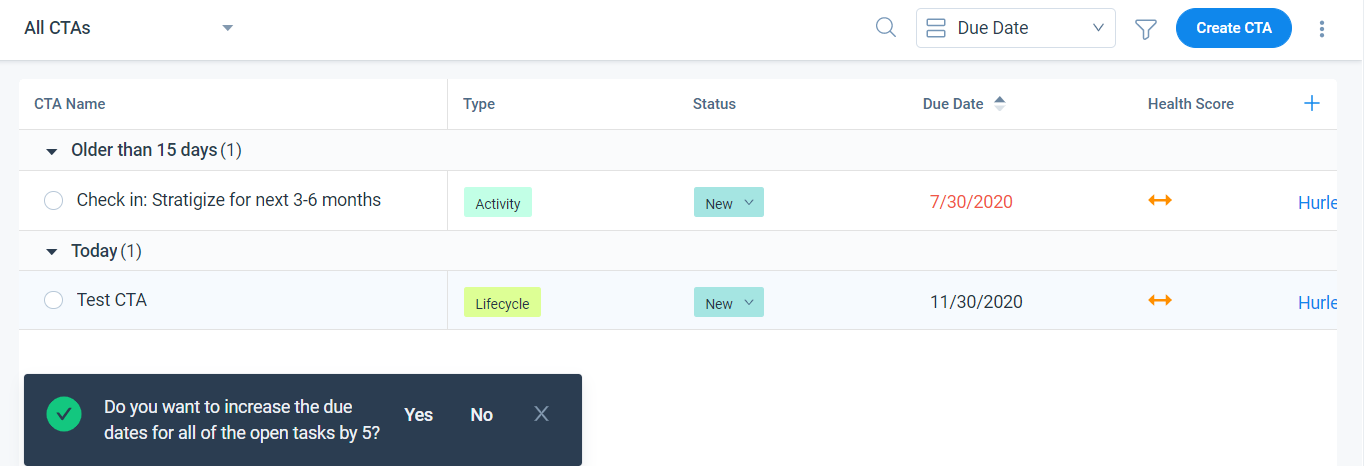
    2. Select new due date and am prompted whether or not I want to change the due date of all Tasks. However, I cannot know this because I cannot see the tasks: 
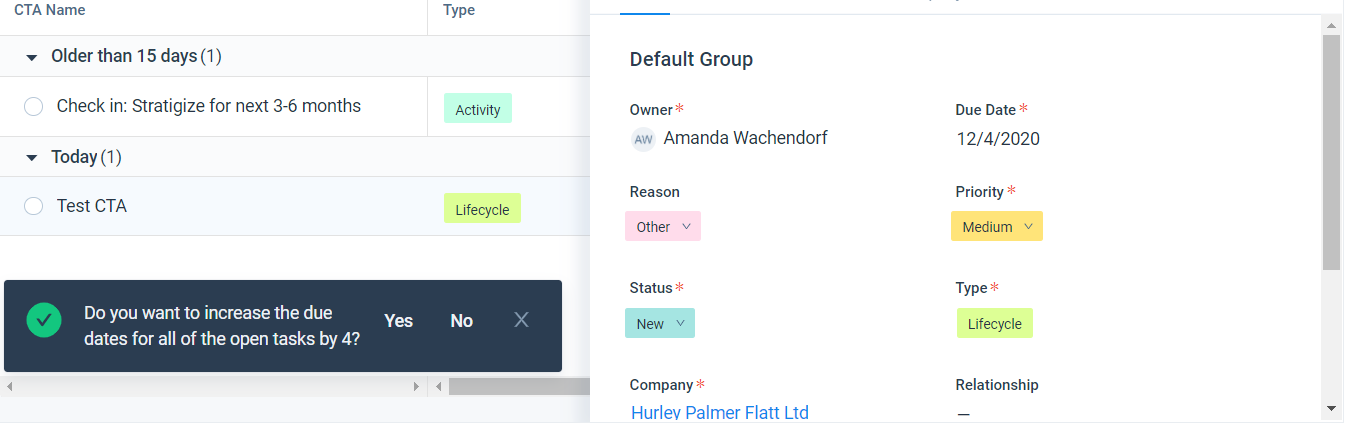
  3. I can also edit the date from the details view. I click on the CTA to bring up details view. and then select a new due date: 
    1. I am asked if I want to edit the task due dates, yet still cannot see the tasks or their due dates:
       

18 replies

Contributor ⭐️⭐️
March 17, 2021

+10000 Everyone in our org constantly asks for this. Very common pain point as viewing tasks in CTA’s is not intuitive right now. 

sriram pasupathi
Helper ⭐️⭐️
April 8, 2021

Hello everyone, we are planning for a task only viewin our immediate roadmap. We will be shipping this in Q2.

Contributor ⭐️
April 30, 2021

Sorry but I am relative newbie to GS (but not to systems and tools)  

As described in Amanda’s original post, we are really missing the ability to drop down tasks from the CTA’s in the cockpit. This together with the ability to then click on the task and have the full task and task description displayed as guidance to the CSM (we are using task description to give process guidance to our CSM’s) made GS a very effective process tool. L

The task view solution at first thought to our usage is NOT really a benefit, as the task works to support the CTA. They are interconnected. 

Any chance we can get back the line dropdown option as per the previous version. Saving “one click” here appears to be a big step backwards and adding work, as CSM’s cannot see the full CTA picture and the sequential guidance we have added.  

The final irony hear is that the previous logging and presentation did need a clear up, but as stated the solution is worse than we had. 


bradley
Expert ⭐️
April 30, 2021

Sorry but I am relative newbie to GS (but not to systems and tools)  

As described in Amanda’s original post, we are really missing the ability to drop down tasks from the CTA’s in the cockpit. This together with the ability to then click on the task and have the full task and task description displayed as guidance to the CSM (we are using task description to give process guidance to our CSM’s) made GS a very effective process tool. L

The task view solution at first thought to our usage is NOT really a benefit, as the task works to support the CTA. They are interconnected. 

Any chance we can get back the line dropdown option as per the previous version. Saving “one click” here appears to be a big step backwards and adding work, as CSM’s cannot see the full CTA picture and the sequential guidance we have added.  

The final irony hear is that the previous logging and presentation did need a clear up, but as stated the solution is worse than we had. 


I think this is a good point, and there are separate use cases here that both should be addressed. The task view would simply be another way to view the cockpit - not the only way. The reason people want it is so they can find whatever is next on their to-do list which is usually a task.

As you point out though, the current view ONLY shows CTAs so using the existing view is clunky if you want to tackle work on a CTA by CTA basis, but see what the tasks are for each one.

So really, it seems like there are several asks:

  • The current view should be expanded to included Task level visibility for each CTA
  • There should be another view added that shows tasks by due date.


The caveat for the last one, and another issue with even the current setup is as @travis_floyd mentioned here where CTAs don’t have tasks associated with them: 


sriram pasupathi
Helper ⭐️⭐️
June 8, 2021

 @Neville Bryan The tasks can still be accessed in 1-click by clicking on the task count. It’s just that the visualization of how tasks are displayed has changed. 
@bradley We are working on a task view which will solve the second as you listed.

mpatra
Helper ⭐️
August 29, 2022

Hi team,

We have implemented Task View for CTA. Please let me know if there are any additional issues to be looked at here. 

Thanks,

Monica 

Monica Patra | Senior Product Manager| Gainsight
mpatra
Helper ⭐️
August 29, 2022
Under Consideration→Implemented
Monica Patra | Senior Product Manager| Gainsight
bradley
Expert ⭐️
August 29, 2022

Hi team,

We have implemented Task View for CTA. Please let me know if there are any additional issues to be looked at here. 

Thanks,

Monica 

Well, we still have the problem of “next thing due” in one view. Since CTAs without tasks can exist, you have to look at both lists to see what is due “next”.