

amanda.caldwell
Contributor ⭐️⭐️⭐️⭐️
July 30, 2026
New Idea

Timeline Pinning should NOT require Timeline Editing Permissions

Related products:CS Timeline & Activity Tracking
  • July 30, 2026
  • 14 replies
  • 199 views

Hi,

This new feature is virtually unusable because it is dependent on Access Permissions Timeline Edit Activity enablement. I cannot afford to give hundreds of users access to edit ALL Timelines just so they can pin important activities. 

The permissions for pinning should mimic the permissions for cloning. Meaning, the toggle ON/OFF button in Timeline General Settings should control if pinning is allowed globally. Just like how it works for Cloning. These are enabled in the same place so should behave in the same way.
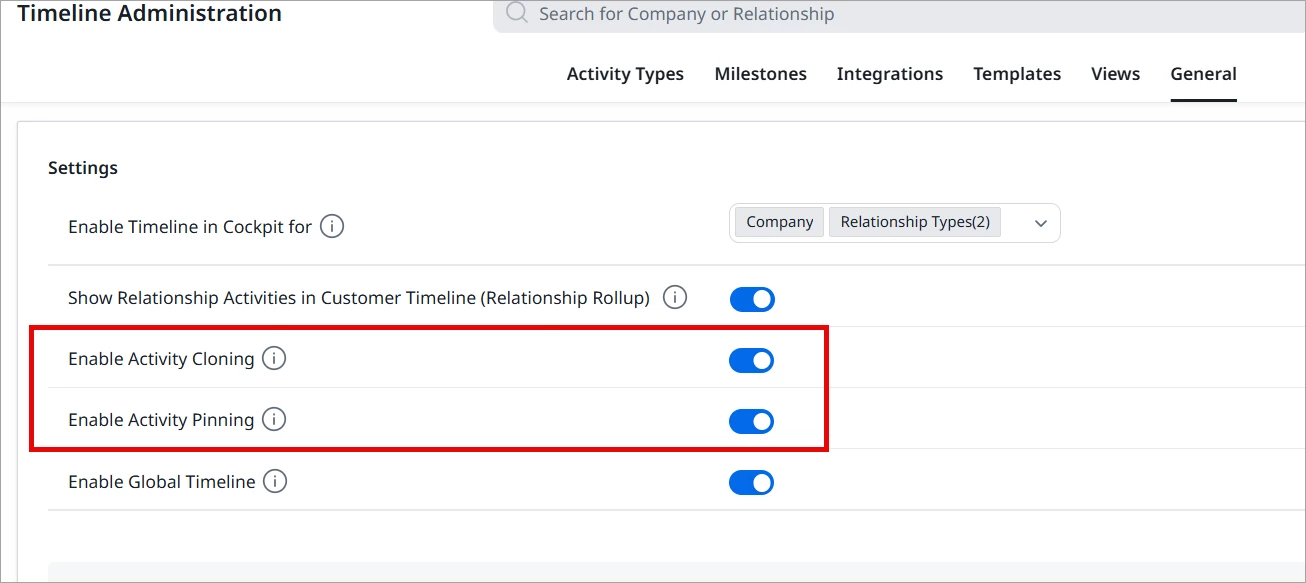
If your intention was to allow flexibility for permission bundles, then make it its own permission.
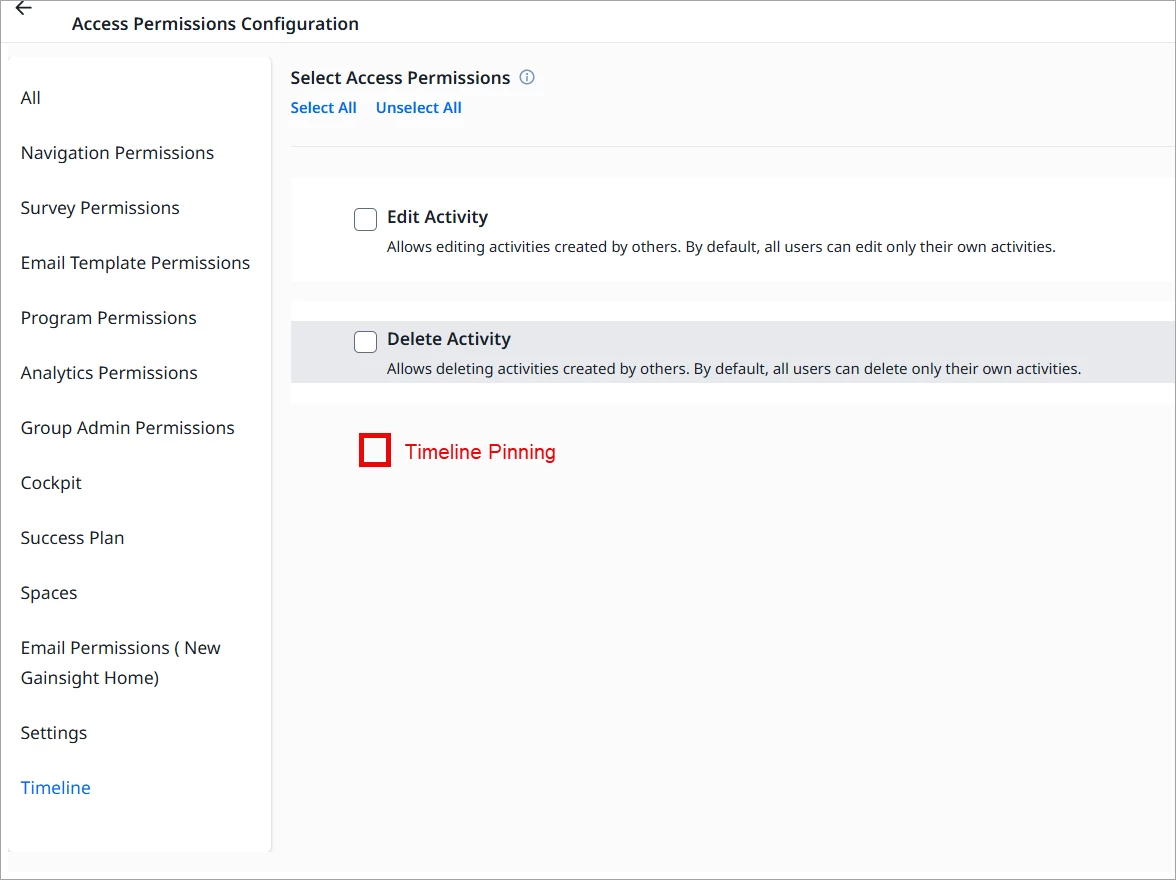
Forcing people to somehow know they need to go into Permissions for one over the other is not a good user experience. 

14 replies

darkknight
Expert ⭐️
September 9, 2026

also, why did this require a community idea? It is a straight up bug. 

Jeff Kirkpatrick
romihache
VIP ⭐️⭐️⭐️⭐️⭐️
September 9, 2026

Spot on ​@darkknight!  This was indeed a bug that got resolved a few weeks back.

Support initially marked it as "working as designed" and kept closing tickets (hence Amanda creating this post), but thanks to continued pushback from ​@HollySimmons if I’m remembering the GGA thread correctly, it was recognized as a bug and resolved.

Currently, the feature works as stated in the documentation: users can pin activities they own by default, and the Enable Activity Pinning setting is only required for pinning activities owned by someone else.


Continuous improvement is better than delayed perfection