
Move content (topics, questions, comments, etc.)
There are several ways to move content on the community. Let's have a look at the different options:
Moving a topic (question, discussion, article, idea)
It is very easy to move a topic to a new location. Simply select the desired destination in the drop-down menu:
Some notes on this:
It might also happen that a post (or more posts) fits in better with a topic that already exists. In that case, you can move the content to another topic so you everyone can keep track of the discussion in a better way.
Select these comments and use the button [move to existing topic] at the bottom of the page.
Note: Be aware that all posts will always be shown in the order of the time that they were created. It could mean that you have to add a note (e.g. edit: moved from another topic) so that users do not get confused.
Converting a discussion to a question (or the other way around)
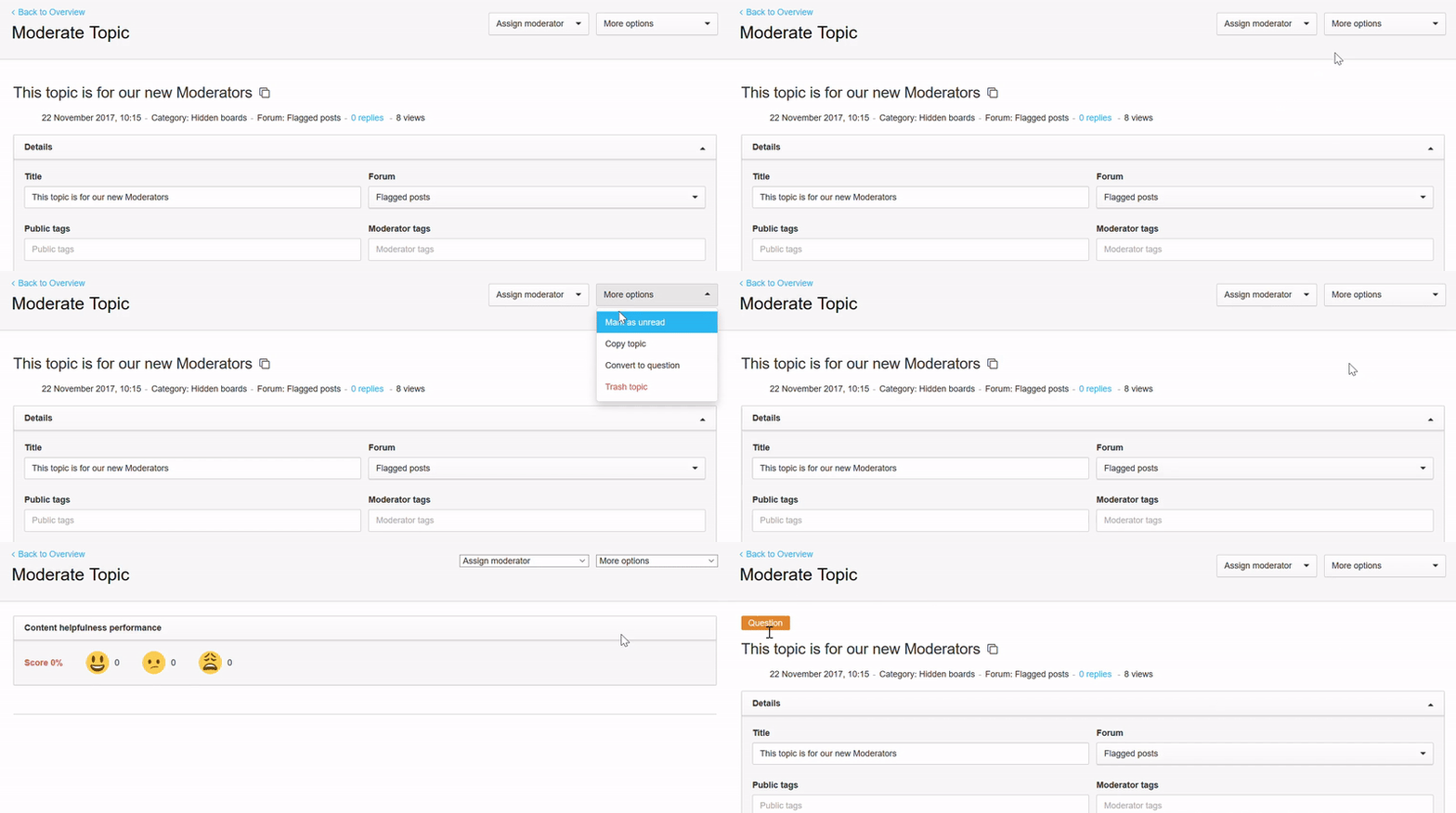
Sometimes a question is not marked as a question (customers often forget about this). You can simply convert a topic to a question under "more options" in a topic page.
Merge an entire topic with another one
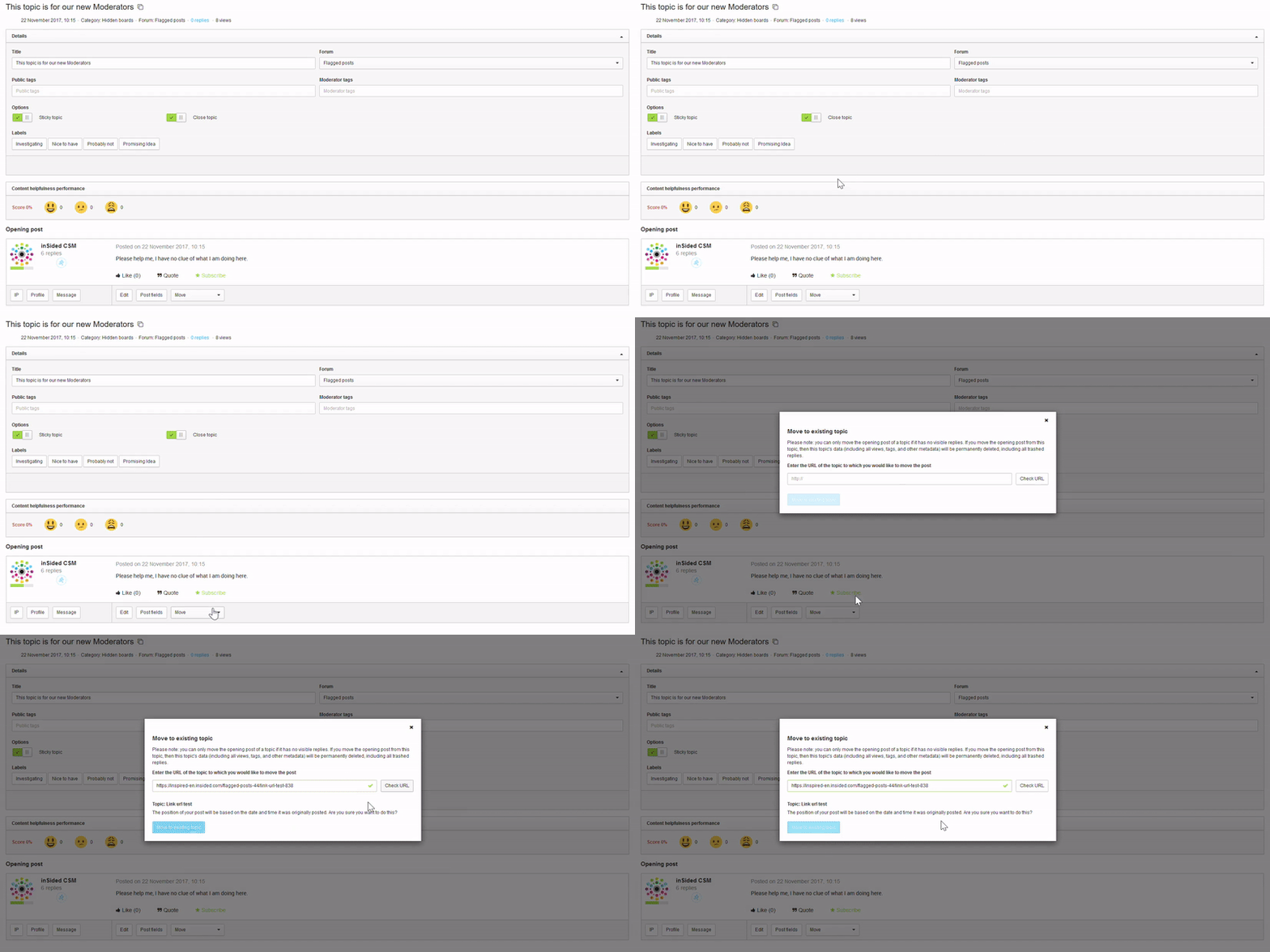
You can move several replies at the same time, but you are not able to move the entire topic into another one - the first post always has to be moved seperately:
Any questions or issues with moving topics / replies? Let us know in the comments! 👇
Moving a topic (question, discussion, article, idea)
It is very easy to move a topic to a new location. Simply select the desired destination in the drop-down menu:
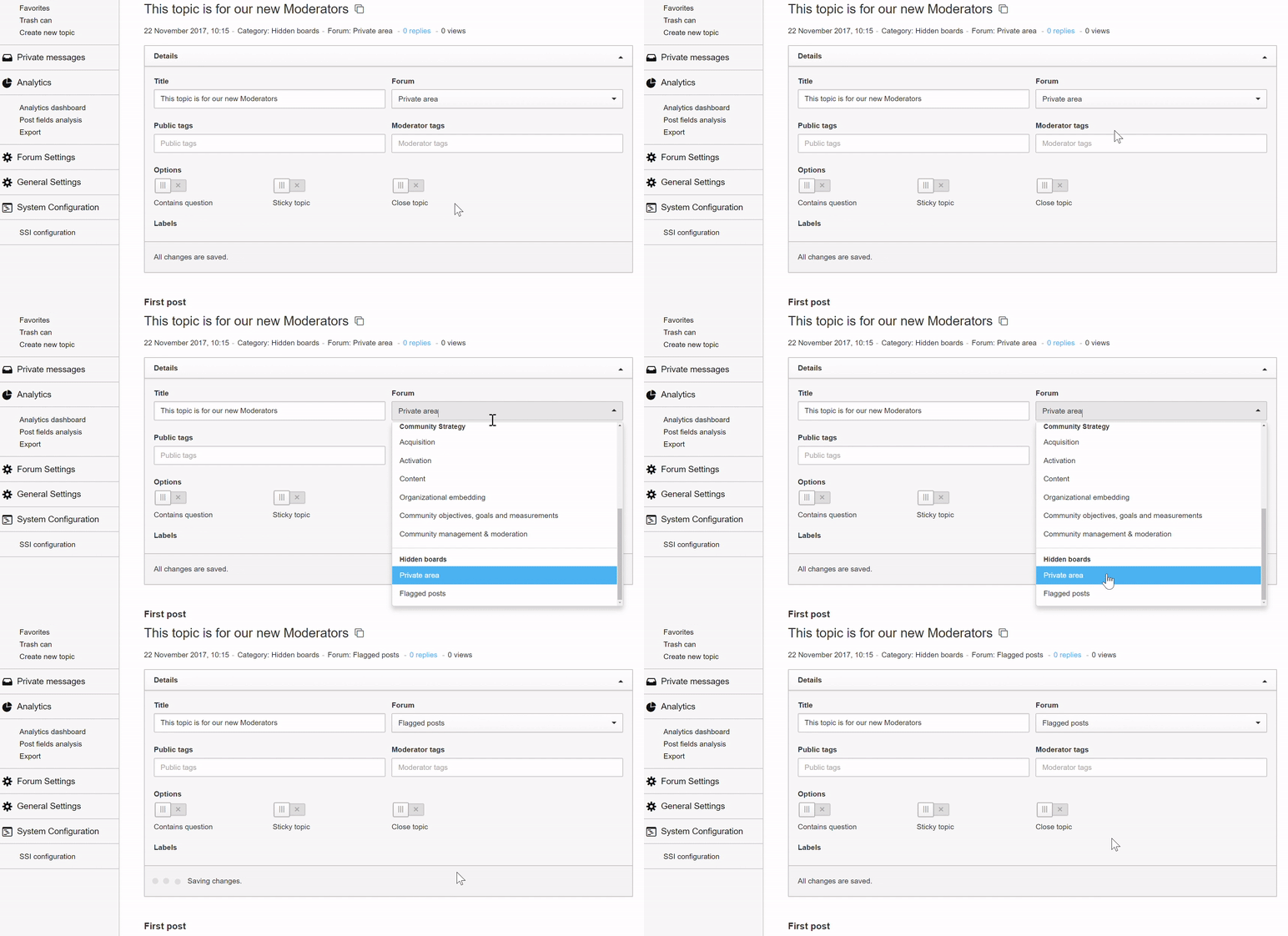
Some notes on this:
- After moving the topic, the community will send a notification to users who subscribed to a category that a new topic has been created
- If you move a topic from category A to category B, the statistics will still count it as being created in category A. This has consequences on some levels, e.g. for the calculation of Badges (for example: x amount of topics created in category 😎.
It might also happen that a post (or more posts) fits in better with a topic that already exists. In that case, you can move the content to another topic so you everyone can keep track of the discussion in a better way.
Select these comments and use the button [move to existing topic] at the bottom of the page.

Note: Be aware that all posts will always be shown in the order of the time that they were created. It could mean that you have to add a note (e.g. edit: moved from another topic) so that users do not get confused.
Converting a discussion to a question (or the other way around)
Sometimes a question is not marked as a question (customers often forget about this). You can simply convert a topic to a question under "more options" in a topic page.
Merge an entire topic with another one
You can move several replies at the same time, but you are not able to move the entire topic into another one - the first post always has to be moved seperately:
Any questions or issues with moving topics / replies? Let us know in the comments! 👇