Contributor ⭐️⭐️
August 18, 2026
Solved

Editing PX Template Name?

  • August 18, 2026
  • 1 reply
  • 54 views

I know you can’t delete a PX template, but how do you go about changing the name of a template? It’s a little convoluted to manage PX templates so not sure how to go about it...

Best answer by prraj

Hi Istone,

Thank you for reaching out!

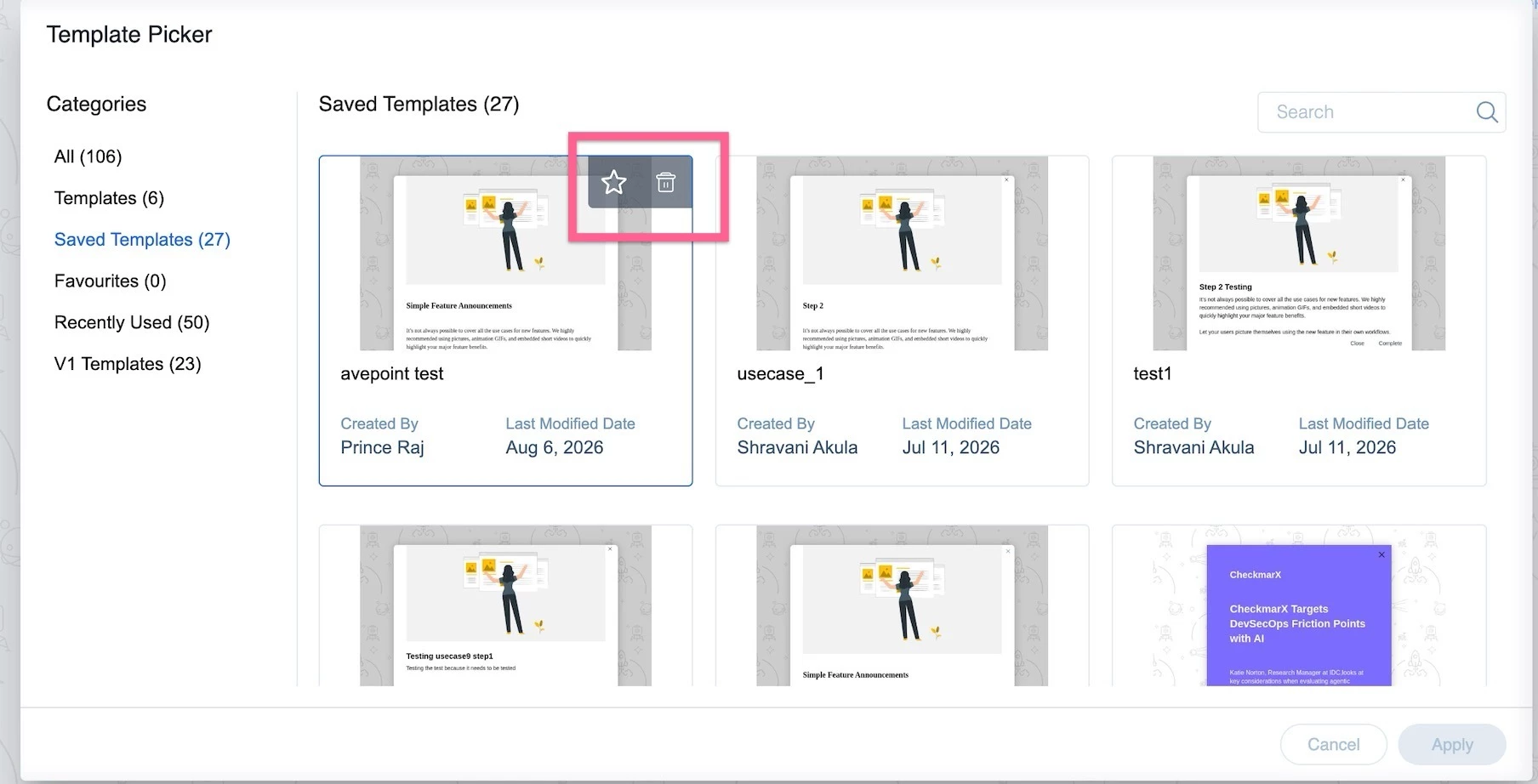
Deleting a Saved Template: Yes, this is supported I've attached a screenshot below for reference on where to find the delete option.


Renaming a Saved Template: There is currently no direct option to rename an existing engagement template. However, here is a simple workaround:

  1. Create or open an engagement and select the template you wish to rename.
  2. Once the template is loaded, use the "Save as Template" option.
  3. Save it under the new name you'd like.
  4. You can then delete the old template to keep things clean.

That said, we do understand the importance of having a direct rename option, and I'm happy to let you know that this feature is already on our future roadmap. We appreciate your patience as we continue to improve the product.

Thanks.

1 reply

prrajAnswer
Gainsight Employee ⭐️
August 25, 2026

Hi Istone,

Thank you for reaching out!

Deleting a Saved Template: Yes, this is supported I've attached a screenshot below for reference on where to find the delete option.


Renaming a Saved Template: There is currently no direct option to rename an existing engagement template. However, here is a simple workaround:

  1. Create or open an engagement and select the template you wish to rename.
  2. Once the template is loaded, use the "Save as Template" option.
  3. Save it under the new name you'd like.
  4. You can then delete the old template to keep things clean.

That said, we do understand the importance of having a direct rename option, and I'm happy to let you know that this feature is already on our future roadmap. We appreciate your patience as we continue to improve the product.

Thanks.